:no_upscale())
:no_upscale())
:no_upscale())
10 best AlayaCare competitors for private-duty care and home health
:no_upscale())
On this page
Which AlayaCare competitors are worth a demonstration for your agency? That depends on the care you deliver. A private-duty visit, a Medicare-certified home-health assessment and a UK community-care visit bring different recording and payment needs.
This comparison covers ten platforms, showing where each fits, what pricing information is available and which workflows to ask vendors to demonstrate. Use it to narrow your shortlist before testing a visit your team handles regularly.
What counts as an AlayaCare competitor
An AlayaCare competitor offers software you can use to run the care and business work your agency currently handles in AlayaCare. What qualifies depends on the care setting and how you get paid.
Start with a visit your team handles regularly.
A private-pay agency needs recorded hours that can become an invoice. A US agency providing Medicaid-funded care needs electronic visit verification (EVV), a record of when and where a visit took place. Medicare-certified home health brings clinical assessments and claims into the decision too.
Check whether a candidate can support the parts of that visit your agency relies on:
Care records: Can staff find the current plan, document what happened during a visit, and pass on changes that need attention?
Visit coordination: Can coordinators assign visits and see completed work, including the information your payer requires for verification?
Payment handoff: Can the agency turn completed care into the right invoice or claim, with the information needed for payroll where relevant?
A general staff scheduler can handle assignments well and still leave your team using another system for care records and payment. For a mixed-service agency, test each service line against the same checks rather than assuming one visit workflow covers them all.
AlayaCare competitors compared at a glance
Which AlayaCare competitors belong on your shortlist depends on the care you provide. Clinical home-health systems, private-duty agency tools and domiciliary care platforms keep different care records, visits and payment processes together.
Read the setting column first. An agency submitting Medicare home-health claims needs to check a different workflow from one that invoices for private-pay visits.
Tool | Main setting and workflow | Pricing |
|---|---|---|
Silverwise | Home care visits, field updates, routes, and billing information | Available through a personalized consultation |
Alora Home Health | US home health, non-skilled care, hospice, and claims | Request a quote |
MatrixCare Home Health | Certified home health and hospice, with Medicare records | Request a quote |
PointClickCare Home Health | Home health assessments and Medicare-oriented claims | Request a quote |
CareVoyant | Home health, private-duty nursing, and community services | Request a quote |
AxisCare | Personal care and private-duty visits, scheduling, and EVV | Request a quote |
WellSky Personal Care | Non-medical care scheduling, EVV, and payroll workflows | Request a quote |
HHAeXchange | Medicaid home-care provider and payer workflows, including visit verification | Ask the vendor |
Carecenta | Medicaid authorizations, EVV, claims, and remittances | Use the pricing estimator or request a quote |
Birdie | UK and Ireland community-care records and rostering | From £200/month excluding VAT, with the price varying by scheduled care hours |
For each quote, request recurring charges, implementation, training, support and integration fees separately. Use the vendor-specific checks below to confirm what your agency's services require.
1. Silverwise
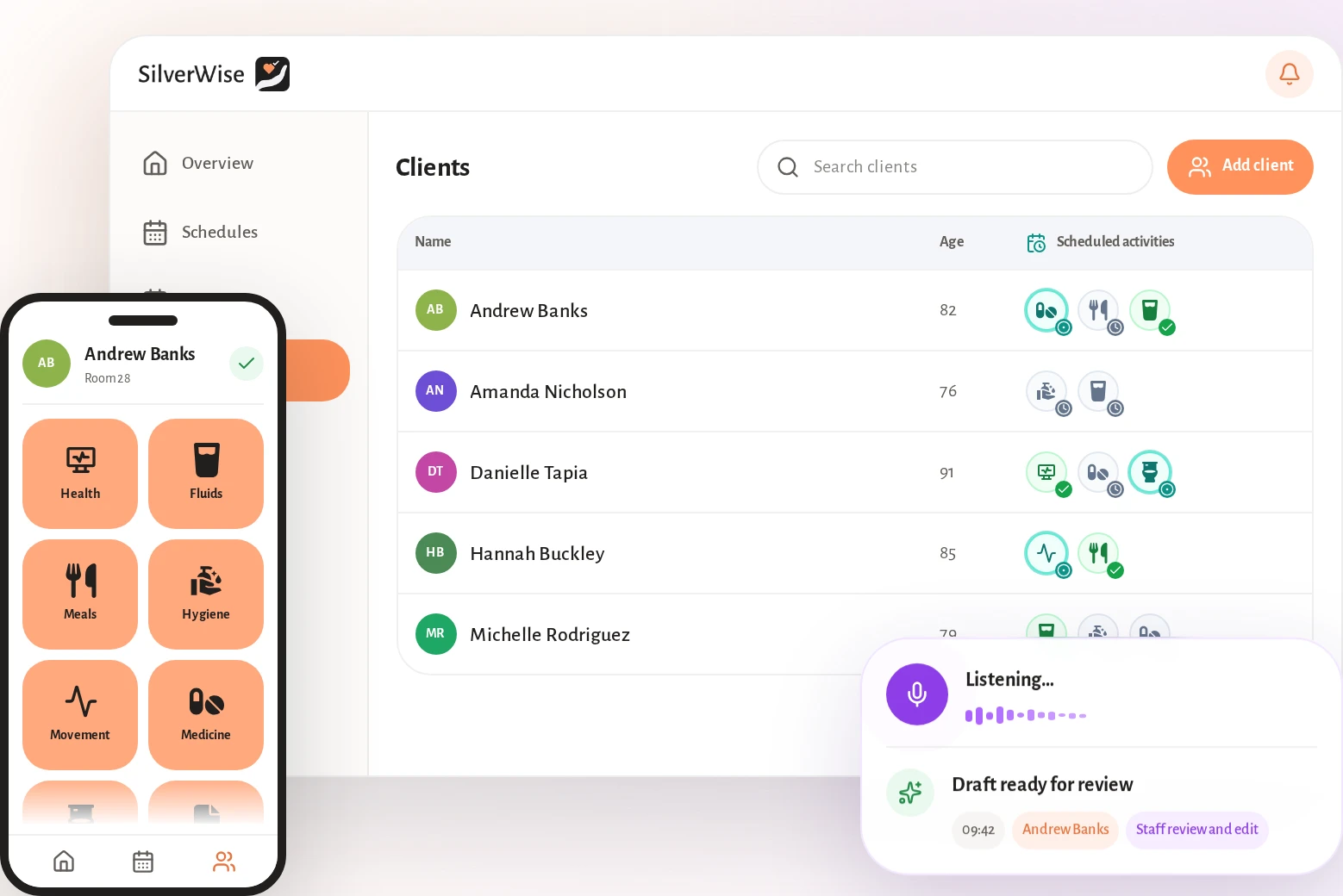
In Silverwise, your office assigns services to each client, and caregivers record the work completed during visits.
Those records connect with schedules and billing information, so the office can check recorded time and services when preparing a bill.
Home-care coordinators can follow routes, times and field updates alongside the care record in Silverwise. Residential and special care teams can keep care plans, handovers and daily follow-up in the same place.
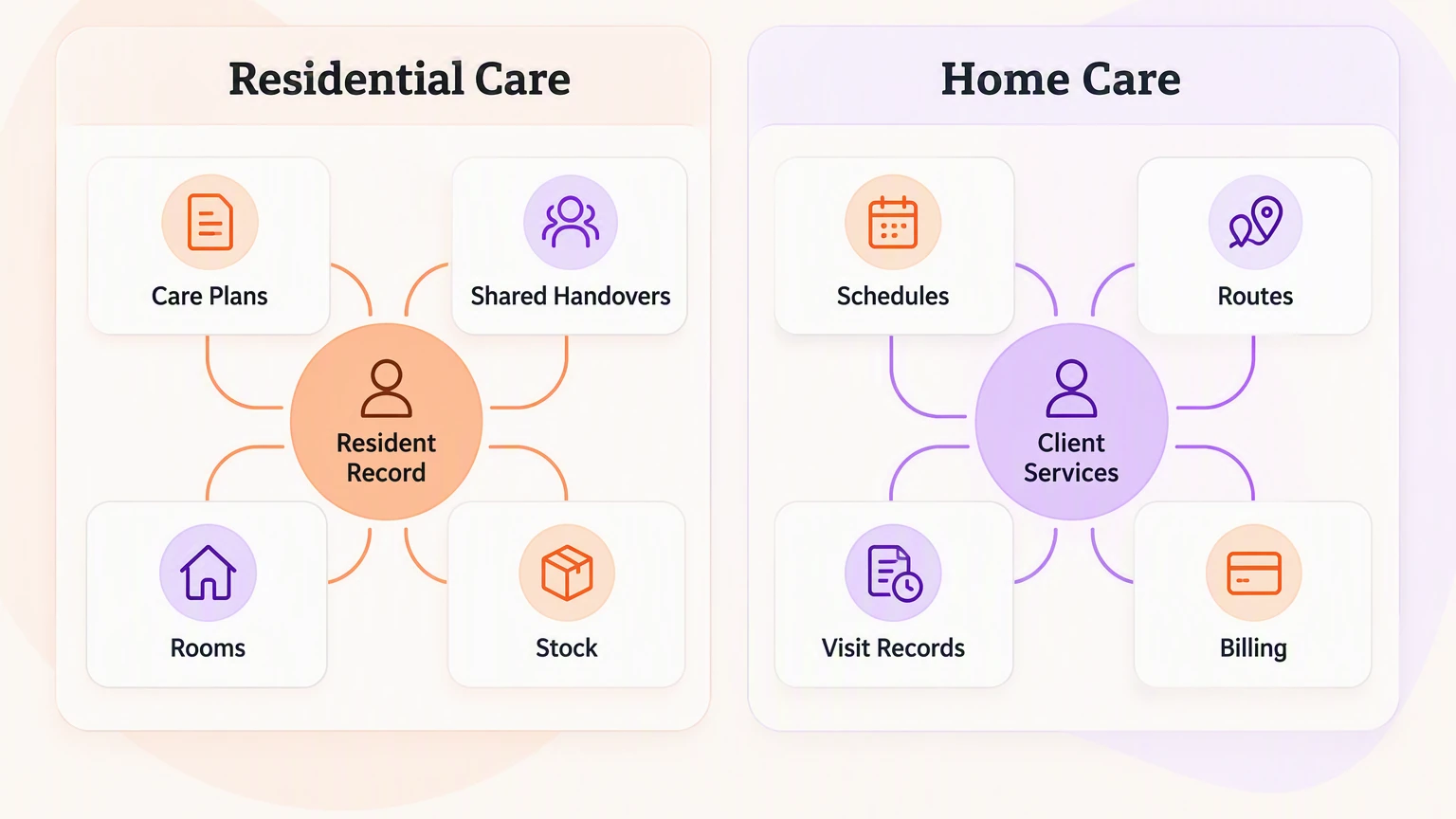
Set up services for each client
Your team defines services, prices, required signatures and visit information, then assigns services to clients. Caregivers can see the agreed work, and the office has a basis for invoice preparation.
For example, if a client receives both personal care and medication support, test each service separately. Check how your team records each visit and what the office needs to verify before billing.
Schedule staff and plan routes
Managers use templates and recurring rules to build schedules, then adjust the current rota when staffing changes.
Authorized staff and payroll teams can check working hours, leave, night work and overtime. During setup, agree who can access client records and when.
Home-care coordinators can see routes, times and work that still needs attention in Silverwise. Use a callout or moved visit from your own schedule to test what the coordinator and caregiver each need to update:
Change to test | Coordinator checks | Caregiver checks |
|---|---|---|
Caregiver callout | Who owns the reassigned visit | Where to find the current assignment |
Moved visit | Whether the visit order and rota agree | Where to see the revised visit time |
Record visits and prepare draft invoices
During a visit, field staff record its time and the services completed. They send updates so the coordinator can follow up on changes or unfinished work. Ask the office to check the recorded services and time against the agreed work before preparing a bill.
Silverwise can use recorded visit time and completed care to create draft invoice lines for office review. The home-care workflow shows services, visits and invoice preparation in one system.
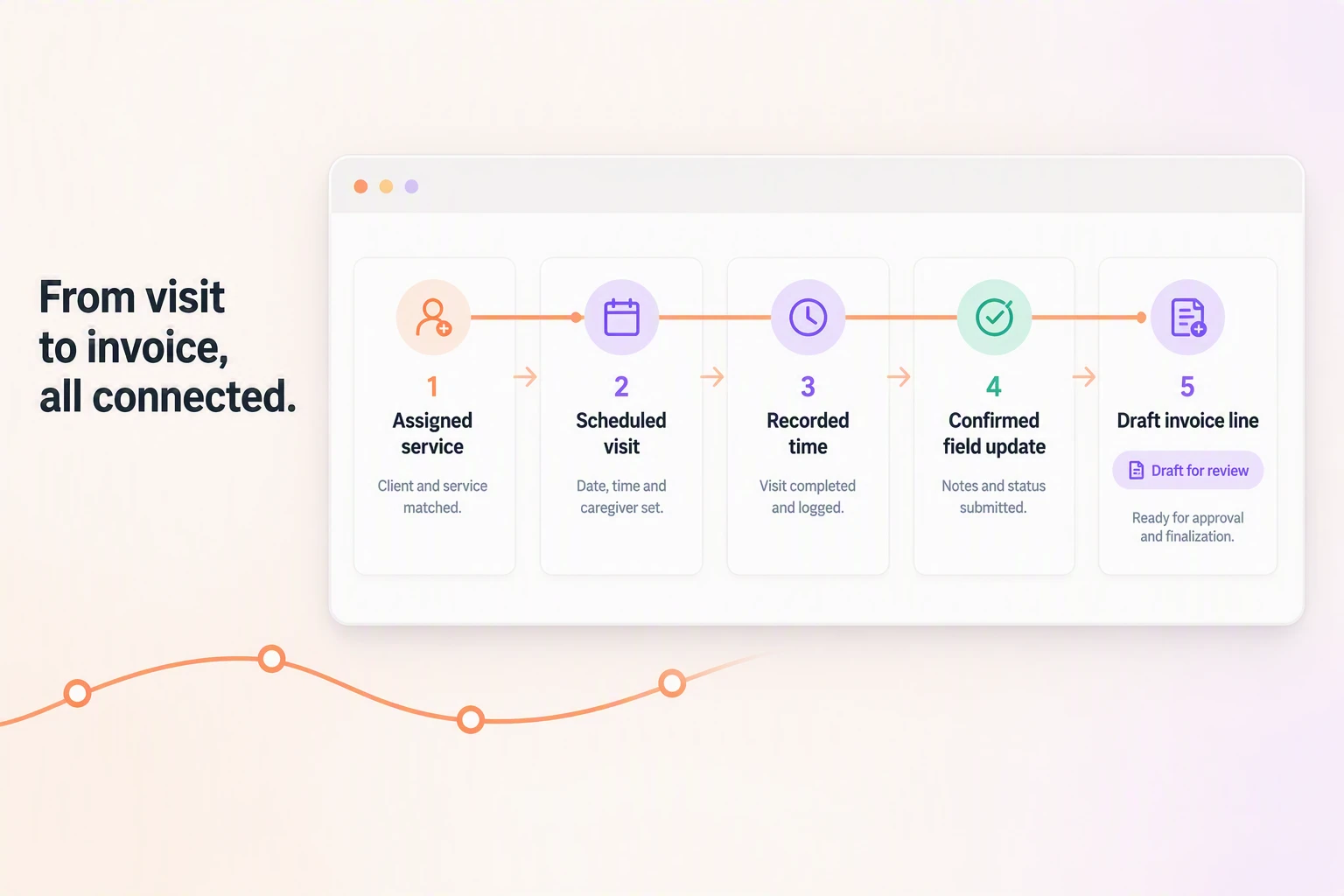
Keep care records and field updates current
Confirmed records keep completed work and changes available for the next caregiver. Coordinators can use field reports to identify what needs follow-up between visits.
Residential teams can turn care plans into scheduled actions, record completed work and check overdue care before the next shift.
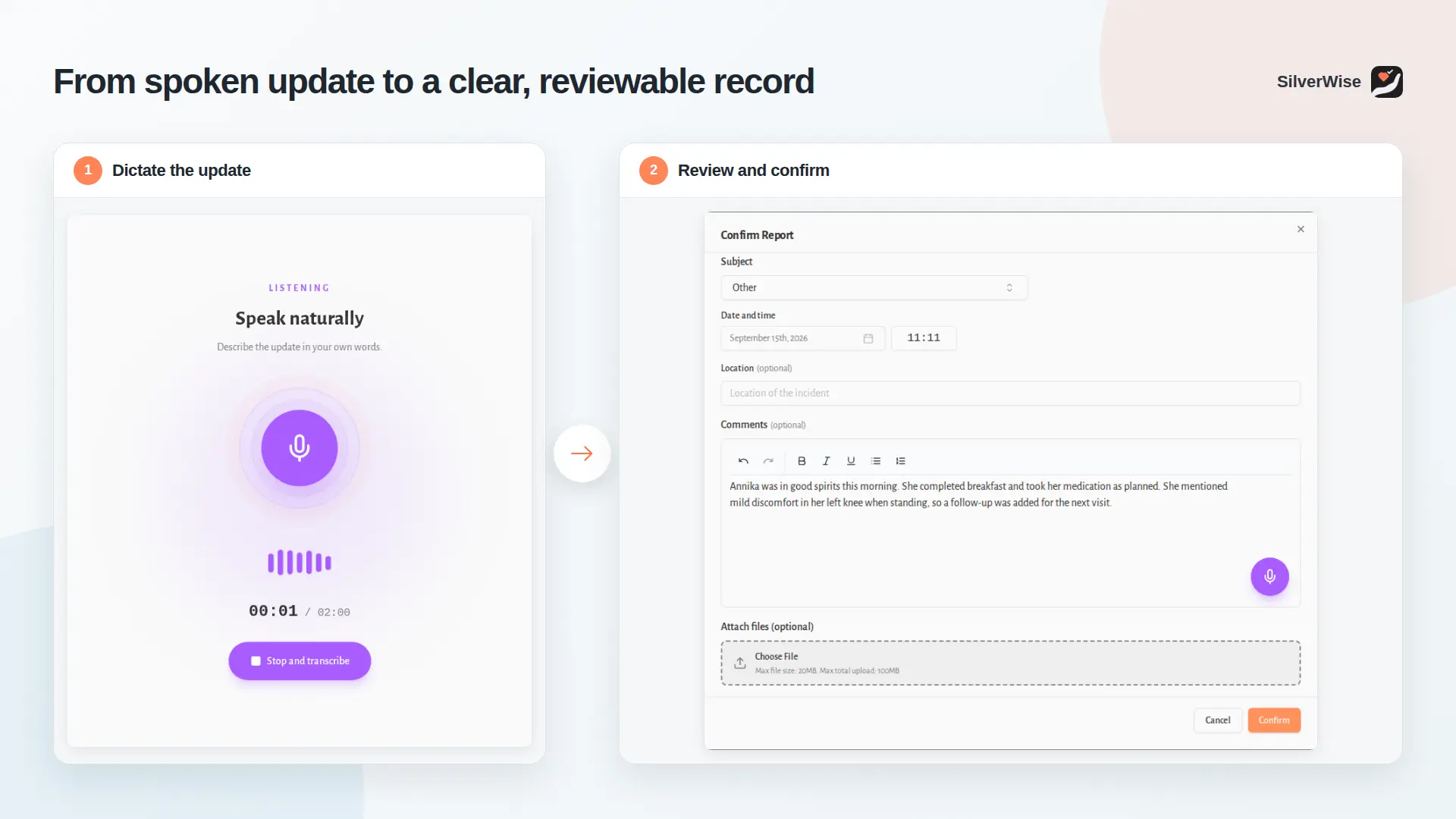
For a visit update or field report, a caregiver can dictate observations into the Log Book. Silverwise turns the spoken update into an editable draft.
A staff member reads the draft, corrects it and confirms it before saving. Professional judgement stays with the care team.
Add rooms, stock and files where they fit
Silverwise can bring occupancy and maintenance requests into daily oversight when your provider runs a residential setting.
Cleaning and maintenance teams record completed room work. A manager can review the issue and its history before the next admission.
When staff record a care action that uses supplies linked in the Digital Warehouse, those supplies are deducted from stock.
Your team can check stock levels and store files with access permissions and expiry reminders across care settings.
Explore the care-home examples if your agency also manages residential care. Home-care-only agencies can test visits and office follow-up first, then consider stock or file management.
Pricing and setup
We'll discuss Silverwise pricing in a free personalized consultation. Bring your service types, scheduling rules and an example visit to discuss the modules and cost for your agency.
Before launch, gather client and employee records and service details, then agree who can access them.
Decide who reviews and confirms voice-prepared notes and how visit records reach the office.
Check local privacy, billing and care-record requirements during setup. Verify payer-specific claims separately when your agency needs them.
Home health and multiservice agency platforms
Home health and multiservice agency platforms connect clinical records with visits and payer billing. If your agency provides skilled care in the US, check how each system handles Medicare assessments, claims and Medicaid visit verification alongside everyday scheduling.
2. Alora Home Health
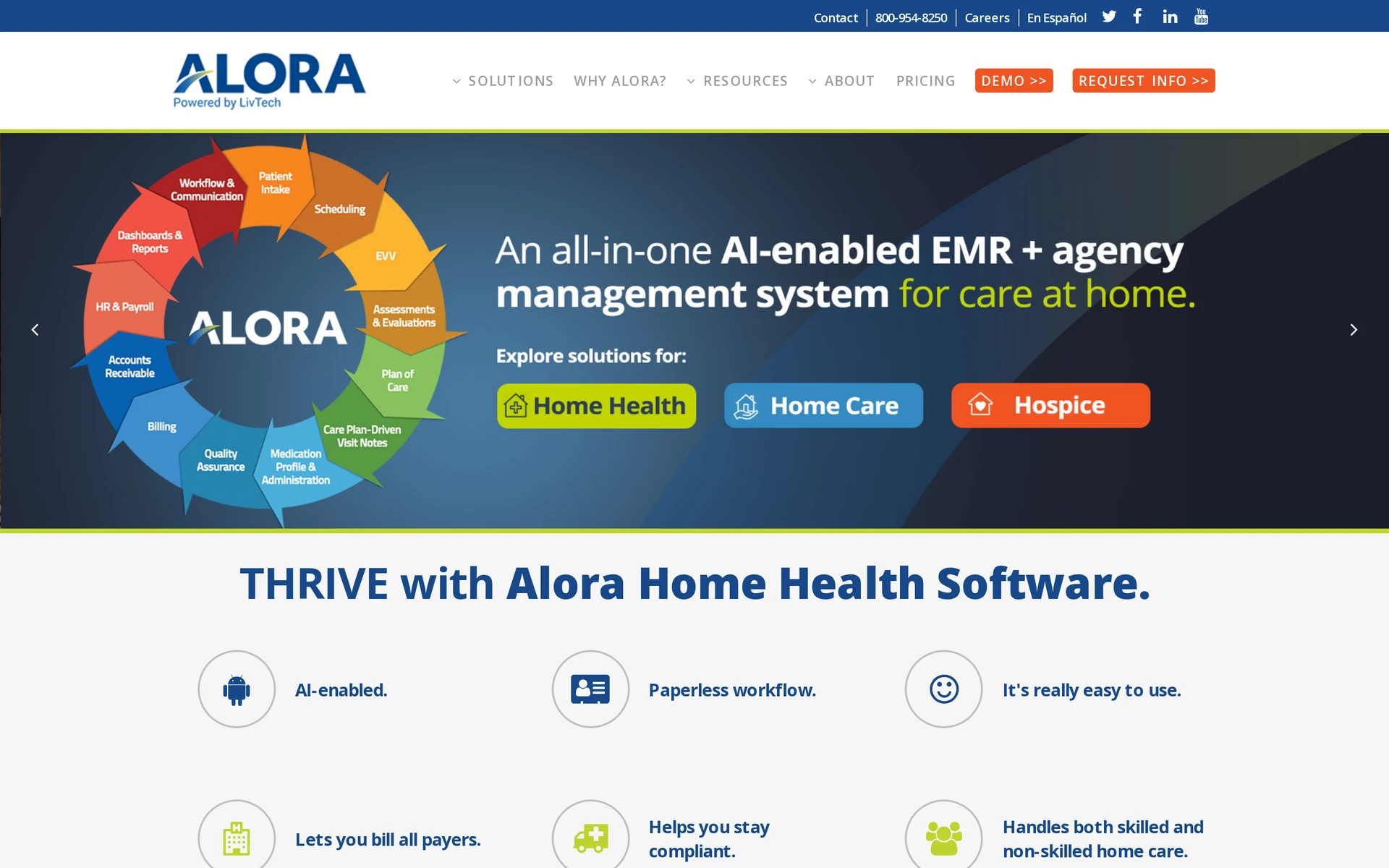
Alora Home Health is a US cloud-based electronic health record (EHR) and agency system for skilled home health, personal care and hospice. Its US workflows include Medicare assessment and claims work, along with connections for state Medicaid electronic visit verification (EVV).
Best for
Alora is for agencies that coordinate skilled and non-skilled visits in one system. Staff can document care and manage schedules while the office prepares billing and payroll from agency records.
When a visit has no assigned caregiver, Alora's Open Shift Notification sends the opening by text message and push notification. The roster updates after a caregiver accepts, giving the coordinator a current assignment to check before the visit.
What to compare with AlayaCare
Alora's workflows concentrate on US payer requirements. OASIS is the standard patient assessment used in Medicare home health.
EVV records Medicaid-funded visit details for verification through state systems. Alora also prepares UB-04 and CMS-1500 claim forms from agency records.
Compare how Alora and your AlayaCare setup handle outside clinical records. Ask which exchanges your agency can use and how a clinician finds information received from another provider.
Pricing and what to confirm
Alora quotes according to patient census or concurrent staff rather than publishing a list price. Ask for a figure based on your agency's actual volume and services.
Confirm the price for skilled care or hospice modules, state EVV connections, claims submission and Open Shift Notification. Ask how changes in census or concurrent staffing affect the bill.
3. MatrixCare Home Health
MatrixCare Home Health is a US post-acute EHR for home health and hospice, with Medicare documentation and billing workflows. Its described connections include CommonWell and Carequality for two-way clinical information exchange, plus Surescripts for prescription information.
Best for
MatrixCare covers certified home-health organizations documenting skilled care alongside outside clinical records.
A nurse preparing for a visit after hospital discharge may need recent clinical history and prescription information alongside the agency's own notes.
MatrixCare covers point-of-care documentation, claims management and staff scheduling. Check whether assessment details carry into visit records and claims or require staff to enter them again.
What to compare with AlayaCare
Compare MatrixCare's Medicare workflows and clinical exchange connections with your AlayaCare setup. Two-way exchange lets records move between participating providers rather than remaining in the agency's own chart.
Use a hospital referral to check which documents reach the clinician, whether updates return to the referring provider and what prescription information is visible.
Availability depends on participating providers and the exchange setup. Ask the vendor to show the connection your agency would use.
Pricing and what to confirm
MatrixCare Home Health uses a custom quote rather than a public rate card. To compare the cost with your existing setup, request an itemized proposal covering:
Staff and care lines: Confirm which roles, locations and services the quoted licenses cover.
Launch work: Check the charges and responsibilities for setup, moving existing records and training staff.
Clinical and billing connections: Confirm which exchange connections and claims workflows are included, plus any ongoing support costs.
Ask whether staff numbers or patient census determine recurring charges, and how growth changes the total.
4. PointClickCare Home Health
PointClickCare Home Health sits within PointClickCare’s post-acute electronic health record (EHR). It covers home-health documentation and billing, with an admission handoff for programs linked to an affiliated facility.
Best for
It fits home-health programs connected to a hospital or skilled nursing facility (SNF) that uses PointClickCare.
A visiting clinician can document care on a mobile device. Office staff can manage OASIS, the standardized U.S. home-health patient assessment, and PDGM, the Medicare payment model for home health. These are relevant checks if your team handles both the admission and the care that follows.
If referrals also come from unrelated providers, ask how their records reach your intake team. The affiliated-chart handoff only helps when there is a connected facility record to draw from.
What to compare with AlayaCare
Compare how PointClickCare and your AlayaCare setup handle admissions from an affiliated facility. Check which chart details carry forward and which the intake team must verify or enter again.
Intake staff can bring patient history, medication information and clinical data from an affiliated SNF into a home-health record.
Ask which transferred details a clinician must verify or update before the first visit.
Pricing and what to confirm
PointClickCare Home Health pricing is quote-based. Request a written total for the licenses, modules and implementation your program needs.
Have the vendor separate the costs that affect your proposed workflow:
Home-health modules: Confirm whether mobile documentation and the OASIS and PDGM workflows are included in the quoted license.
Chart connection: Ask what it costs to move information from your affiliated facility record into a home-health admission.
Setup and support: Check the implementation charge and which support arrangements carry a separate recurring fee.
Check that the quoted chart connection covers the affiliated facility used in your admission test.
5. CareVoyant
CareVoyant keeps clinical records, schedules and billing together for agencies that deliver more than one type of home care. Its continuous nursing flow sheets are relevant to shifts where staff record care throughout the day or night.
Best for
CareVoyant serves agencies managing extended private-duty nursing shifts and billing services against payer authorizations.
A client may receive private-duty nursing and personal care from the same agency. CareVoyant keeps those services in one patient record so the team can follow care across service lines. Ask the staff who will use it to try recording a full nursing shift and checking the resulting bill. That test will also show what training they need.
What to compare with AlayaCare
Compare continuous nursing records and authorization-based billing with your AlayaCare setup. A payer authorization sets the care and hours the payer has agreed to cover.
A nurse can add observations to a continuous flow sheet alongside electronic medication and treatment administration records, known as eMAR and eTAR.
The next clinician can review entries made throughout the shift.
Ask how the office identifies recorded services that exceed authorized hours and resolves them before billing.
Pricing and what to confirm
CareVoyant pricing is quote-based. Ask for a written total based on the service lines and payer arrangements your agency actually uses.
Confirm which nursing-documentation modules the quote includes and what it costs to configure your payer rules. Get separate figures for implementation, staff training and ongoing support before comparing the proposal with another system.
Private-duty and Medicaid home care platforms
These platforms focus on the work around private-duty and Medicaid home-care visits. Teams need to assign caregivers and turn completed visits into records they can use for billing.
For Medicaid-funded personal care, electronic visit verification (EVV) records who delivered which service to whom, when it began and ended, and where it took place. If a visit changes, the office also needs to check the visit record and any payer authorization, which is approval for the care being billed.
6. AxisCare

AxisCare manages caregiver schedules and visit verification for private-duty and Medicaid home-care agencies. It also has payer management and invoicing, with Care Analytics to review notes caregivers leave after visits.
Best for
AxisCare is for private-duty and Medicaid personal-care agencies that coordinate field visits and bill for them. A coordinator can assign a caregiver and check the visit record while the billing team handles the payer details.
Test a visit that ends later than planned. Ask who corrects the EVV record and what the billing team sees after the correction.
What to compare with AlayaCare
AxisCare's Care Analytics examines caregiver notes for possible fall risks, signs of a urinary tract infection (UTI) and medication changes.
A supervisor decides which notes need a closer read and what care follow-up is needed.
When comparing it with AlayaCare, ask each provider to show the same changed visit from note entry through invoice review. Check where a supervisor finds a concern flagged in a caregiver note and how the finding connects to the visit record.
Pricing and what to confirm
AxisCare provides custom quotes rather than a published subscription price. Give its sales team your active-client count and the states where you need EVV, then request a proposal that answers these questions:
Core usage: How many field caregivers and office users does the quote cover, and what happens to the price when those numbers change?
EVV and payers: Which state requirements and payer-related setup are included?
Additional work: Are Care Analytics, implementation, and training included or priced separately?
7. WellSky Personal Care
WellSky Personal Care is WellSky’s non-medical home-care operations product. It connects caregiver scheduling and EVV with invoicing and payroll, and includes tools for family communication.
Best for
WellSky Personal Care is for agencies arranging non-medical visits that need to keep caregivers and families informed when plans change. For a visit reassigned after a callout, ask WellSky to show:
Scheduling: How does the coordinator assign the replacement caregiver, and where does the caregiver see the change?
Family updates: What information can the family receive about the revised visit?
Pay and billing: How does the office check the completed visit time before preparing payroll and an invoice?
What to compare with AlayaCare
WellSky Personal Care includes TeamEngage, a points-and-rewards program powered by Zingage.
Ask which caregiver activities earn points and who controls the rewards, then compare those arrangements with your AlayaCare setup.
Test the visit record separately. Recognition can acknowledge a caregiver’s work, while the office still needs to verify what happened during a visit before it bills for care.
Pricing and what to confirm
WellSky Personal Care pricing is available by quote. Ask how caregiver and office access affect the total.
Confirm whether state EVV, family communication and TeamEngage are included or priced separately.
Request a separate figure for any partner fees as separate lines. Ask what changes in the price if you add caregivers or clients, so you can compare the ongoing cost with the proposed package.
8. HHAeXchange
HHAeXchange connects home-care providers, payers and caregivers around Medicaid home and community-based services. Its provider platform covers shifts, visit records and issues that need resolving before payment.
Best for
HHAeXchange is for US agencies coordinating Medicaid-funded home and community-based services. Check how your state's payer setup affects visit verification and the office's billing work.
Ask HHAeXchange to demonstrate a changed visit from the caregiver's mobile record through an EVV exception to the billing review. Confirm which tools your agency can access through its state program and which need a separate agreement.
What to compare with AlayaCare
HHAeXchange emphasizes the connection between Medicaid home-care providers and payers. Compare its visit-exception and payer handoff with your AlayaCare setup, using the states and contracts your agency works under.
Pricing and what to confirm
Request a quote for the services, states and payer connections your agency needs. Ask which capabilities come through a state arrangement and which require a separate contract, then get implementation and support costs in writing.
9. Carecenta
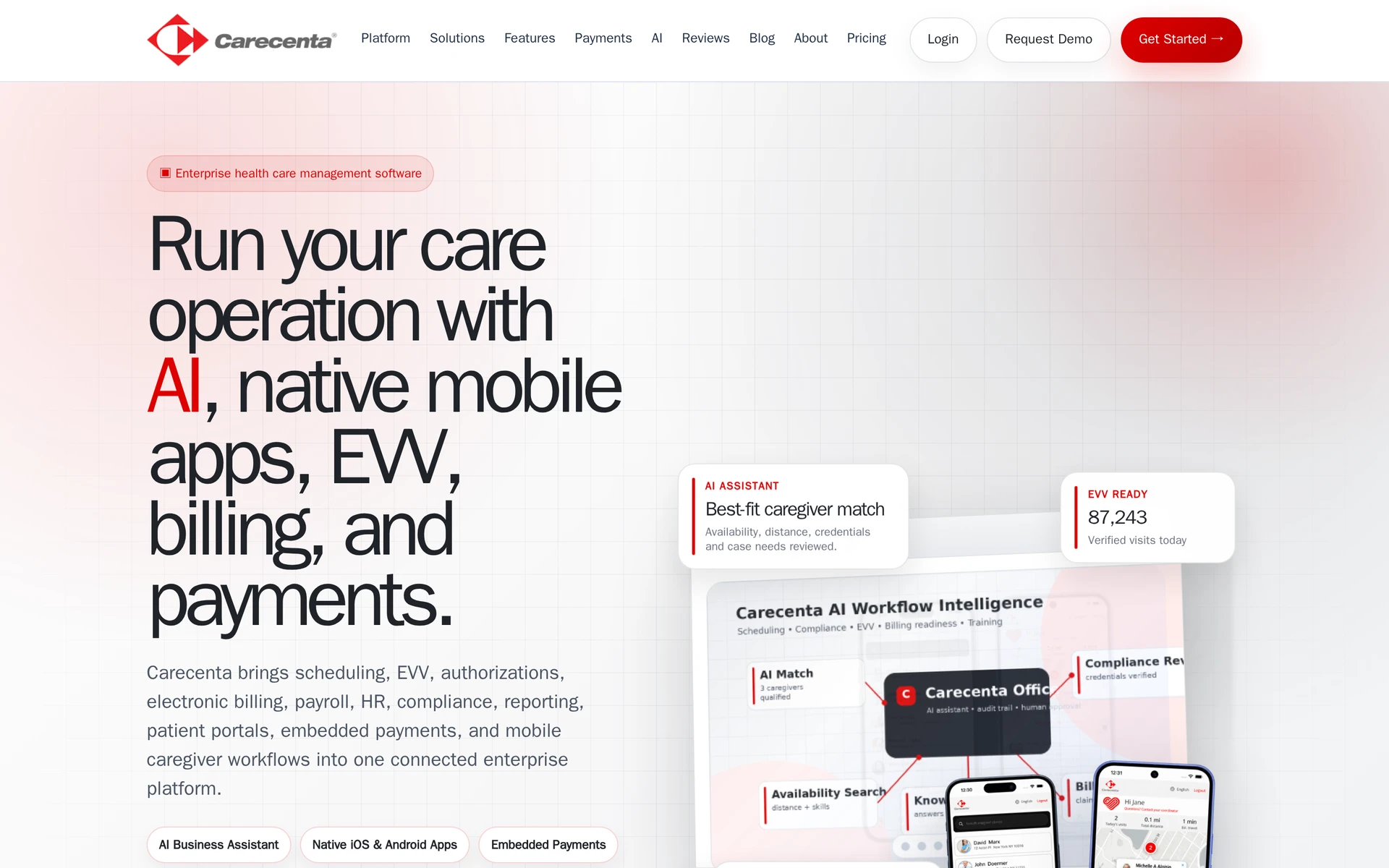
Carecenta is home-care and adult-day operations software that links authorizations, schedules, EVV, claims, and remittances.
Best for
Carecenta serves agencies coordinating authorization checks, EVV, claims and remittances alongside home-care or adult-day services.
Evaluate Carecenta against the work your agency needs to carry from the first visit through payment. In a demonstration, follow one client through scheduling, visit documentation, authorization checks, claim creation, and payment reconciliation. Ask how the office matches a remittance to the claim and identifies an unpaid balance or adjustment that needs follow-up.
What to compare with AlayaCare
Compare Carecenta's state EVV connections and Medicaid billing steps with your AlayaCare setup. Use the authorizations and payer rules your agency actually works under.
Pricing and what to confirm
Use Carecenta's pricing estimator to describe your agency's size and requirements. The table below shows what to include in the estimate request:
Estimate input | What to provide | What to confirm |
|---|---|---|
Agency profile | Business type and services | Coverage for each service line |
Agency size | Patients or clients and office users | Recurring cost at that size |
Setup requirements | EVV, payer rules and required modules | Implementation, training and additional fees |
Request a written total for the proposed configuration, including recurring charges and setup costs.
International community-care platforms
For a UK or Ireland domiciliary-care agency, the relevant checks concern local care records and inspections. CQC inspections apply in England, while Medicare OASIS assessments, Medicaid EVV and PDGM claims belong to US payer workflows. Check the regulator where your agency delivers care.
10. Birdie
Birdie is a UK and Ireland community-care platform for digital care records. It also handles rostering and medication administration.
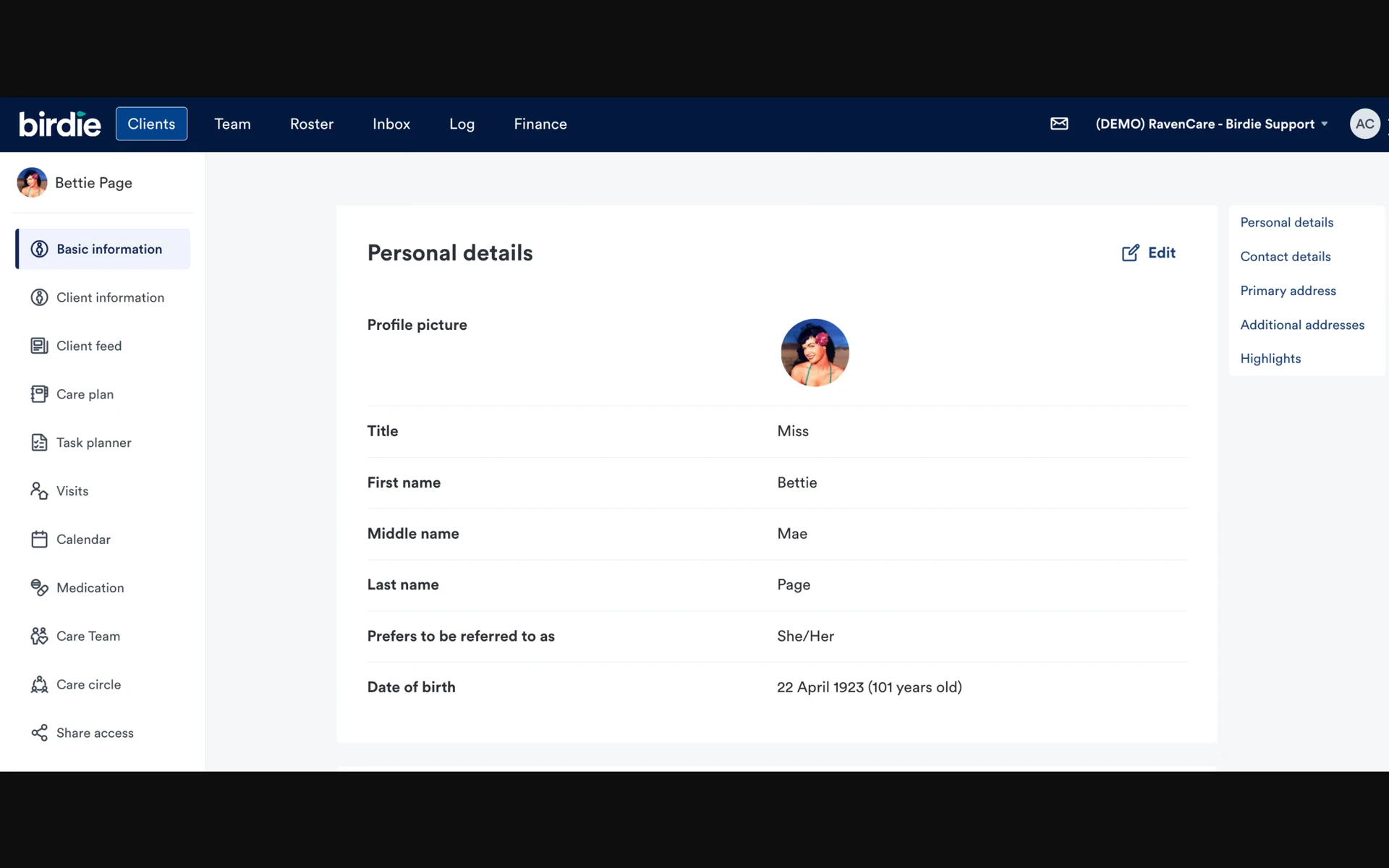
Birdie is listed as an assured Digital Social Care Records supplier by NHS England. Its inspection material addresses how English providers can present care records to the CQC.
Best for
Birdie is for domiciliary-care agencies whose staff document care during visits and whose coordinators need to review that work afterward.
Families can access care information, while office teams can export finance data. During a demonstration, ask staff to complete a visit record and show how a coordinator checks it afterward.
What to compare with AlayaCare
Birdie's care-record and inspection material focuses on UK community care, including CQC requirements in England. Compare those records and exports with the requirements your agency handles in AlayaCare.
If you operate in more than one country, ask each vendor to demonstrate the records and exports required in each service area. A US payer submission and an English care inspection require separate checks.
Pricing and what to confirm
Birdie plans start at £200 per month excluding VAT. Quotes vary with scheduled care hours and the plan selected.
Give Birdie the care hours you expect to schedule and ask which workflows the proposed plan covers. Check how the quote changes if scheduled hours rise, and ask whether setup and data migration carry separate charges.
What to check before switching from AlayaCare
Before moving away from AlayaCare, take a sample of upcoming visits and existing client records through the replacement system. Find out what can move, what must remain accessible in the old system and who will resolve mismatches before staff rely on the new record.
Use the sample to check the handover in this order:
Visits and assignments: Compare scheduled times, assigned workers and service details in both systems. Test a changed or cancelled visit and check that the coordinator and care worker see the same current plan.
Care records: Ask AlayaCare which client details, care plans, visit history and notes you can export, in what format, and how staff will access older records that cannot move. After import, check dates and staff names against the originals.
Permissions and handovers: Give field staff, coordinators and billing staff access suited to their work. Test who can enter, review and find a shift update.
Billing inputs: Compare recorded visit time and completed services with the invoice lines your team expects. If you submit US payer claims or need Medicaid EVV or OASIS, verify those workflows separately with the vendor.
Keep the outgoing records accessible according to your local retention requirements while staff check the new workflow. Add rooms and stock to the test only if your service manages them.
See whether Silverwise fits your care routines
Choose a normal visit that causes extra follow-up today, such as a changed time or a service the office has to verify before billing. Ask a coordinator and a caregiver to trace who updates the schedule, what the worker records and which details the office reviews afterward.
Bring that example to Silverwise. We'll walk through the visit with your team and see which parts of Silverwise fit the work, then talk through your care routines and local requirements.
Why do agencies switch away from AlayaCare?
You start comparing platforms when scheduling, care records, visit verification, or billing no longer fit the way you work. Name the problem before looking at another tool.
If a cancelled visit leaves your coordinator updating records by hand, ask vendors to show how they handle that exact change.
Do any AlayaCare competitors offer free software?
None of the ten entries includes a confirmed free full-agency plan. Silverwise's free consultation is not a free software subscription.
Ask for written terms covering care records, visit coordination, required verification and billing. For a state-provided portal, confirm eligibility and which additional agency tools carry fees.
Can you transfer AlayaCare data to a new platform?
Ask AlayaCare what records your agency can obtain and in which formats, then ask the new vendor to test an import.
Use a sample that includes a care plan, visit history, and an attachment so staff can check what transferred correctly.
Agree how the team will access older records before switching its daily work.
Will switching disrupt ongoing care delivery?
It can if staff cannot find current plans or upcoming visits during the change.
Test an upcoming visit in the new system, agree who checks transferred information, and give staff one clear place to find the latest schedule and record each update during the handover.
:no_upscale())