:no_upscale())
:no_upscale())
:no_upscale())
10 care home management software platforms compared by care setting
:no_upscale())
On this page
Choosing care home management software starts with the work your team needs it to cover. A care-plan change must be clear to the next shift, while an unfinished action or a room awaiting cleaning needs someone to follow it up. Check which of those jobs you want staff to manage in the same system.
The ten platforms here serve different care settings and cover different combinations of care records, staffing, rooms and billing. This guide explains what each offers, what pricing information is available and what to ask vendors to show during a normal shift or visit.
Why care homes look for alternatives to paper and spreadsheets
Care homes look beyond paper and spreadsheets when staff cannot reliably find the latest resident information or see which care tasks still need attention across shifts.
When a care note is current but the rota still names yesterday's worker, the records give conflicting instructions. The incoming team has to find both the new instruction and the person responsible for it. A shared screen only helps if those updates reach the people who need them.
Trace one recent change through your current records and note where the trail breaks:
Handover: Staff search a paper log, messages and a separate care record to learn what changed.
Repeated entry: A completed care action goes into a paper chart and then into a spreadsheet or another system.
Open work: The shift lead cannot readily tell which planned actions were recorded, left unfinished or handed to someone else.
Changes: An updated rota or care instruction reaches one team but remains out of date in another place.
Moving to digital records won't help if your team still has to copy the same update into several places. Ask each vendor to show you how a changed care instruction reaches the next shift, including any action left unfinished.
1. Silverwise
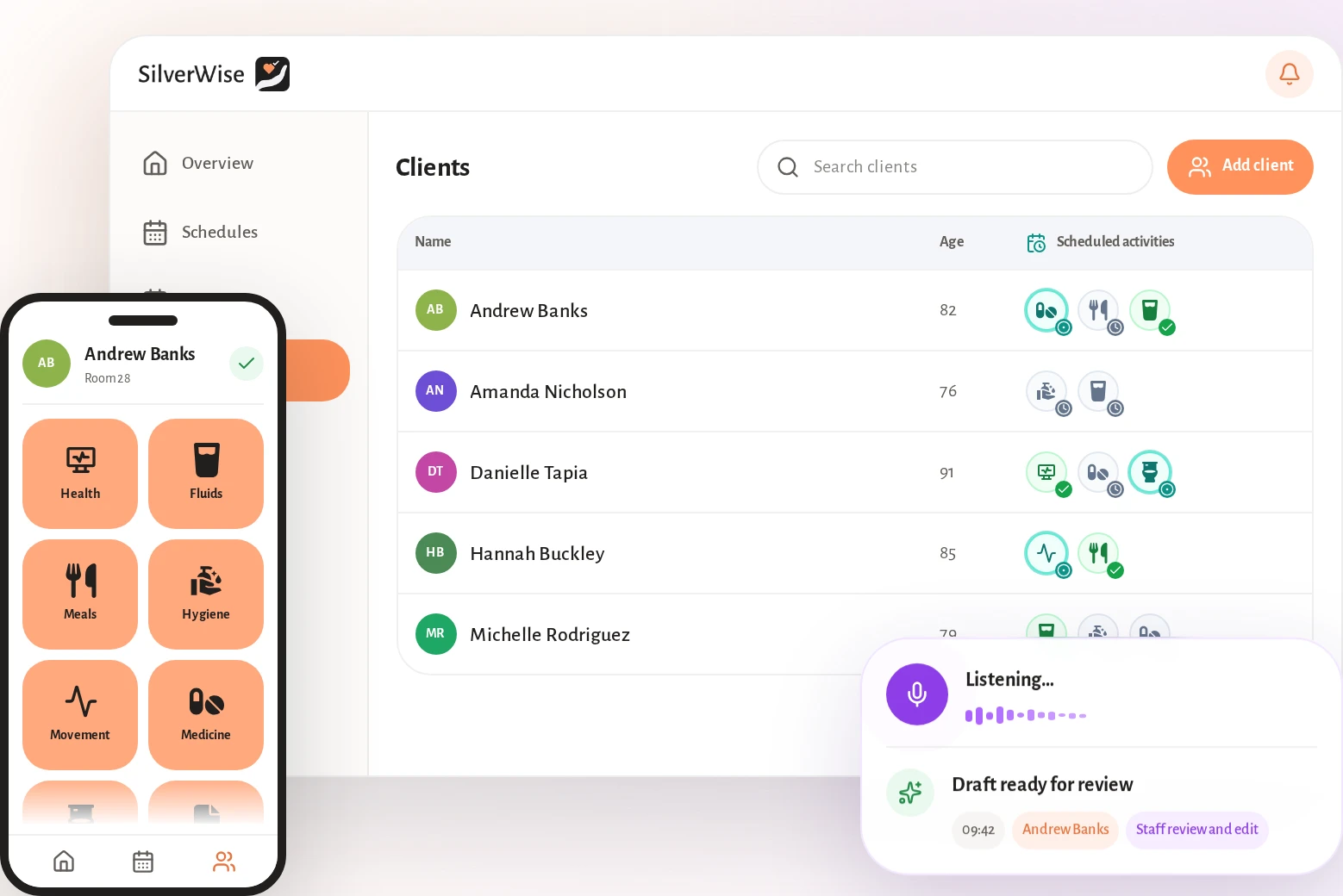
Silverwise brings care home management into one system for residential homes, home care providers and special care facilities. Your team's digital care plans are at the centre, connected to shift records, schedules, rooms, files and stock in the same shared record.
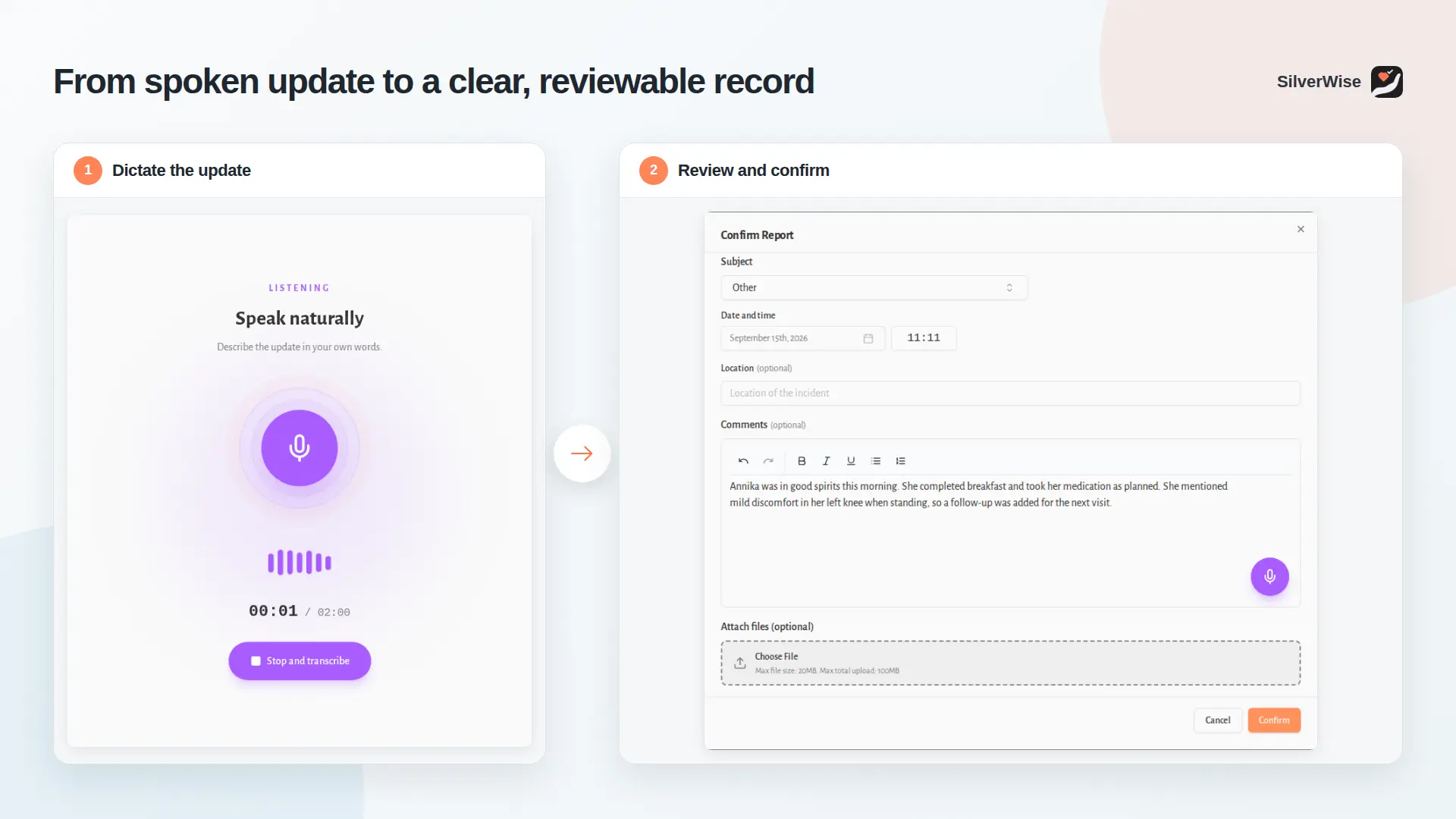
If a resident's needs change overnight, the incoming team needs the updated plan and a record of the work still open. In Silverwise, a confirmed shift entry remains available alongside the person's care information, giving staff a place to check before they start.
For home care, a coordinator checks visits and updates from caregivers in the community. A special care team records work against each person's support needs. In either setting, the person doing the work needs to record it where the next colleague can find it.
Turning care plans into daily actions
Your team can turn care plans into daily actions and record them during a shift. Reminders flag care that still needs attention.
Start with a resident's assessment. If it records a need for help with meals or mobility, you can turn that need into an action staff see during the shift. Staff can add a specific action, such as a rehabilitation walk, when a general note would be too easy to miss.
When a caregiver records completed care, a shift lead can compare that entry with planned and overdue actions. The lead can then speak to the team about a gap before the next handover.
Staff can record a routine action for more than one resident at once, provided the entry accurately describes each person's care. The care-plan view lets a manager review recorded care without relying on a separate paper chart.
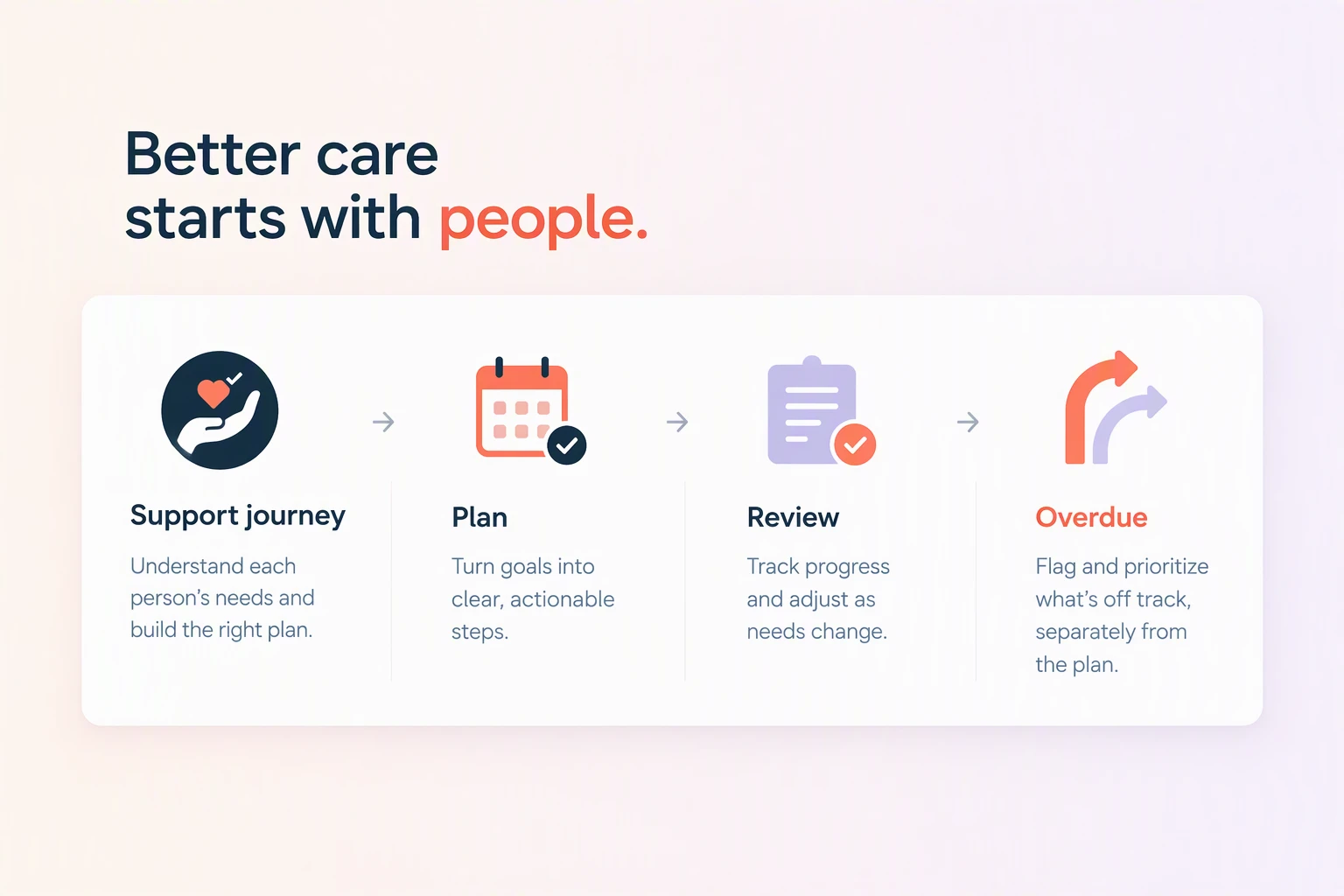
Voice shift logs and staff review
Staff can dictate shift observations, and the log book turns them into a draft they can edit. Staff must review and confirm the draft before it is saved.
After an evening visit or shift, a caregiver can dictate an observation while the details are fresh. Silverwise prepares a draft that the caregiver checks and corrects before saving. They can identify the relevant department and add the next action so the update reaches the right team.
Once confirmed, the note stays in the shared log history, linked to the relevant department and, where needed, a recent shift. You can use a department notice for a wider update. The Log Book shows how a draft becomes a saved entry after staff review.
Lõuna-Eesti Carehome moved from paper and spreadsheets to a shared daily record, as described on the care-home page. The same page describes Pärna Pansionaat's work to standardize records and avoid missing or overwritten documents.
Staff scheduling and hours tracking
You can plan shifts, make changes and share the schedule with your team in the same place you track shifts. That record also holds holidays, working hours and overtime.
You can set up the usual shift pattern using templates and recurring rules in worker scheduling. When someone calls out, change the current rota so authorized staff see the reassignment rather than an earlier spreadsheet copy.
The schedule records working hours, holidays and overtime for payroll staff to check. Ask who can see calendars and notices outside working hours, and whether resident-record access can be restricted when a shift ends.
Rooms, files, and stock in one system
You can check room status, files and stock alongside care records. Recording care can deduct linked supplies from stock, and alerts let staff know when documents are nearing expiry.
Recording care can also update your stock record. If staff link an action to supplies in the Digital Warehouse, recording that action deducts those supplies from stock. Staff can then check the stock record after the care entry.
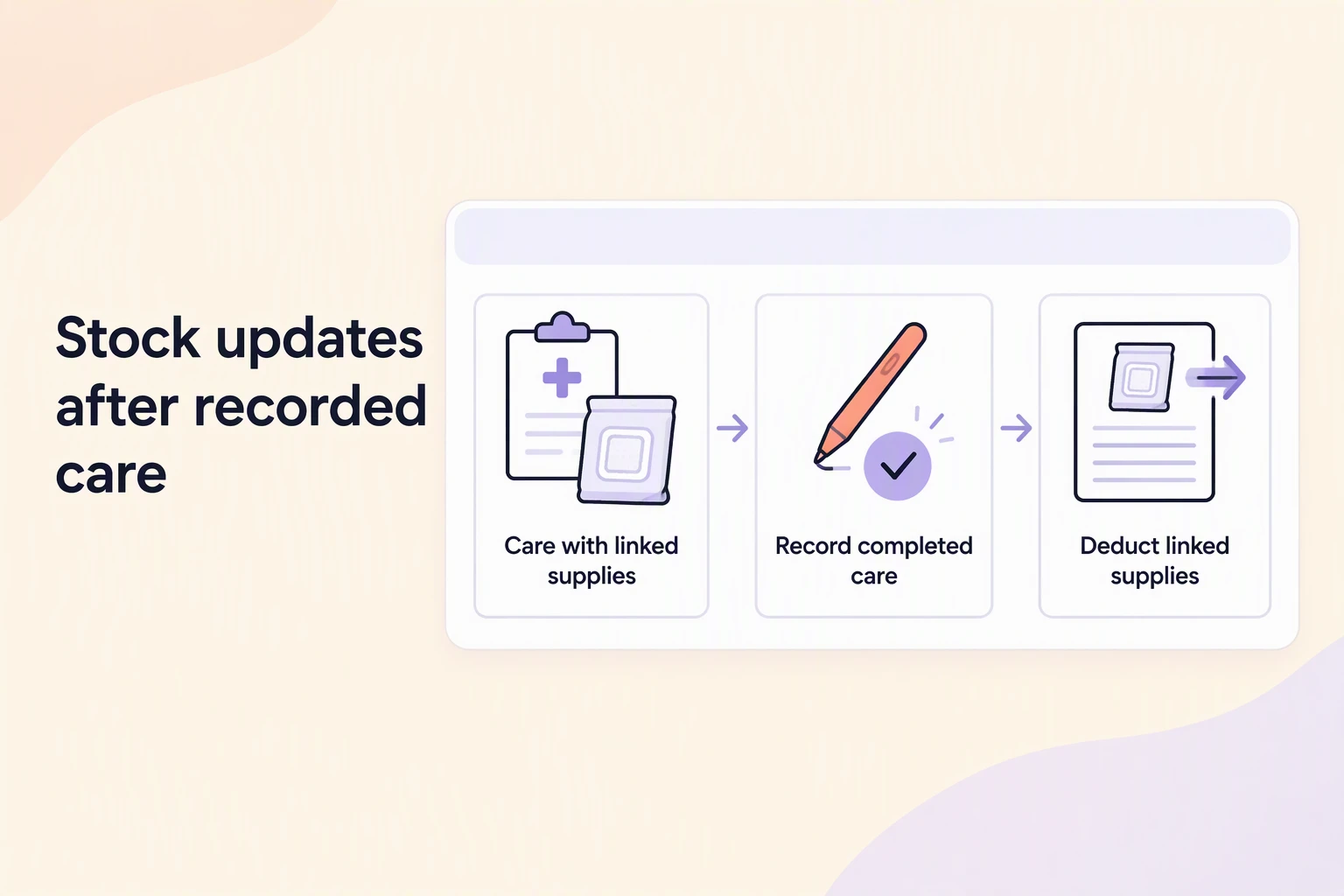
Room work has its own follow-up. A staff member can report cleaning or a repair from the room view, and the responsible team can record when it is done. Managers can check room status and capacity without treating a reported issue as completed work.
Permissions control access to resident and employee files. Staff can set reminders before a care contract or work permit expires.
Home care visits and invoice prep
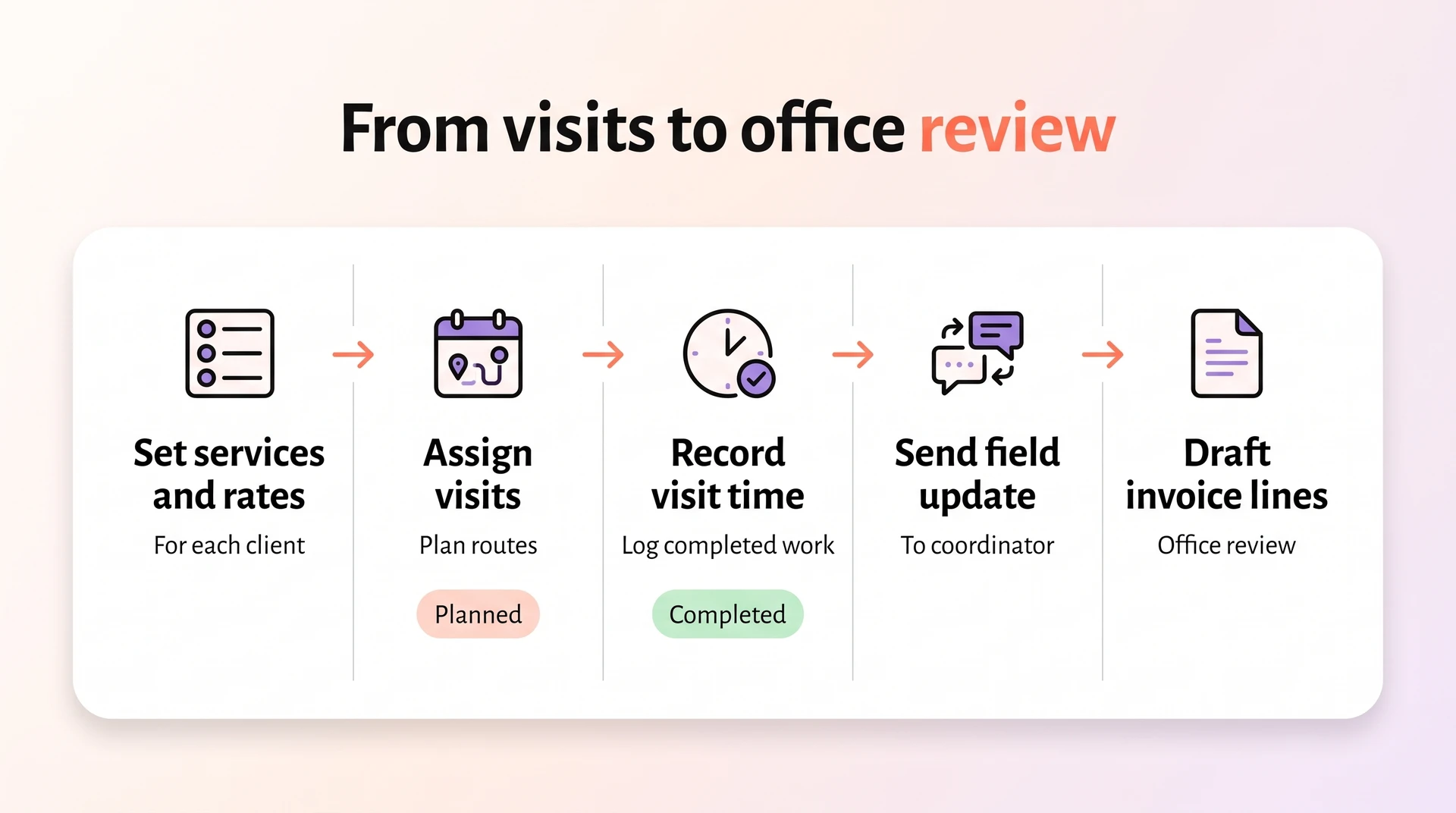
For home care, you can set services and rates, then record visit times and completed care. Those records are used to prepare invoice lines for your office team to review.
A coordinator first defines the services a client receives, including the rate. They then assign those services, schedule the visits and check routes and planned times. This gives the office and caregivers the same starting point for the day.
During a visit, the caregiver records the time spent and the work completed. A field update tells the coordinator what happened and what still needs attention, so a missed or changed visit can be followed up while the schedule is current.
Recorded time and assigned services are used to prepare draft invoice lines, which office staff review against the visit. The home care workflow shows how the service agreed with the client carries through to the visit record and invoice preparation.
Pricing
Silverwise doesn't publish subscription prices. You can book a free consultation to talk through your care setting, which modules you need and how the software would fit your team's work.
The consultation is free. To understand the software cost, describe a normal shift or home visit and ask which modules your team would need, what is included and how pricing applies to your care setting.
2. Senior Living by PointClickCare
Senior Living by PointClickCare is a cloud electronic health record (EHR) for assisted living and continuing care.
An admissions team may have details about a prospective resident in Salesforce while care staff need those details in the chart. PointClickCare documents a connection that can transfer prospect information into the clinical record.
The clinical and billing work described here is oriented to US senior living. A UK team should ask to see its own care-record and medication requirements in the proposed setup rather than infer local fit from US connections.
Care and clinical documentation scope
Staff can chart care at the bedside, complete resident assessments and record medication administration through an electronic medication administration record (eMAR).
Check whether a changed assessment updates the bedside information staff use on the next shift. An update in the chart is useful only if workers can find the current instruction where they record care.
For medication, interrupt a demonstration before an administration entry is saved. Have staff return, finish it and locate the result. Ask to see a treatment entry as well, since treatment and medication may follow separate records.
Where adoption tends to stall
Adoption can stall when the quoted scope and the work staff must do on each screen become clear only late in an evaluation.
Price is only part of adoption. Ask a new colleague to find the latest assessment and a previous care entry without step-by-step help. That reveals where the team may need training before relying on the record during a shift.
Pricing
Senior Living by PointClickCare does not publish pricing, so ask for a quote based on your required modules.
Request an itemized PointClickCare quote for your community. Ask which clinical modules are included, what implementation and training cost, and whether the connections your team uses carry a separate charge.
3. MatrixCare Senior Living
MatrixCare Senior Living is a cloud EHR that links resident assessments, caregiver tasks, medication workflows and billing.
When a resident needs more help with dressing, the assessment can update a service plan and schedule the related task. Staff can then see why the task changed rather than work from a separate message.
Clinical and operational coverage
MatrixCare combines bedside task recording in CareAssist with medication and pharmacy workflows, while MatrixCare 360 connects care tiers with resident billing.
At the bedside, a caregiver uses CareAssist to record help with dressing, vital signs or an exception when planned care did not happen as expected. The next shift can review that exception alongside the resident's tasks.
Medication work includes electronic prescribing and pharmacy order entry. MatrixCare documents connections with PharMerica and Omnicare. Ask whether your pharmacy can connect to the Senior Living configuration being proposed.
MatrixCare 360 connects care tiers with the general ledger. The wider MatrixCare ecosystem lists CommonWell and Carequality for information exchange and Surescripts for prescribing. Confirm which connections are actually part of your proposed setup.
A scheduled care task says what a resident needs. A staff rota says who is working. Ask how your team would prepare that rota and pass hours to payroll, including any separate system required.
Fit for residential facility size
MatrixCare Senior Living addresses assisted-living communities that connect assessments to service plans and care-level billing in one EHR.
Check how the service-plan task changes when an assessment is revised, and whether a caregiver can record an exception when the planned help cannot be given. Both records matter at the next handover.
The documented healthcare exchange links reflect US infrastructure. A UK provider should ask how its configuration handles local digital social care records and information sharing.
Pricing
MatrixCare Senior Living does not publish pricing, so request a quote for the configuration your community needs.
Request a quote for your community type, capacity and required modules. Confirm whether CareAssist, MatrixCare 360 and your pharmacy connection are included, with implementation and training shown separately.
Ask how the charge would change if you added another module or your capacity changed. That makes a quoted starting price useful for planning beyond the first setup.
4. Nourish Care
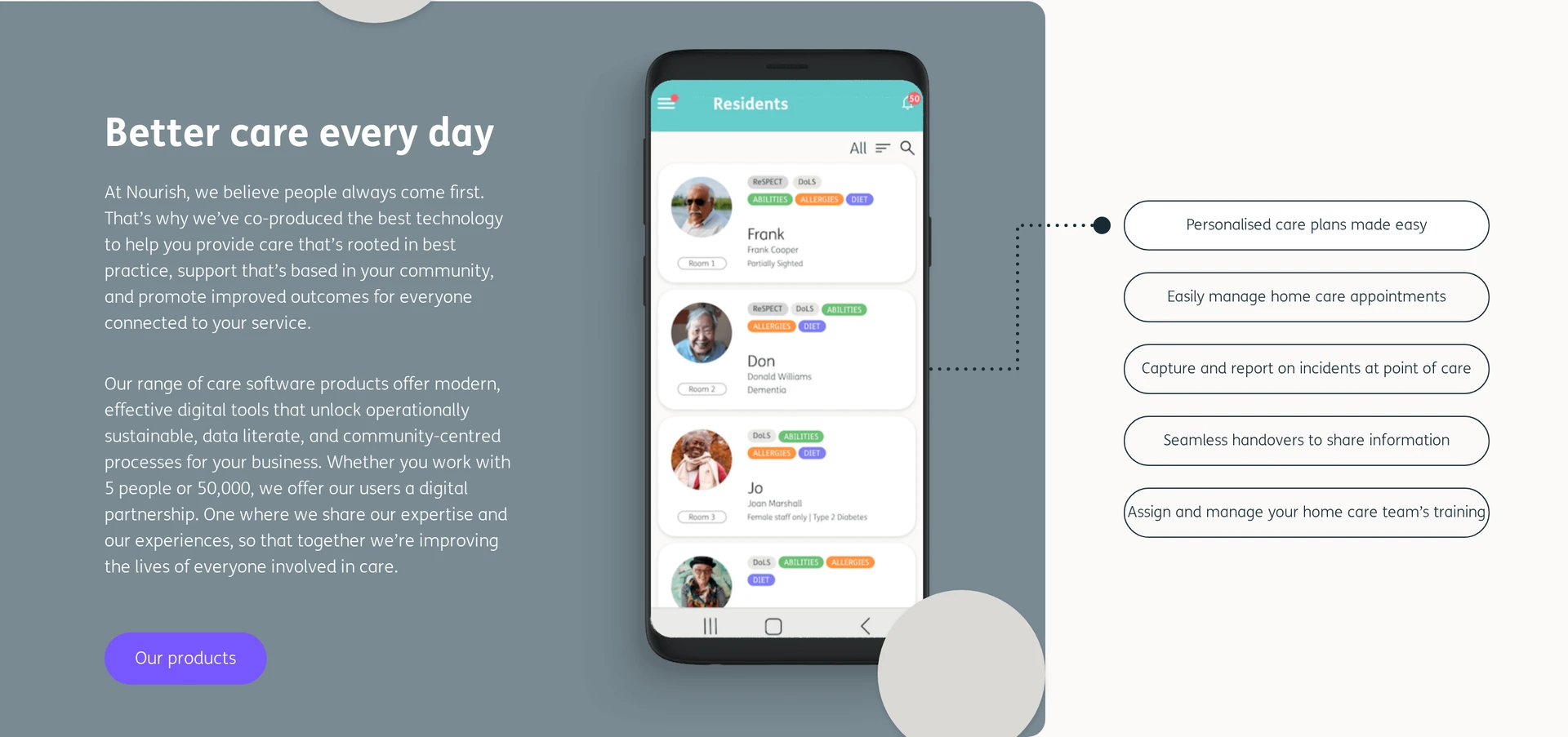
Nourish Care is a UK digital care-record platform for residential and home-care services with mobile logging and separate workforce tools.
For UK providers, Nourish says its digital social care record is verified against all 14 Digital Social Care Records standards. It lists NHS Assured Solutions List inclusion, GP Connect access to GP information and PRSB Quality Partner status.
Those record connections matter when a team needs information beyond its own notes. A service that also makes home visits should ask how those records work alongside CarePlanner rostering, since care recording and visit assignment are distinct jobs.
Care planning and resident records
Nourish is a person-centred digital care record with mobile logging, clinical notes, and medication management.
Ask a caregiver to record a routine action on a phone, then have a lead find that action beside the person's plan and medication information. Staff need to see both what was done and whether a change calls for follow-up.
Workflow flexibility and contract terms
CarePlanner, which joined Nourish in 2023, adds home-care rostering alongside the care-record platform.
For a service running visits in the community, change a worker's assignment and ask where the new visit appears. Then have that worker record care and show how the office finds the entry.
Describe your care plans and rota rules when requesting a quote. Ask which parts of that process need configuration and which existing records must be moved before staff can start.
Pricing
Nourish quotes pricing on request. Ask for a written proposal that covers the care-record functions and any CarePlanner tools your team needs.
Have the proposal separate:
Coverage: The users and sites covered by the licence.
Modules: Whether CarePlanner and workforce functions are included.
Launch: Migration, training and continuing support charges.
5. Digital Care Planning by Person Centred Software
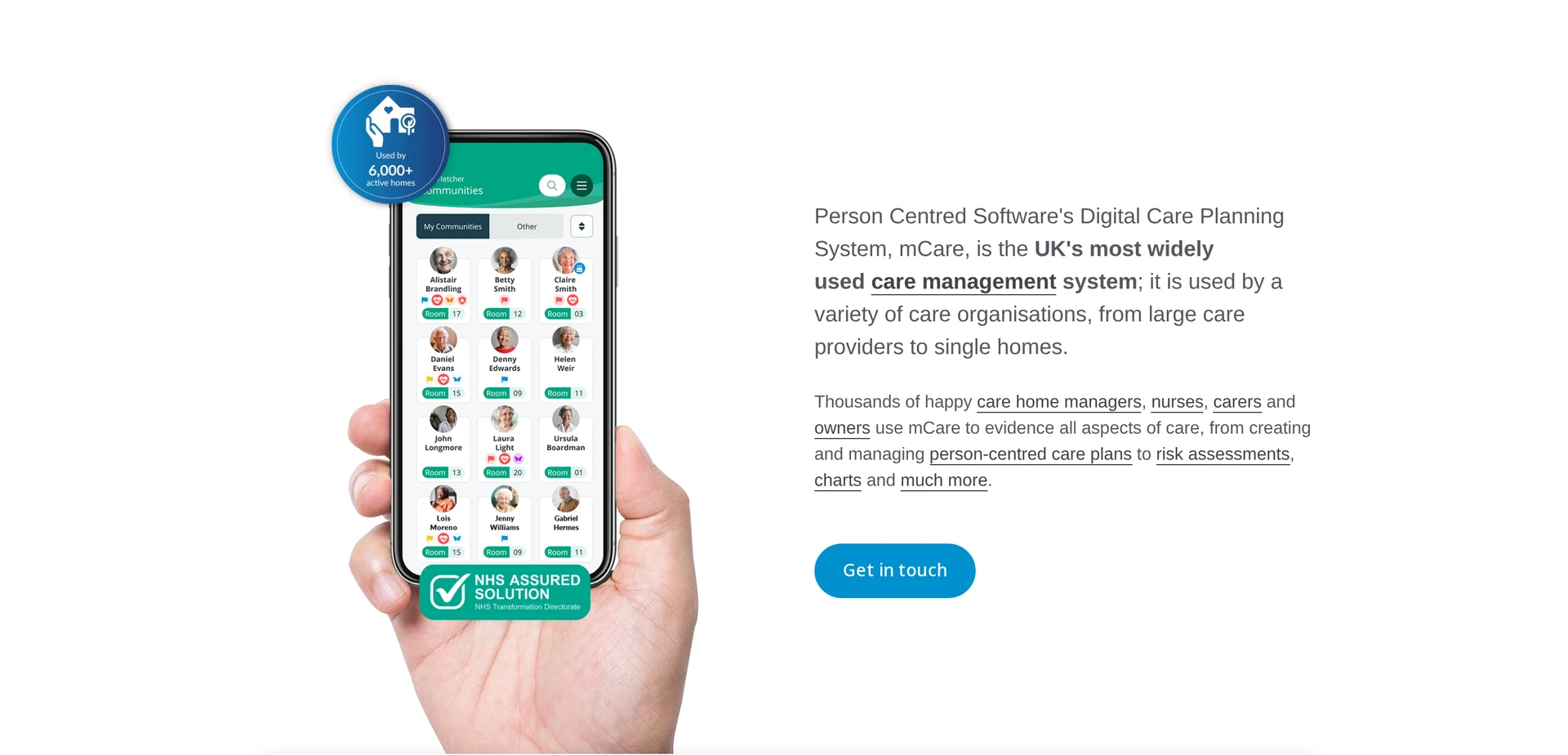
Digital Care Planning by Person Centred Software is a UK residential-care documentation system with handheld care logging, resident plans, alerts, and family access.
Its handheld recording is built around care given in residential and nursing homes. If your team also visits people in their own homes, ask how staff access and update the same records away from the building.
Daily resident care recording
Daily recording is handheld care logging against resident plans, with alerts and a Relatives Gateway for families.
Handheld recording lets a worker add care beside the resident's plan rather than wait for a paper chart to return to the office. Check whether a changed need is visible to the next shift.
Relatives Gateway is included for active care-planning customers and lets families view care-plan information. Medication management is a separate module. Ask how its entries appear alongside daily care when both products are licensed.
Interface and staff usability
The handheld interface lets staff enter care while they move between residents on a residential floor.
Give a caregiver a device in an area with poor reception. Have them record care, reconnect and find the synced entry. Then ask them to make a late entry and correct a mistake, so the next shift can tell when care occurred and what changed.
Pricing
Person Centred Software does not publish pricing. Request a quote for the care-planning and medication products your home needs.
Request a quote that names Digital Care Planning and any medication module separately. Confirm how your proposed package handles family access.
Ask the vendor to show what sets the charge, whether residents, users or homes. The quote should also separate devices, record migration, training, support and renewal costs.
6. Yardi Senior Living Suite
Yardi Senior Living Suite is a senior-housing system built around Voyager, its property and accounting software. Clinical, CRM and billing tools are licensed separately.
Voyager holds the community's property and financial records and is required for Yardi's clinical modules. If a resident moves rooms, staff may need to update the lease and maintenance work as well as the care record. Ask Yardi to show who handles each update and where it appears.
Finance and operations management
Yardi finance sits on Voyager Senior Housing: one database for ledger, AP/AR, leases, maintenance, and resident billing.
Accounts payable records bills the community owes, while accounts receivable records payments owed to it. In Voyager, those records sit with leases, maintenance and resident billing, so a manager can trace the financial effect of a room change.
Check which parts of that workflow your Voyager proposal includes. Portals and analytics belong to the wider suite and may need separate licensing.
Depth of resident care features
Yardi's electronic health record (EHR) and electronic medication administration record (eMAR) sit on Voyager. The care modules cover resident monitoring, mobile charting and pharmacy access, and EHR and eMAR cannot be licensed without Voyager.
With EHR and eMAR licensed, a care worker can chart care on a mobile device and work with medication records. Ask a worker to enter care, then ask a shift lead to find that entry and any action still due.
A tour of Voyager's property screens will not answer that care question. Confirm which clinical functions and pharmacy connections the proposal includes.
Pricing
Yardi Senior Living Suite does not publish pricing. Ask for a quote covering Voyager and any clinical modules you need.
State how many communities you run and which Voyager property and finance functions each needs. Then ask for EHR and eMAR charges separately, since those modules require Voyager.
Have the written proposal cover migration, training and support. Ask how licensing changes if you add a community later, so a quote for the first site does not stand in for the wider cost.
7. Care Control
Care Control is a UK platform that brings digital care records, medication work and workforce administration together for residential and home-care providers. Its promoted all-inclusive licence makes it important to ask what the quoted bundle covers for your service.
Daily operations management
Care Control's licence brings two kinds of daily work into the same package:
Care and medication: Point-of-care apps sit alongside digital care plans and electronic medication administration records (eMAR). Families can access care information through a family-facing feature.
Workforce: Staff rotas and attendance sit with sickness and holiday records. The package also includes payroll export.
For a late rota change, check whether the updated attendance and payroll export reflect the same shift. Care entries should still be available against the current plan while that workforce change is being resolved.
Suitability for facility size
Care Control does not publish per-bed size bands, so check how its licence applies to your homes and workforce rather than judging fit by bed count alone.
For one home, test a normal shift and a late rota change. If you operate several sites or provide home care too, ask which workers can see which records and whether the quoted licence covers all those services.
Pricing
Care Control quotes pricing on request. Give the vendor your homes, services and staff headcount, then request a written account of what the care and workforce bundle includes.
Ask whether setup and training are charged separately and how the licence changes when a site or team grows.
8. Eldermark
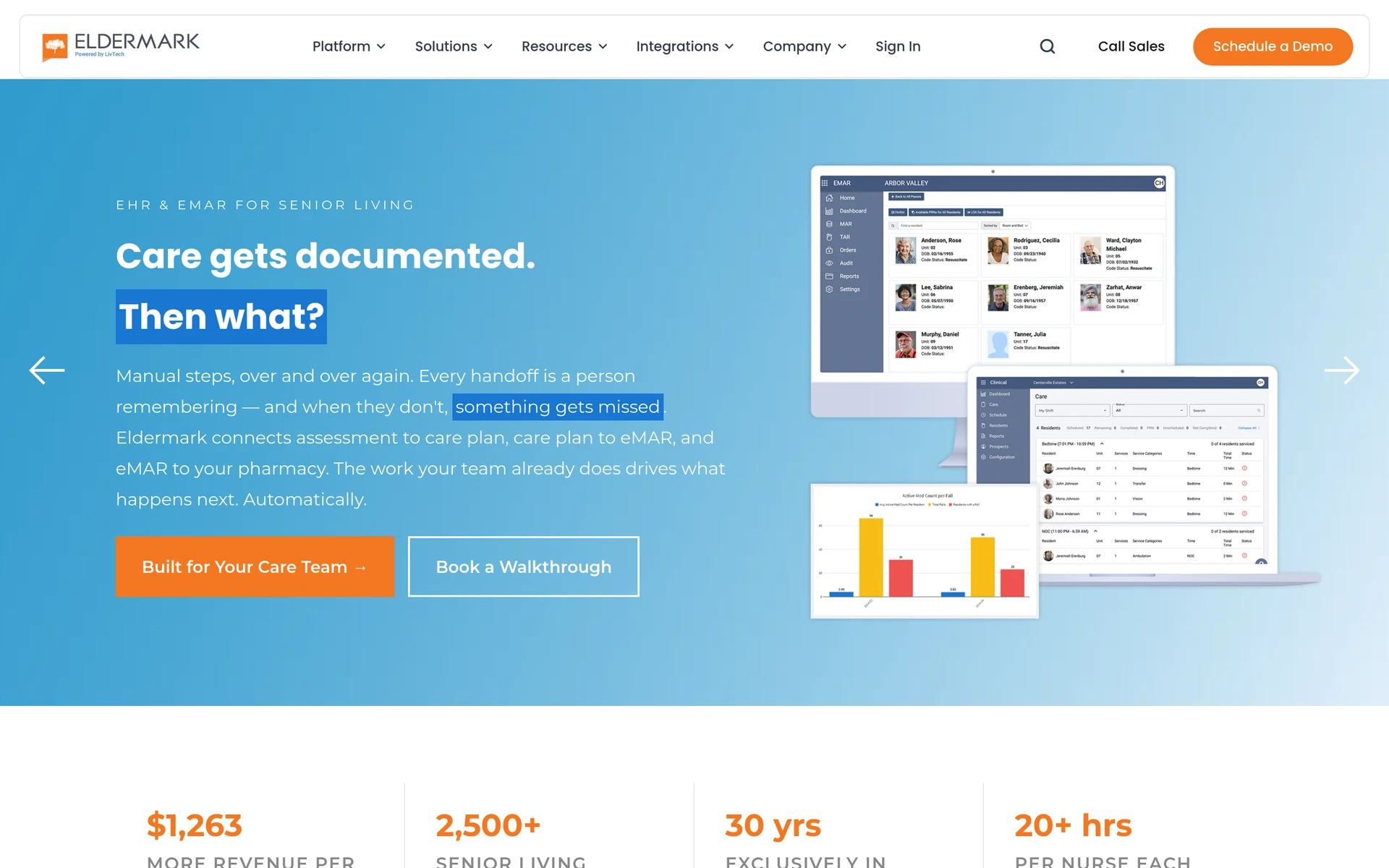
Eldermark NEXT is a US-oriented senior-living system for recording care and preparing resident bills. Its True Cost of Care workflow links documented services to charges, so a manager can check what work supports a resident's bill.
Assisted-living records and reporting
A caregiver can verify a task or enter a nursing note at the point of care. The mobile entry can be recorded offline and synchronized when a connection returns, so the record can still be made where care happens.
The documented service can then be checked against the resident's bill. Eldermark has care-tier rate modeling and digital payments as part of this workflow. Ask a manager to trace a completed service through to the charge being prepared.
Compliance and quality tracking
Eldermark's electronic medication administration record, or eMAR, exchanges information with pharmacy systems in both directions. Have a clinical lead follow a changed order into the medication round and check how staff correct an administration entry.
UK providers need a separate check on digital care-record assurance and NHS information sharing. A US care-to-billing workflow cannot answer those local questions.
Pricing
Eldermark pricing is quoted on request rather than published as a fixed rate. Tell the vendor your community size and which care and billing workflows you need to cover.
Request a quote that names mobile documentation, pharmacy connections and the care-to-billing functions you need. Ask for implementation and support charges alongside the recurring price.
9. WellSky Long-Term Care
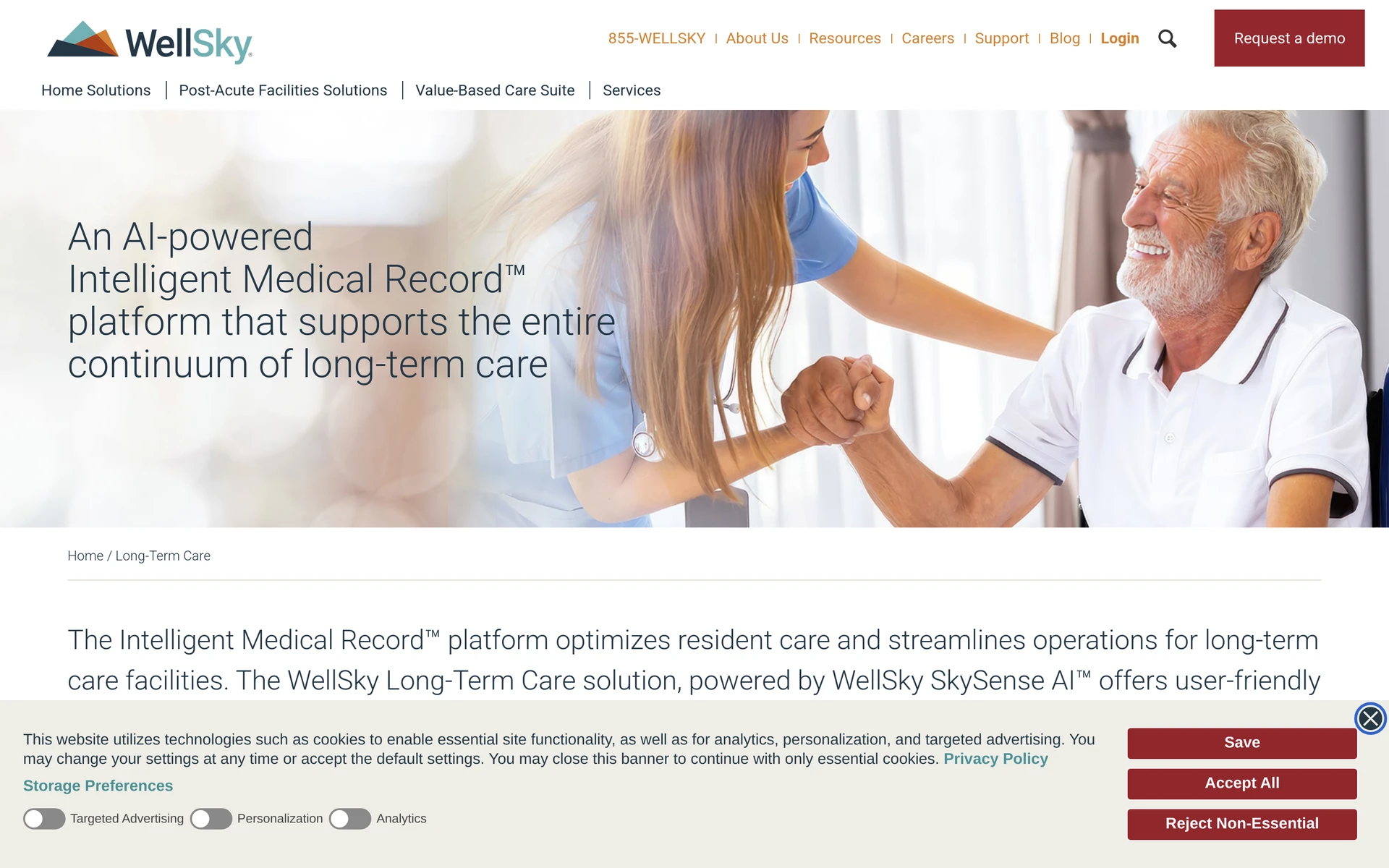
WellSky Long-Term Care is a US electronic health record and financial system for skilled-nursing and long-term-care facilities. It includes resident assessments used in US nursing facilities and calculations for Medicare skilled-nursing reimbursement.
Long-term and post-acute care scope
The Minimum Data Set, or MDS 3.0, is a standardized assessment used in US nursing facilities. WellSky manages those assessments and calculates the five case-mix components used by the Patient-Driven Payment Model, or PDPM, for Medicare skilled-nursing payments.
The system also handles medication orders, pharmacy interfaces, digital verification of administration and referrals. MDS and PDPM concern US reimbursement, so a UK residential home needs to assess its own record requirements separately.
Staff access and daily use
Ask a nurse to find the current medication order and record what was administered. Then have them correct an entry and show where the next shift finds the change. This tests floor use as well as the assessment and reimbursement screens.
Pricing
WellSky Long-Term Care provides a custom quote rather than public plan tiers. Give the vendor your facility's bed count and the clinical work your staff need to record.
Check whether MDS and PDPM functions and pharmacy interfaces are included. Have the quote separate implementation, training and ongoing support from the recurring charge.
10. Log my Care
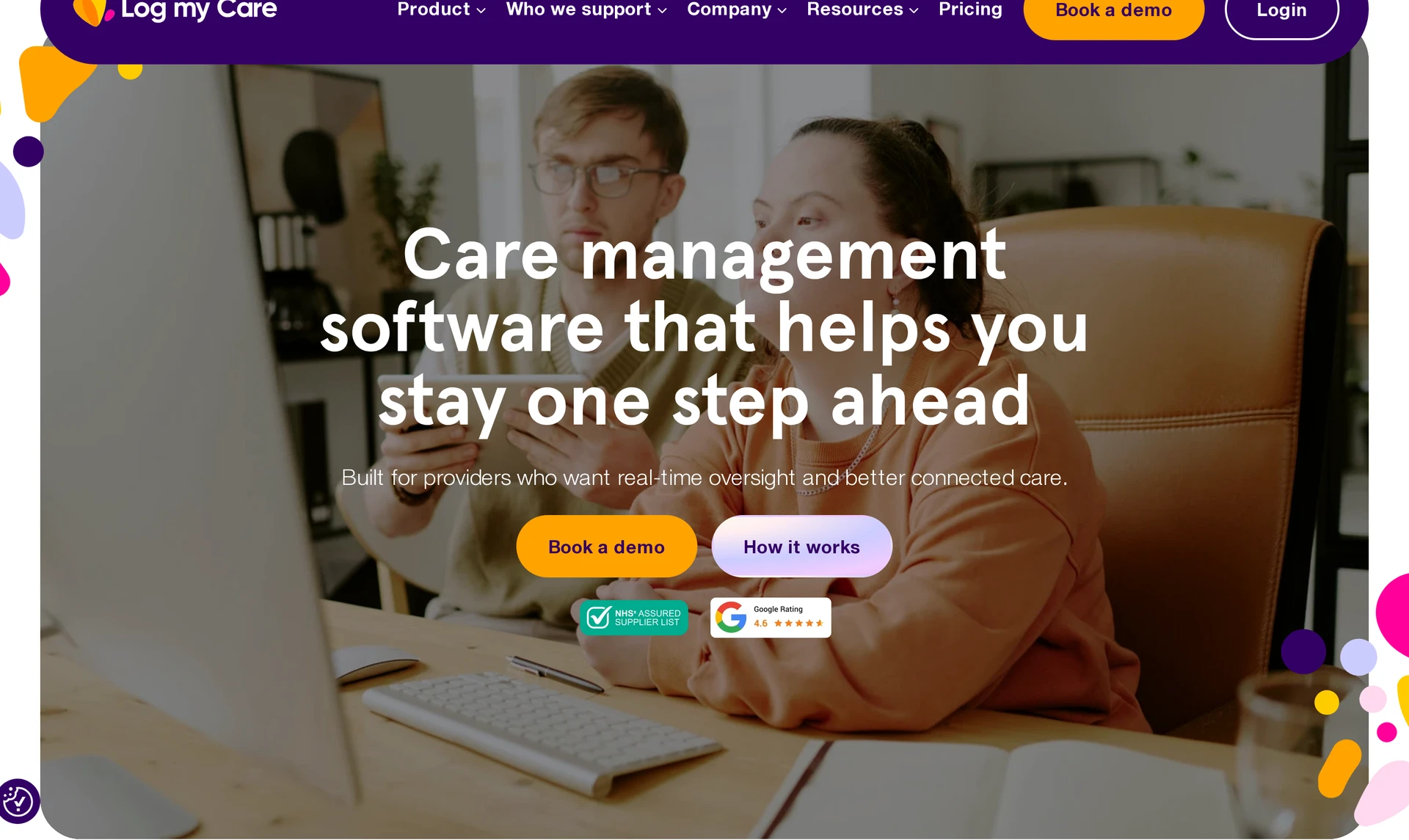
Log my Care is a UK digital care-record platform with a Carer App for daily entries and a manager portal for reviewing them. Ask a carer to record an update and an incoming colleague to find it, then check which care-planning functions your team would need beyond basic logging.
Resident records and care plans
When a carer records a changed need in the app, check whether the manager portal shows the latest entry beside the plan it affects. The incoming colleague needs the change, not only a history of daily logs.
Then test a lost connection and a correction to the note. If families can access the record, ask what information they see and who decides what is shared.
Fit alongside other systems
When your service uses medication or rota records as well as daily logs, follow one changed care instruction through those tasks. Ask Log my Care to demonstrate the relevant paid package and note where staff need to copy an update into another system.
Pricing
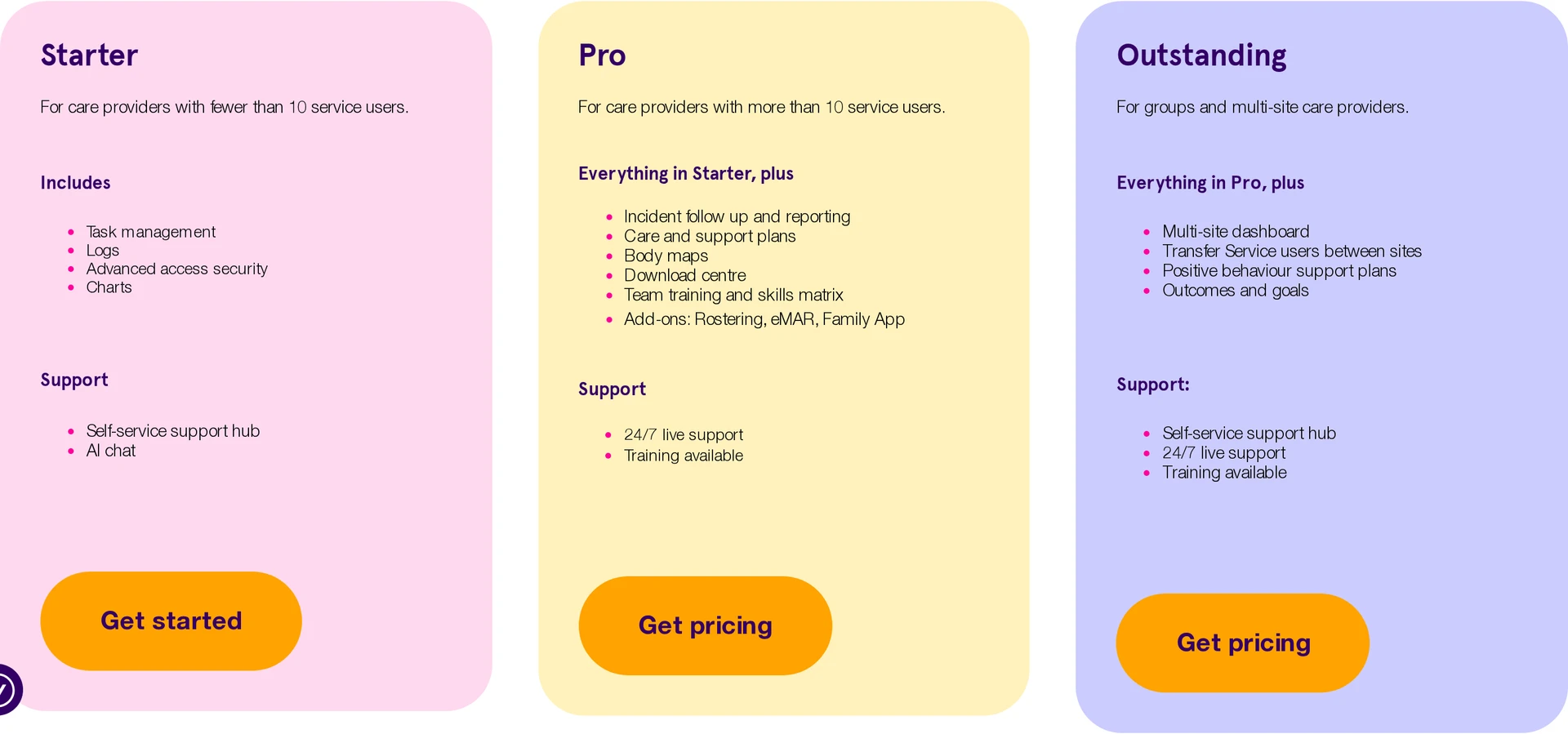
Starter is free for basic daily logging. Ask for a written quote if your team needs paid care-planning functions or a wider package.
Check which functions Pro or Outstanding includes, and whether medication administration or rostering has an additional charge. Ask what the vendor counts when billing you, such as active service users or beds, and what setup and training cost.
Care home software compared side by side
The table separates each platform's care setting and main job from the medication and regional questions you still need to settle. Start with the work that must stay visible between shifts, then use the other columns to narrow who you invite to a demonstration.
WellSky's US skilled-nursing assessment and reimbursement tools answer a different question from Nourish's UK digital care-record connections. Neither one, on its own, tells you how your staff will handle a medication round. An electronic medication administration record, or eMAR, tracks when medicine is given. Completing a care-plan action on its own may not.
Prices need the same care. Log my Care's free Starter tier covers basic logging, while a configured system needs a quote. Compare written proposals for the same set of tasks, rather than treating those two price descriptions as the same kind of price.
Product | Care setting | Main function | Questions to check |
|---|---|---|---|
Silverwise | Residential, home and special care | Care plans, shift logs, schedules, rooms and stock | Confirm eMAR needs separately and check local record requirements. |
Senior Living by PointClickCare | US assisted and continuing care | Senior-living clinical records and billing | Ask about eMAR, pharmacy connections and UK suitability if relevant. |
MatrixCare Senior Living | US assisted living | Assessments, care tasks and billing | Ask about medication, pharmacy workflows and UK suitability if relevant. |
Nourish Care | UK residential and home care | Digital care records and mobile logging | Confirm the eMAR package, NHS assurance and GP Connect access. |
Digital Care Planning by Person Centred Software | UK residential and nursing homes | Mobile residential care records | Confirm how separate medication products connect, NHS assurance and GP Connect access. |
Yardi Senior Living Suite | Senior housing | Property and finance with clinical modules | Confirm the eMAR licence, integration and UK suitability if relevant. |
Care Control | UK residential and home care | Care records and staff operations | Confirm the eMAR scope, NHS assurance and GP Connect access. |
Eldermark | US assisted living | Assisted-living records and billing | Ask about eMAR, pharmacy connections and UK suitability if relevant. |
WellSky Long-Term Care | US skilled nursing and long-term care | Care records and reimbursement | Ask about medication, pharmacy workflows and UK suitability if relevant. |
Log my Care | UK care services | Daily logging with paid care-planning options | Ask about eMAR pricing and scope, NHS assurance and GP Connect access. |
Product | Care setting | Main function | Medication scope | UK records and connections |
|---|---|---|---|---|
Silverwise | Residential, home and special care | Care plans, shift logs, schedules, rooms and stock | Confirm eMAR needs separately. | Check requirements for your location. |
Senior Living by PointClickCare | US assisted and continuing care | Senior-living clinical records and billing | Ask about eMAR and pharmacy connections. | Check UK suitability if relevant. |
MatrixCare Senior Living | US assisted living | Assessments, care tasks and billing | Ask about medication and pharmacy workflows. | Check UK suitability if relevant. |
Nourish Care | UK residential and home care | Digital care records and mobile logging | Confirm the eMAR package and its scope. | Confirm current NHS assurance and GP Connect access. |
Digital Care Planning by Person Centred Software | UK residential and nursing homes | Mobile residential care records | Confirm how separate medication products connect. | Confirm current NHS assurance and GP Connect access. |
Yardi Senior Living Suite | Senior housing | Property and finance with clinical modules | Confirm the eMAR licence and integration. | Check UK suitability if relevant. |
Care Control | UK residential and home care | Care records and staff operations | Confirm the eMAR scope in the quoted package. | Confirm current NHS assurance and GP Connect access. |
Eldermark | US assisted living | Assisted-living records and billing | Ask about eMAR and pharmacy connections. | Check UK suitability if relevant. |
WellSky Long-Term Care | US skilled nursing and long-term care | Care records and reimbursement | Ask about medication and pharmacy workflows. | Check UK suitability if relevant. |
Log my Care | UK care services | Daily logging with paid care-planning options | Ask about eMAR pricing and scope. | Confirm current NHS assurance and GP Connect access. |
Treat the table as a set of questions for vendors, not a substitute for a staff walkthrough. Start with care recording, then check the regional and medication requirements your own service has to meet.
What to check before choosing a care home platform
Choose a care home platform by asking staff to work through the same ordinary shift in each system. Change a resident's plan, leave one planned action unfinished and ask the incoming team to find both. If they cannot see what changed and who is responsible, take that gap to the vendor.
In England, use CQC guidance when reviewing how your team uses digital records. Include a correction to an entry and check who can see the history.
Next, have a shift lead reassign an absent worker. Ask payroll to find the hours that come from that change. If those hours must be exported or copied into another system, write down who does that step and when.
Have staff record a missed dose and check what appears in the administration and stock records. Ask how they pass the update to a pharmacy. Kent and Medway guidance describes UK care-home medication-system checks.
A service in England should confirm the NHS digital social care record assurance and GP Connect access the work requires. Elsewhere in the UK, check the applicable national requirements for digital records and health-information sharing. Ask whether you need a data protection impact assessment before using the system for sensitive information.
A US service should test the documentation and reimbursement rules that apply to its payer. A UK digital-record assurance check cannot replace that US review.
Use the same checklist with each vendor, and note where a worker needed help or an office team had to copy a record:
Check | Evidence to request |
|---|---|
Care and handover | A changed plan, completed entry and unfinished action visible to the next shift. |
Medication | A round covering a missed dose, stock and the required pharmacy handoff. |
Staffing and payroll | A reassigned shift and the matching hours in the payroll handoff. |
Rooms and supplies | A reported room issue and an updated stock record. |
Records and access | Staff permissions, a correction history and a usable record export. |
Cost and rollout | Written module scope, setup, training and ongoing charges. |
Keep each vendor’s answers beside the staff walkthrough. If the next shift still cannot find an unfinished care action, you still need a clear handover route.
See how Silverwise connects your shifts and care records
Start your shortlist with one normal shift or visit. Ask frontline staff to record care, find an updated instruction and identify any follow-up the next person needs to handle.
How is care home software different from home care software?
Care home software follows a resident's plan, daily care and handovers between staff at one home. Home care software follows visits to people in their own homes, including who is due to visit and the time between calls.
A residential team should change a plan and see what the next shift reads. A home care team should cancel a visit and check whether the coordinator receives the field update before sending another caregiver.
Does care home software also cover staff scheduling?
Some care home platforms include staff rotas. Others keep the focus on care records, or they sell scheduling as a separate module, so check the package being quoted. A list of care tasks for residents does not tell you who is assigned to a shift.
Can home care agencies use this software too?
Some of these platforms support home care, but the software has to follow visits rather than a residential shift. Ask how a worker finds the latest plan on a phone, records a completed call and sends a change back to the office.
Test a visit with poor signal and a last-minute callout. If your area requires electronic verification of arrival and departure, ask the vendor to show that process too.
How is pricing usually structured for this software?
Care home software pricing depends on the vendor, the functions you license and what that vendor counts when it bills you. Log my Care has a free Starter tier for basic logging, while its paid packages and the other quoted products need a written proposal.
Compare quotes for the same number of residents, required modules, setup and training. For home care, the rates your provider charges clients for visits are separate from what it pays for the software.
:no_upscale())