:no_upscale())
:no_upscale())
:no_upscale())
WellSky Competitors: Care Platforms Your Team Will Actually Use
:no_upscale())
On this page
When a visit changes or a handover is incomplete, care teams can end up rebuilding the day across schedules, records, messages, and billing tools.
A replacement must cover the WellSky product in use and preserve the work that follows, from care documentation and visit verification to payroll or invoice preparation.
These 10 alternatives cover Medicare home health, hospice, personal care, and broader care operations. Each entry explains its replacement scope, practical checks, and pricing approach.
Why care teams compare WellSky alternatives
Care teams compare alternatives when product scope, system connections, running cost, or field documentation no longer matches their service model and daily work.
Use four practical checks when comparing your own WellSky setup:
Product-line fit: Compare clinical assessment fields and payer edits with personal-care authorizations, visit-verification routes, and recurring schedules.
Interoperability: England's Care Quality Commission (CQC) guidance tells providers to check compatibility with current software and hardware to reduce duplicate entry and manual handoffs.
Running cost: List recurring licence fees and staff training time before comparing quotations.
Usability: Ask field staff to complete a routine care note and flag steps or terms that slow the entry.
These are sector-wide prompts, not findings about every WellSky installation. Test them with staff who document care in the field before treating a shortlist as a replacement plan.
Which WellSky product are you replacing?
Identify the WellSky line live in your agency before comparing brand names. Clinical and non-medical services preserve different records and payment workflows, while a multi-service agency must keep continuity between them.
Start with day-one work. Home health may require the Outcome and Assessment Information Set (OASIS) and Patient-Driven Groupings Model (PDGM); hospice may need the Hospice Outcomes and Patient Evaluation (HOPE), while personal care begins with electronic visit verification (EVV).
Build a separate shortlist when your WellSky contract covers referrals or transitions rather than care delivery and agency operations. The alternatives below focus on the work staff complete during shifts and visits.
US home health or hospice: Test Homecare Homebase, KanTime, Axxess Home Health, Alora, Careficient, and MatrixCare.
US personal and non-medical home care: Test AxisCare, CareSmartz360, and Sandata against the required EVV and payer route.
Non-US home care and broader care operations: Test Silverwise against local clinical, privacy, billing, and employment requirements.
Multiple post-acute service lines: Test KanTime, Careficient, and MatrixCare for record continuity between services.
Record every live module and connected system, then trace one normal week from care entry to invoice or payroll handoff. Use that map as the acceptance test in each demo.
WellSky alternatives at a glance
WellSky replacements divide by care model and operating scope. Use this list to identify the products that cover your day-one workflow before comparing implementation and contract terms.
Silverwise: Residential care, non-Medicare home care, special care, scheduling, field updates, and operational follow-up.
Homecare Homebase: Skilled home health, hospice, palliative care, agency operations, and revenue-cycle work.
KanTime: Skilled and non-skilled post-acute services, EVV, billing, and payroll.
Axxess Home Health: Home-health clinical records, field documentation, staffing, and billing.
Alora Home Health: Skilled home health, hospice, private duty, personal care, EVV, and claims.
AxisCare: Personal-care scheduling, EVV, billing inputs, and payroll preparation.
CareSmartz360: Non-medical home care, private duty, Medicaid visits, and facility staffing.
Sandata Agency Management: Medicaid home care, agency operations, EVV capture, and state aggregation.
Careficient: Home health, hospice, palliative care, private duty, and optional revenue-cycle services.
MatrixCare Home Health & Hospice: Home-based and facility-based care, clinical exchange, and revenue-cycle workflows.
1. Silverwise
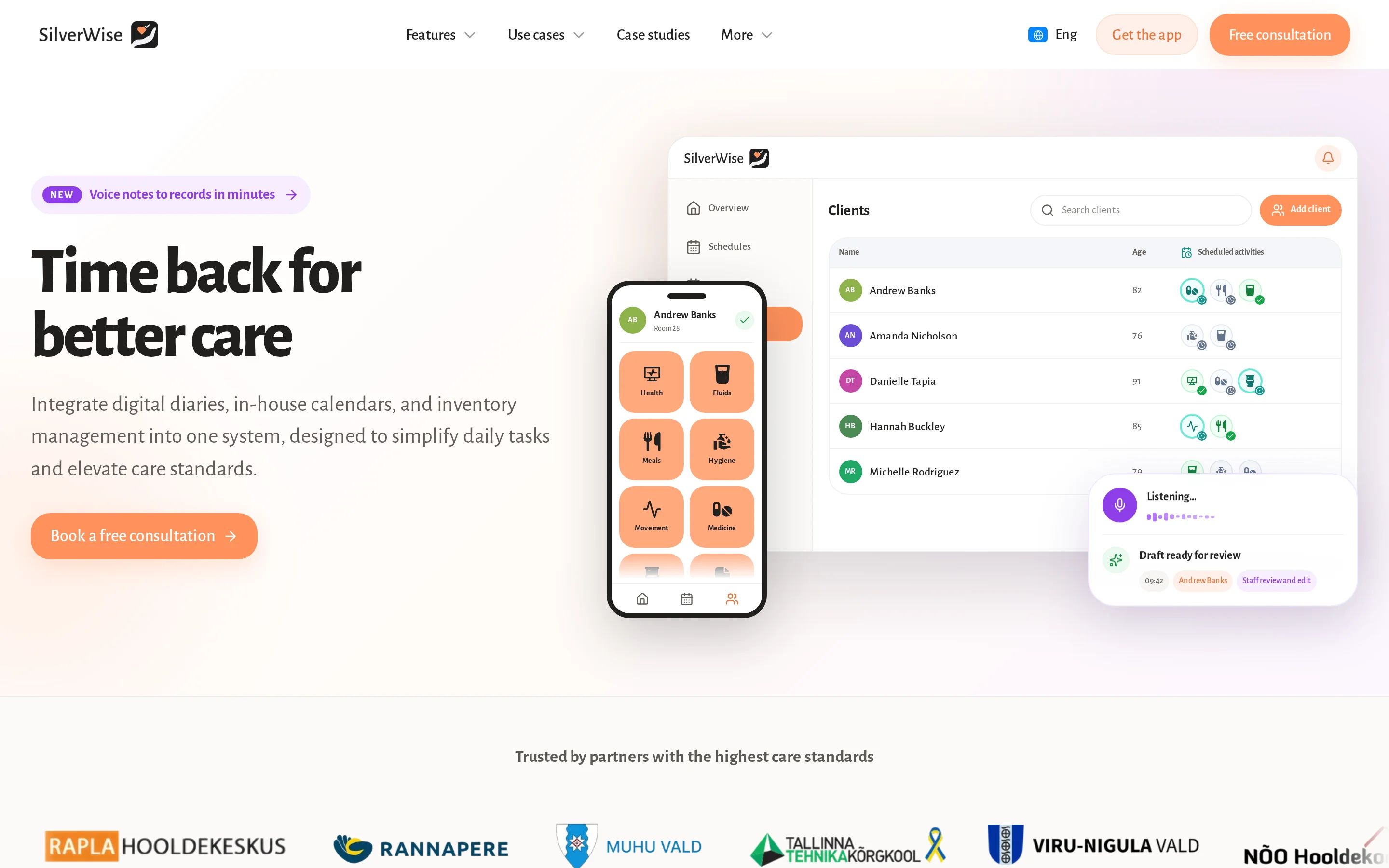
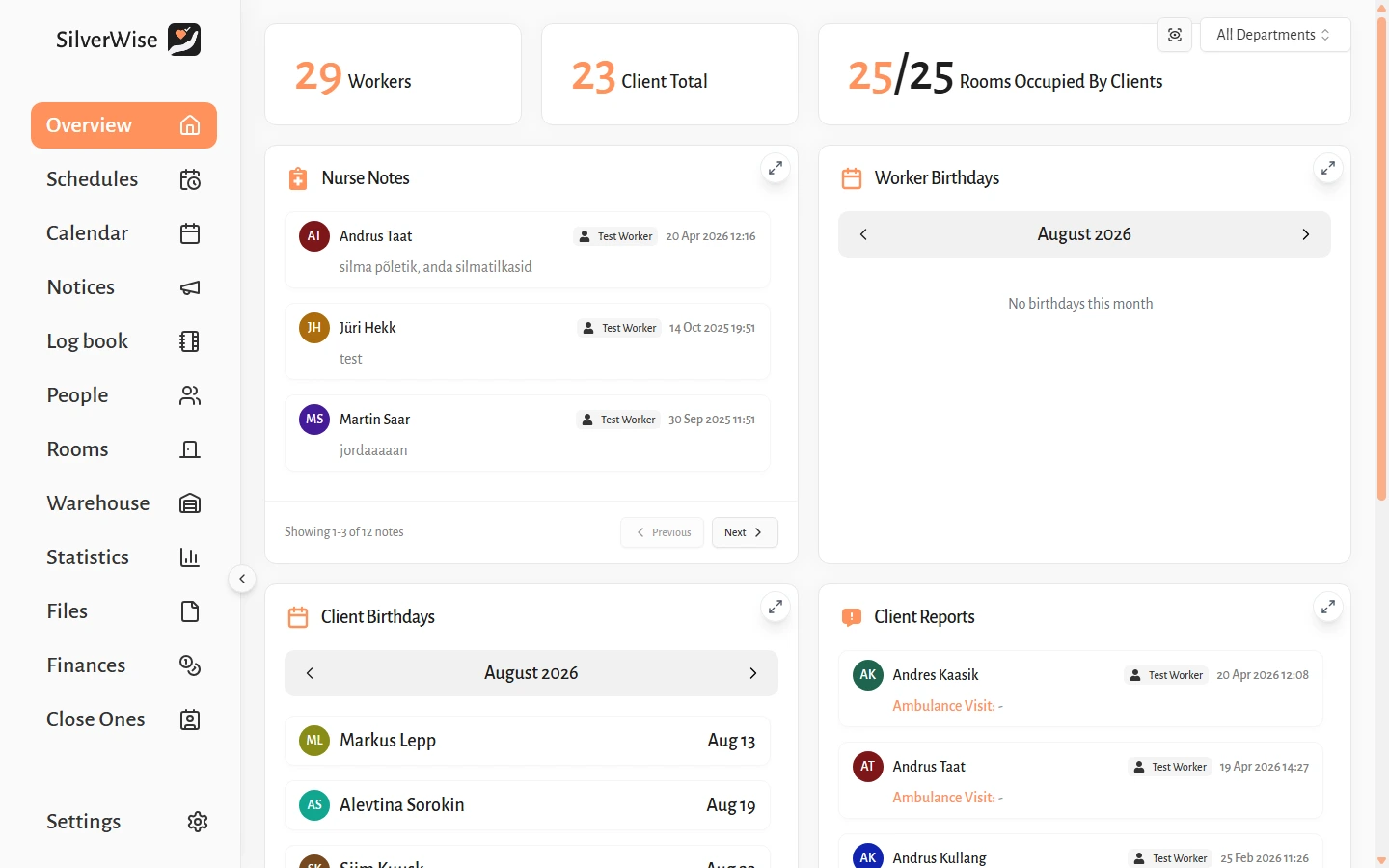
Silverwise brings care records, schedules, files, field updates, and follow-up into one shared view when paper, spreadsheets, messages, or separate tools split the daily workflow.
It supports residential, home care, and special care teams, but is not presented here as a replacement for unverified OASIS, PDGM, HOPE, or US payer workflows.
Silverwise starts from two practical points:
Residential care: Turn each resident’s care plan into daily actions, then keep handovers, schedules, rooms, files, and follow-up in the same working view.
Home care: Connect assigned services with visit schedules, routes, field records, and billing inputs from one workflow.
Turn care plans into daily actions
Your team already knows what each resident or client needs. Silverwise turns recurring plans into clear actions staff can complete from the shared record.
Care teams can shape the workflow around the support they provide:
Quick recording: Icon-based actions add meals, fluids, hygiene, or mobility support to the resident timeline with the staff member, time, and notes.
Custom care actions: Custom buttons can record wound care, rehabilitation walks, diet monitoring, medication tracking, or behavioural observations.
Shared actions: Bulk entry records the same completed care action for multiple residents without repeating each entry.
Visible follow-up: Reminders flag planned care that remains incomplete and documents approaching their recorded expiry date.
At handover, the next team can see what care was recorded, who completed it, when it happened, and which planned actions remain open. Managers can review the same entries by person or care area.
Turn spoken updates into reviewed records
Caregivers can dictate an observation or handover in natural speech. Silverwise prepares a structured draft for the selected shift or department.
A staff member reads, edits, and confirms the draft before it becomes part of the shared Log Book. Professional judgement stays with the caregiver who saves the record.
Keep schedules and working hours together
When rotas change, managers can update monthly or annual schedules from templates and recurring rules. Authorized staff and colleagues preparing payroll inputs work from the same current record.
The scheduling record includes:
Paid leave and public holidays
Night work and overtime
Shift changes and reassignment
Current working hours
Role, department, and active-shift permissions control access to client records. Employees can still view their personal calendars and permitted notices outside a shift.
Connect home-care visits with routes and invoicing
For home care, Silverwise links service setup, schedules and routes, visit recording, reviewed field updates, and invoice preparation in one working flow.
Office staff set services, prices, client assignments, required signatures, and visit information. Schedules organize the work and routes before caregivers record completed visits and reviewed field updates.
Confirmed visits can prepare draft invoice lines and working-hour exports, while the office follows route changes and open follow-up without rebuilding the day from calls or spreadsheets.

Add homes, stock, and file oversight when needed
Residential providers can add home, stock, belongings, and file oversight to the core care record. Mobile home-care teams can keep the focus on services, visits, routes, field updates, and invoice preparation.
Homes and occupancy: Track each home's residents, status, and cleaning or maintenance history when that oversight is part of the provider's operation.
Stock: Record deliveries, usage, minimum levels, and adjustments; linked supplies can be deducted when staff confirm the related care action.
Belongings: Keep photos, notes, labels, and rental details with the resident’s item record.
Files: Store resident and employee documents with permission controls, search, expiry reminders, and PDF exports.
Pricing
Silverwise does not publish plan names, subscription prices, per-user fees, or setup costs. Home-care rates shown in product screens are a provider's service prices, not Silverwise fees.
2. Homecare Homebase
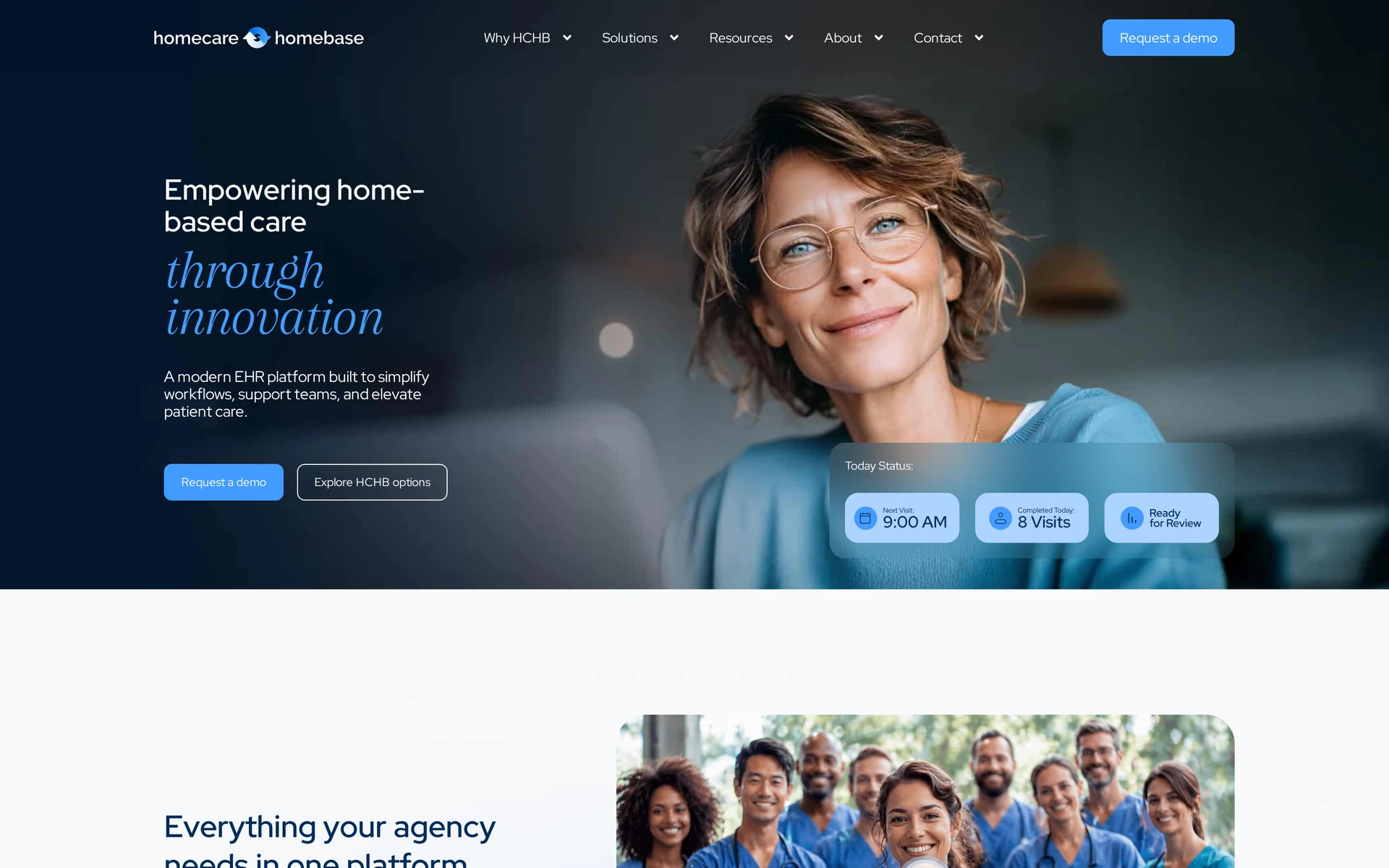
Homecare Homebase is an enterprise EHR for multi-branch home health, hospice, and palliative care providers that need referral, clinical, agency, and revenue-cycle workflows in one system.
Other integration categories include:
MEDITECH
Health information exchanges
Pharmacies
Remote patient monitoring vendors
Confirm the exact interface and data direction required by each branch.
Replacement scope
Homecare Homebase can replace WellSky Home Health and Hospice across clinical records, agency operations, and revenue-cycle work. Personal care sits outside the platform's primary skilled-care focus.
PointCare is the mobile documentation client for field teams. A pilot should test offline capture, synchronization after reconnecting, and the correction history for a completed note.
Fit for a WellSky replacement
A multi-branch skilled home health or hospice agency can test fit by running one referral from intake through billing in Homecare Homebase and PointCare.
Accept a referral and complete intake.
Schedule the first visit and send it to PointCare.
Document the visit with the device temporarily offline.
Reconnect, correct the note, and complete clinical review.
Move the approved visit into billing and resolve a rejected claim.
The test should expose extra handoffs, permission gaps, and interfaces that a feature checklist can miss.
Trade-offs to verify
Personal care is a secondary line within a platform centered on skilled care. Agencies where private duty is the majority of the census should test a representative private-duty case before a full cutover.
Use the demonstration to get direct answers to these questions:
Offline work: Which notes, signatures, and visit details remain available without a connection?
Synchronization: How are duplicate entries, conflicts, and corrections handled after reconnecting?
Integrations: Which named interfaces are bidirectional, and which carry setup or recurring fees?
Personal care: Can personal care teams share records and office workflows with skilled service lines?
Pricing approach
Homecare Homebase uses custom quotes rather than a fixed published price list. Ask the proposal to state:
The charging unit for software, including user, census, branch, or visit-based limits
Implementation, data migration, configuration, and training fees
Interface charges and support or service-level options
Initial term, renewal process, cancellation terms, and any annual increase
Compare the line-item contract total with the exact modules and interfaces included.
3. KanTime
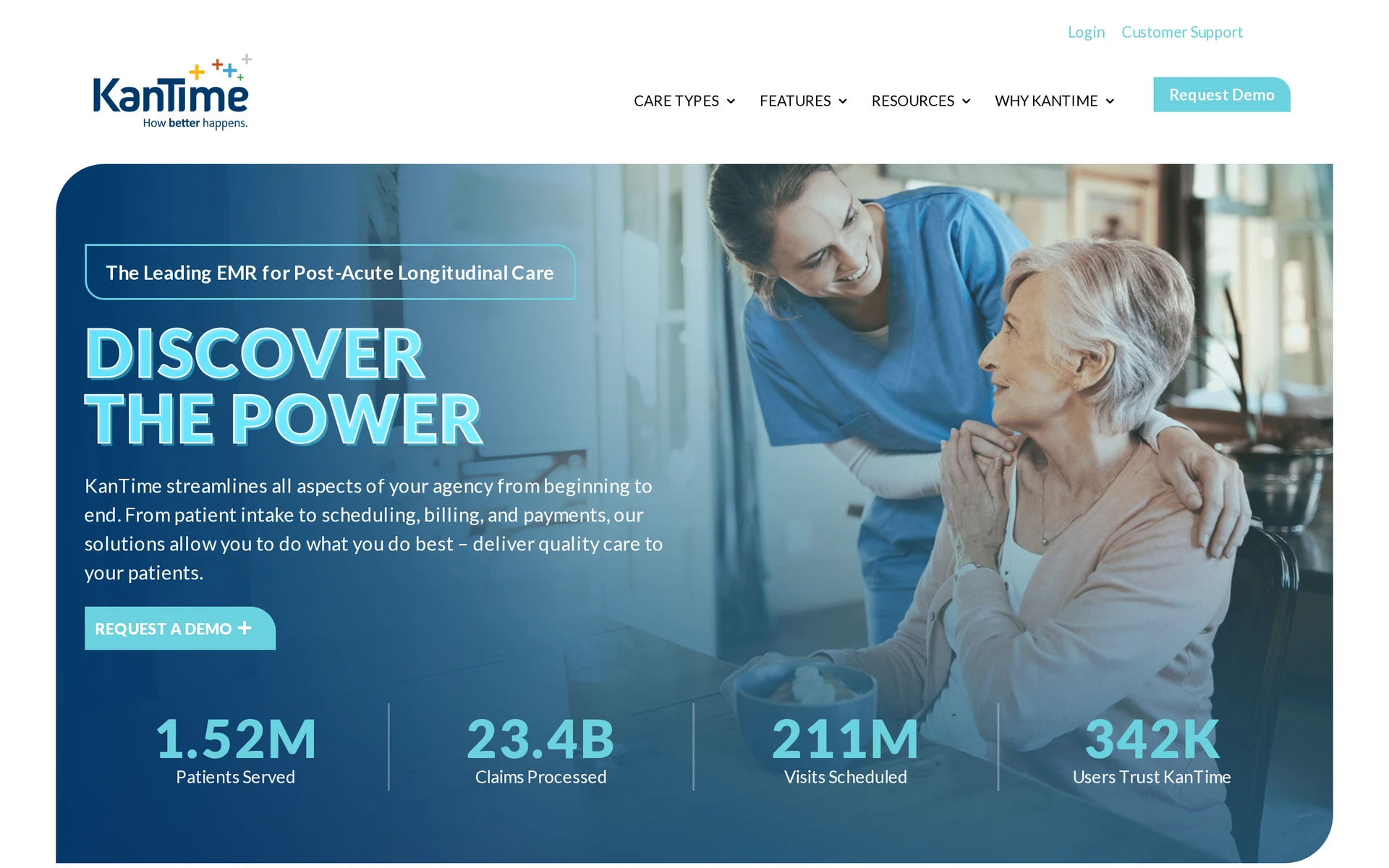
KanTime is a cloud post-acute EHR for organizations that operate skilled and non-skilled home-based care services.
Its service lines include:
Home health, hospice, and palliative care
Pediatric home health and private duty nursing
Personal care and self-directed services
KanTime can replace clinical and administrative WellSky workflows across skilled and non-skilled home-based service lines. Its published scope includes:
Field operations: Visit scheduling, recurring shifts, episodic visits, and electronic visit verification
Back office: Eligibility, authorizations, coding, billing, and payroll
Oversight: Reporting, quality assurance, and compliance automation
The longitudinal record is intended to keep clinical history available across service lines. Confirm how permissions and documentation templates change when one client receives more than one service.
Fit for a WellSky replacement
Organizations running skilled and non-skilled services should test whether one client can move from an episodic visit to a recurring shift with EVV, payroll, and billing intact.
Use a demonstration to trace one client through four transitions:
Move the client from intake to an authorized service.
Schedule an episodic visit and a recurring shift.
Record EVV and clinical documentation from the field.
Send approved work through payroll and billing.
Ask the vendor to show which information carries across each transition and which step requires a separate module or integration.
Trade-offs to verify
KanTime includes EVV, but availability does not confirm compatibility with a state aggregator or the payer rules in each operating state. Validate those connections before replacing an established visit-verification workflow.
Put these questions into the requirements document:
Aggregator: Which state aggregator connection is supported for each operating state?
Payer rules: Where are payer-specific visit edits configured and updated?
Exceptions: Who can resolve a missed clock-in, location mismatch, or caregiver-device failure?
Offline behavior: What can staff record without connectivity, and how are sync conflicts displayed?
Audit trail: Does the record preserve the original visit data, correction, reason, and approver?
Pricing approach
KanTime prices through proposals tailored to service lines and operating requirements rather than fixed published plans.
Platform scope: Included service lines and required modules.
EVV: State connections, payer setup, and exception tools.
Implementation: Configuration, migration, training, and launch support.
Integrations: Included interfaces, one-time fees, and recurring charges.
Contract: Charging unit, minimum term, renewal, and annual increases.
Request one total for the required launch scope and a separate schedule of optional costs. That separation makes later service-line expansion easier to budget.
4. Axxess Home Health
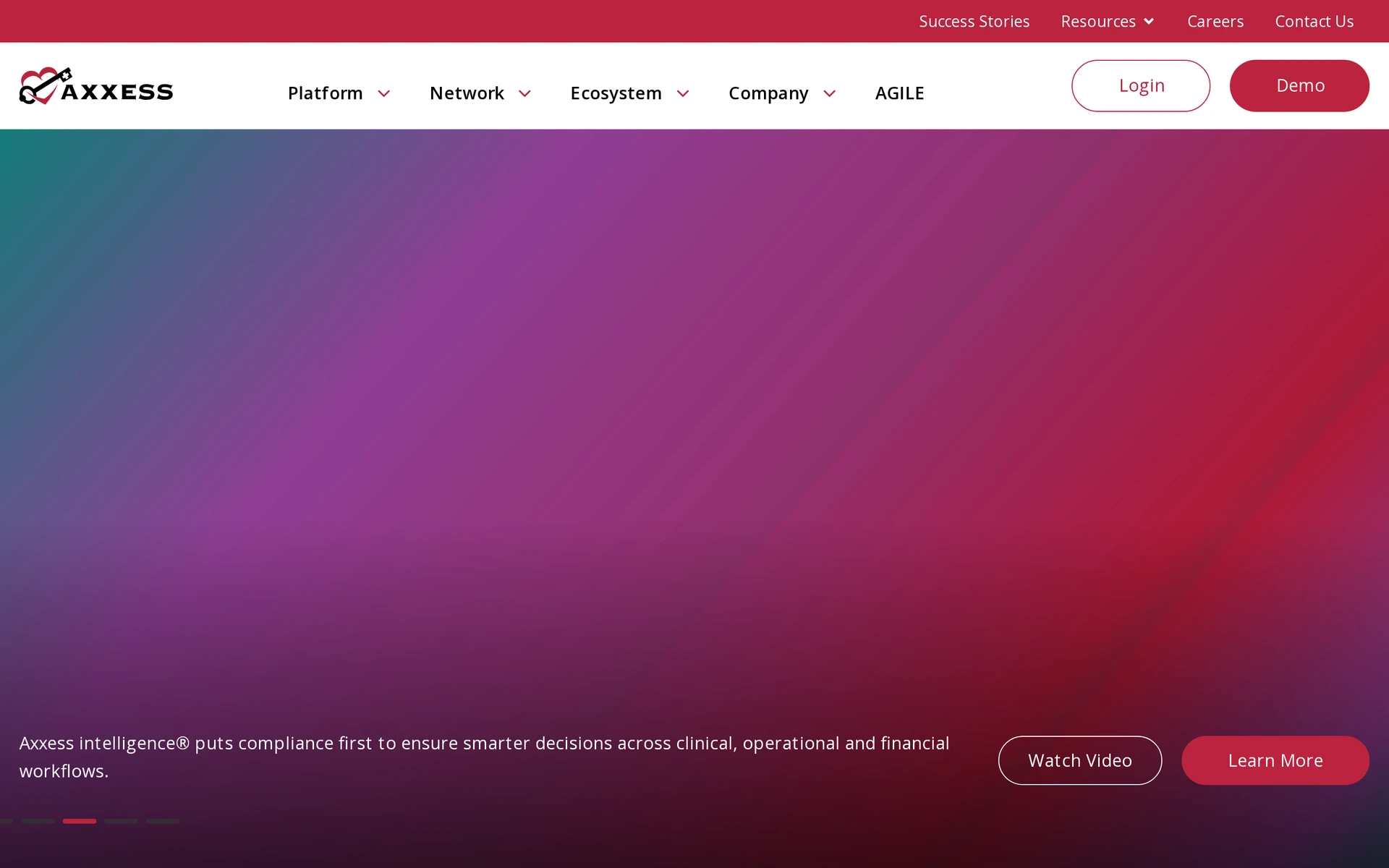
Axxess Home Health is a cloud EMR that connects clinical records with agency operations for home health providers.
It is relevant when census-based clinician access and open-visit staffing are both part of the replacement scope.
Replacement scope
Axxess can replace core WellSky Home Health workflows from clinical documentation through billing. Its scope includes:
Operations: Visit scheduling, mobile work, and open-visit management
Financial workflows: PDGM monitoring and billing
Visit verification: Mobile EVV with locally stored visit data
Clinicians can pre-download visits and document offline. The mobile workflow can retain notes and signatures locally for up to two weeks before synchronization, which should be tested against agency policy.
Fit for a WellSky replacement
Fit depends on whether census is the licensing measure and whether Axxess CARE can fill an open visit from posting through billing.
Axxess CARE adds a separate option for open visits. Test the network with a real staffing scenario:
Post an unfilled visit with the required discipline and time window.
Review how a per-diem clinician is verified and assigned.
Follow the visit through documentation, approval, and billing.
Confirm responsibility for cancellations, complaints, and incomplete records.
Trade-offs to verify
Base subscription prices are quoted, but Axxess's published terms list specific contract adjustments and secondary Super-User fees.
The terms allow an annual increase of up to 5% or up to the standard list price, at Axxess's discretion.
They also allow in-term increases when unforeseen service-delivery costs exceed 5%, while the service order may add pricing variances. Each additional secondary Super-User costs US$250 per month.
Pricing approach
Use the signed proposal to establish base subscription, implementation, and module costs. Then compare its terms with the published adjustments and fees.
Which census band applies, and how often is census recalculated?
How many secondary Super-Users are included before the US$250 monthly fee applies?
Which implementation, migration, training, EVV, and interface fees are separate?
How do the annual 5% or standard-list-price adjustment and the unforeseen-cost provision apply to this order?
Use the signed proposal to compare first-year cost with renewal-year cost. Keep optional modules separate from the replacement scope required at launch.
5. Alora Home Health
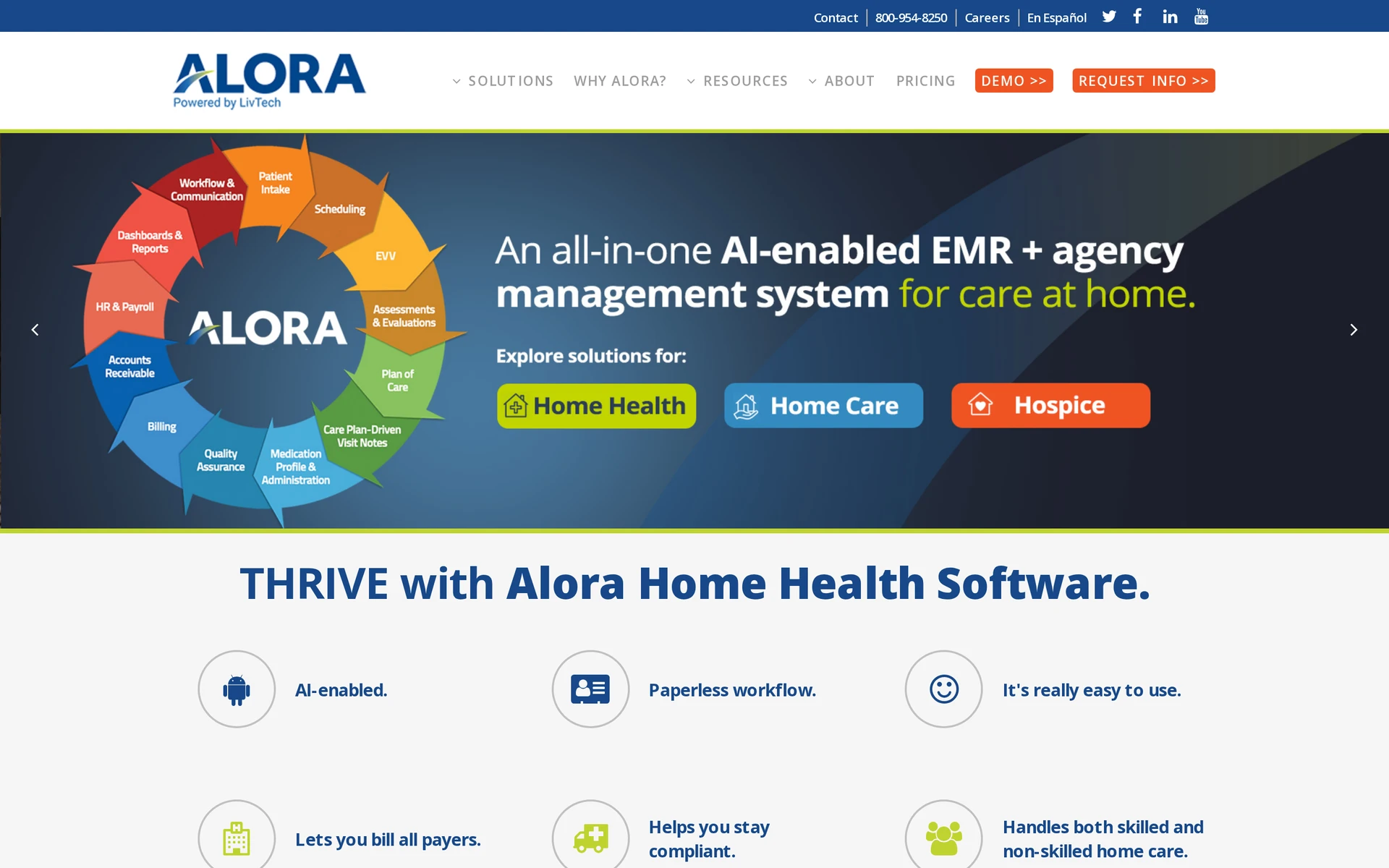
Alora is geared to agencies that run skilled care alongside private duty or personal care. Its fit depends on whether the agency can complete both clinical and field workflows in one product.
Its documented service lines are:
Skilled home health
Hospice
Private duty and personal care
The service lines share one login, so an agency can manage skilled and non-skilled work without moving between separate Alora products.
Replacement scope
Alora combines clinical records with field operations and billing in one product.
Skilled home health: OASIS-E1, CMS-485, PDGM and Notice of Admission workflows, plus HHVBP and Star Rating checks.
Hospice: Included in the same platform; confirm the required hospice documentation during a demonstration.
Private duty and personal care: Non-skilled visit documentation, EVV, and payer billing.
Field and payment workflows include:
EVV: GPS geofencing and telephony backup are documented. Direct transmission is listed for four aggregators, including Sandata and HHAeXchange.
Offline work: Alora says offline clock-in, clock-out, and documentation are an add-on. Confirm the supported devices and synchronization process in the written scope.
Claims: Billing includes 837 claims and automated 835 posting across government and private payers.
Where the scope differs from WellSky
Alora keeps skilled and non-skilled services under one login, while WellSky markets Home Health and Personal Care as separate product lines.
Limits to verify
Alora documents EVV aggregator connections and integrated e-faxing. Ask staff to build a custom report, export its fields, and send one visit through the agency's billing review.
Ask Alora to demonstrate or confirm:
The required state and payer EVV route, including visit corrections
The exact AI-assisted documentation task and staff review controls
Onboarding and the English and Spanish support model
Data exchange: Ask whether the hospital EHR or pharmacy used by the agency can exchange data with Alora, then export one visit record for a billing review.
Pricing approach
Alora publishes monthly guidance in US dollars: $295 to $800 for smaller agencies, $800 to $2,000 for medium agencies, and $2,000 to $8,000 for larger agencies.
Pricing uses either unlimited users or unlimited patients. Request a written quote for the agency's service lines, add-ons, and implementation scope.
Confirm the following in the Alora quote:
Whether charges follow user count, census, or another measure
Included modules and paid add-ons
Implementation, training, and support costs
Integration and EVV connection fees
6. AxisCare
AxisCare is centered on personal-care operations. Its fit depends on whether a complete visit can move from assignment to payroll without a manual workaround.
Its scope aligns with WellSky Personal Care rather than Medicare-certified home health.
Replacement scope
The platform covers the operational path from client intake to payment preparation:
Scheduling and caregiver matching
Mobile EVV and visit records
Authorizations and billing inputs
Payroll preparation and reporting
Agencies replacing WellSky Home Health should test a separate clinical system for OASIS and Medicare Part A workflows.
Fit for a WellSky replacement
AxisCare serves independent agencies and multi-location franchises running private-pay or Medicaid personal-care visits. Test one authorized Medicaid visit from assignment through accepted EVV, billing, and payroll handoff.
The demonstration should show how office staff correct missed clock-ins, location mismatches, and authorization exceptions without losing the original visit record.
Trade-offs to verify
Ask AxisCare to demonstrate the agency's named state EVV aggregator and payer route, including a rejected visit. For skilled services, test OASIS and clinical approval in the separate EHR linked to that visit.
Pricing approach
AxisCare uses written quotes rather than a public list price. Request one that separates software, EVV connections, implementation, migration, training, and support.
7. CareSmartz360
CareSmartz360 is centered on personal-care workflows. Its fit depends on location permission rules and central-office access matching the agency's operating model.
Its day-to-day scope maps more closely to WellSky Personal Care.
Replacement scope
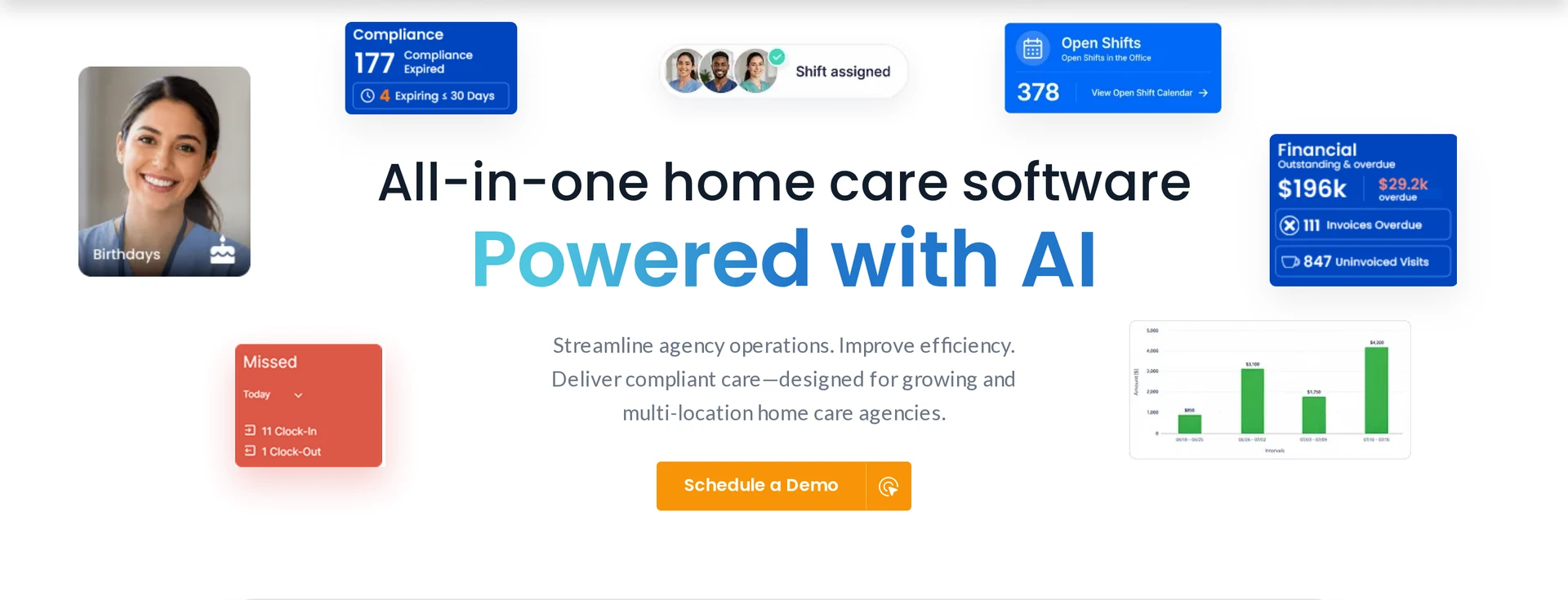
CareSmartz360 covers scheduling, caregiver coordination, EVV, client records, billing inputs, and payroll preparation. Facility staffing workflows can include open-shift dispatch alongside recurring home-care visits.
Run one client through the complete operating cycle:
Assign an authorized service and recurring schedule.
Record the visit through the required EVV route.
Resolve an exception while retaining the correction history.
Send approved work to billing and payroll.
Fit for a WellSky replacement
Non-medical agencies delivering private-pay or Medicaid-funded visits can test CareSmartz360 across one location or a franchise structure. Franchise operators should test location permissions, shared reporting, and central-office access.
Trade-offs to verify
CareSmartz360 supports OASIS forms and CMS-485 generation from OASIS data through a custom-PDF workflow. Test assessment submission, claims, and payer processes before treating it as a full WellSky Home Health replacement.
Confirm the agency's state EVV connection and payer authorization rule. Have staff demonstrate offline behavior and each billing or payroll integration required at launch.
Pricing approach
Use a current CareSmartz360 quote for the budget. It should state:
Charging basis: The measure used to calculate charges.
Included scope: Locations and EVV fees.
Launch costs: Implementation work and support.
Renewal and expansion: Renewal terms and the cost of adding a branch.
8. Sandata Agency Management
Sandata Agency Management is a Medicaid-focused home care platform that combines agency operations with EVV infrastructure.
The fit depends on whether Sandata operates inside the agency or between agency software and the state Medicaid program. That deployment model changes the integration, support, and exception-handling work required during a replacement.
Replacement scope
Sandata can replace one or both operational layers:
Agency management: Scheduling, caregiver workflow, authorization-based billing, and payroll.
EVV capture: Visit capture and validation for Medicaid reporting.
Map the proposed deployment by layer before comparing it with a WellSky product:
Agency management: Scheduling, visits, billing, and payroll; confirm required modules and migrated data.
EVV capture: Mobile, telephony, or fixed-device visit capture; test every approved method.
State aggregation: Receipt and validation of EVV records; identify the system of record and rejection path.
For a WellSky Personal Care replacement, separate agency-management work from state EVV infrastructure. Medicaid personal care, Home and Community-Based Services (HCBS), and intellectual or developmental disability (I/DD) programs should follow the authorization-to-claim path.
Medicaid program fit
The relevant operating model is an agency that must connect caregiver visits, service authorizations, and claims to state EVV requirements.
Sandata also works with managed care organizations and state Medicaid programs. Test the full caregiver workflow in each required language and across mobile, telephony, and fixed-device capture.
Confirm these points for each program and state:
Official EVV record: Identify which system receives, validates, and retains the record submitted to Medicaid.
Authorization controls: Test a visit that exceeds approved units or conflicts with the authorized service.
Capture methods: Run mobile, telephony, and fixed-device visits through the same exception process.
Language workflow: Check the full caregiver task flow in every language your workforce uses.
Trade-off to verify
Support ownership can become unclear when Sandata sits in both agency software and state EVV infrastructure. A failed visit may cross agency, aggregator, and state-program boundaries before reaching a claim.
Trace one visit through the complete path:
Capture the required service, recipient, caregiver, location, date, and time data.
Send the visit to the correct aggregator and record receipt.
Create an incomplete or mismatched record and identify who corrects it.
Resubmit the corrected record and verify that billing uses the accepted version.
Identify which party supports caregivers, agency administrators, and interface failures.
Interoperability also needs proof. Exchange a referral record with a participating hospital or provider, then confirm which clinical details reach the care team.
Pricing approach
Request a written Sandata quote that separates agency-management software, state-program dependencies, and implementation work. Sandata does not publish a list price for Agency Management.
The quote should identify:
Licensed modules and the pricing basis
Data migration, configuration, interfaces, and testing
Training and support for office staff and caregivers
State-program, aggregator, telephony, or device charges
Ongoing costs for changes, added programs, and additional locations
Price the complete EVV-to-claim path. A low software figure does not settle the cost if aggregation, correction, or support work sits under another contract.
9. Careficient
Careficient is a cloud post-acute EMR for multi-service agencies, with optional in-house revenue-cycle management (RCM). Unlike a single WellSky service line, its shared administration can cover home health, hospice, palliative care, and private duty.
The comparison is clearest when an operator runs home health alongside another post-acute service line and wants shared administration.
Replacement scope
Careficient can replace clinical and administrative systems across home health, hospice, palliative care, and private duty. The shared EMR also covers financial work tied to those service lines.
The practical scope includes:
Clinical records: Patient records, orders, OASIS, hospice documentation, and compliance workflows
Agency operations: Referrals, intake, scheduling, authorizations, and caregiver coordination
Financial operations: Eligibility, billing, electronic data interchange (EDI), invoicing, payroll, and accounts receivable.
Revenue-cycle services: Optional payment posting, denial work, appeals, Additional Documentation Requests (ADRs), and accounts-receivable follow-up.
A shared database can reduce duplicate administration between home health and hospice. Demonstrate one home health referral from OASIS assessment to an accepted EVV visit and bill before signing.
Multi-line and RCM fit
CareClaims handles eligibility and claim preparation, while optional in-house RCM shifts posting, denials, appeals, and unresolved balances to a service team. Define each handoff when home health and hospice share office staff.
Outsourced RCM changes who owns daily follow-up. The contract should state which team handles payer responses, documentation requests, corrections, appeals, and unresolved balances.
Trade-off to verify
Shared administration does not confirm that every service line has the required outputs or state connections. Hospice files, OASIS workflows, EVV models, and aggregator links need separate validation.
Run one referral-to-claim scenario for each service line:
Create the referral, intake record, authorization, and schedule.
Complete the clinical documentation and required assessment.
Send the EVV record through the applicable state or aggregator path.
Generate a claim, introduce an error, and complete the correction.
Review the audit history and ownership of RCM follow-up.
Include field clinicians, intake staff, billers, and the RCM team in the test. A clean demonstration by one department can miss a handoff that another team must repair later.
Pricing approach
Request separate figures for Careficient software modules, implementation, interfaces, and optional RCM services. Public list prices are unavailable.
Ask the proposal to specify:
The pricing basis, including census, visits, users, locations, or service lines
CareClaims and RCM charges, with the fee basis stated separately
Data migration, interface, training, and launch costs
Support levels and charges for added modules or service lines
Contract terms for bringing outsourced billing work back in-house
Compare quotes against the exact referral-to-claim scope tested during evaluation. A platform quote and an RCM proposal cover different work, even when both carry the Careficient name.
10. MatrixCare Home Health & Hospice
MatrixCare Home Health & Hospice is an enterprise post-acute EHR. Compared with a single WellSky service line, its portfolio can connect home-based care with skilled nursing and senior-living records.
For providers spanning home-based and facility-based care, MatrixCare needs a workflow-level comparison. Its portfolio also covers skilled nursing, senior living, and life plan communities.
Replacement scope
MatrixCare can replace clinical, operational, compliance, revenue-cycle, analytics, and interoperability systems across home-based and facility-based care.
Check the scope by setting rather than assuming one MatrixCare contract covers every workflow:
Home-based care: Confirm mobile, EVV, billing, and clinical modules for home health, hospice, palliative care, and private duty.
Facility-based care: Map resident records and transitions across skilled nursing, senior living, and life plan communities.
Clinical exchange: Send and receive a real external record through required CommonWell or Carequality connections.
Revenue cycle: Test billing edits, corrections, and posting interfaces.
Cross-setting and exchange fit
The defining test is whether home-based and facility records stay usable as a person moves between settings, including exchanges through CommonWell and Carequality.
Medicare workflows: Test OASIS-E and hospice HOPE records, error alerts, pre-claim validation, and interdisciplinary group (IDG) documentation with completed cases.
Transitions between settings: Move a patient between home-based and facility care, then verify what clinical data follows and what staff must re-enter.
Exchange-network participation does not prove that every outside organization sends usable data into each daily workflow. Test the actual referral partners, hospitals, and facilities in scope.
Trade-off to verify
Run a full home health or hospice visit in MatrixCare to expose stability and synchronization issues. Have field clinicians complete their usual documentation during the same pilot.
Use reference calls and a live pilot to check the risks directly:
Stability: Complete a visit during normal load and request uptime history, incident communication, and the recovery process.
Synchronization: Update a record in the field and office, then inspect timestamps, conflict handling, and the accepted system of record.
Documentation effort: Time a complete home health and hospice note, including corrections.
Training: Give a new user a realistic task and review the training plan, support route, and role-based materials.
Reference sites should resemble your census, service lines, and interface mix. Ask those operators about downtime response and sync delays rather than requesting a general satisfaction statement.
Pricing approach
Build the MatrixCare budget from a written quote, because its public pages do not list prices.
Request separate line items for:
Each home-based and facility-based care line
Implementation, data migration, interfaces, and testing
Training, support, and added locations
CommonWell, Carequality, analytics, and revenue-cycle components
Tie the quote to the workflow map used during the demonstration. Adding a care setting after MatrixCare selection can increase scope, so treat interfaces and modules as separate procurement checks.
Which alternative should you shortlist?
Start with the care model and payer rules the replacement must support. A US Medicare home health agency and a Medicaid personal-care provider need different records, billing checks, and visit proof.
Remove products that cannot pass the required workflow, then test the remaining options:
US Medicare home health or hospice: Test Homecare Homebase, KanTime, Axxess Home Health, Alora, Careficient, or MatrixCare from clinical note to claim-ready documentation.
US Medicaid personal care: Test AxisCare, CareSmartz360, or Sandata through the required state EVV aggregator and payer authorization.
Private-pay non-medical home care: Test AxisCare or CareSmartz360 from recurring schedule through approved billing and payroll inputs.
Non-US home care: Test Silverwise from service setup through visits, routes, reviewed field updates, and invoice preparation under local requirements.
Multiple post-acute service lines: Test KanTime, Careficient, or MatrixCare as one person's record and payer data move between services.
Residential or special care: Test Silverwise through a care action, reviewed handover, and optional home or stock follow-up.
OASIS and PDGM are US Medicare checks. EVV aggregator rules vary by US state and payer; providers elsewhere should apply local clinical, privacy, billing, and employment requirements.
What to verify before switching from WellSky
Approve the switch only after every day-one workflow, migrated-record check, integration, and rollback rehearsal passes. Use anonymized or synthetic records in a test environment with the roles that perform the work.
Map each test to the provider’s country and payer. OASIS and PDGM apply to US Medicare home health, while EVV formats and aggregators vary by state and Medicaid payer.
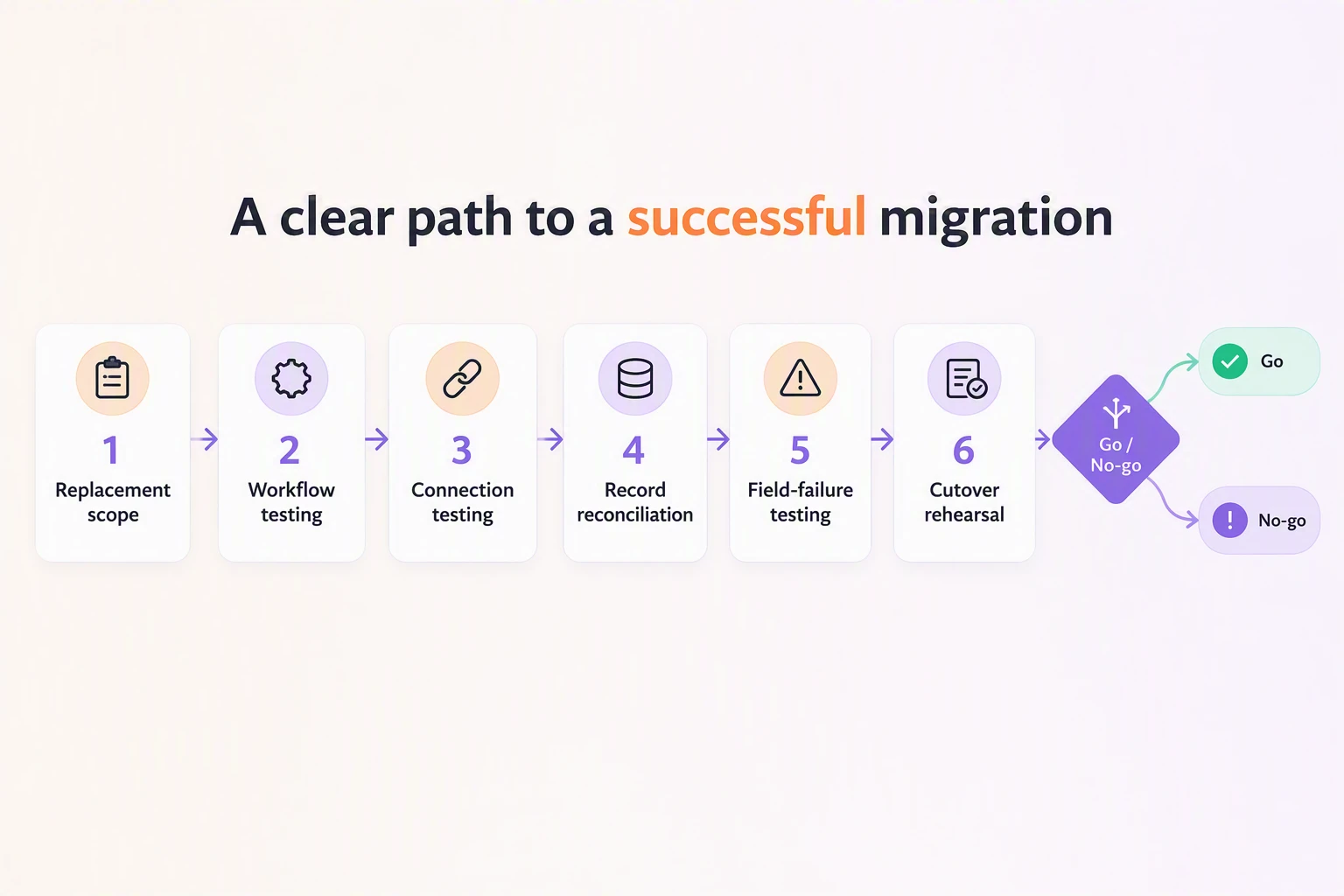
Use this sequence and stop the cutover when a required day-one test fails:
Define the replacement scope. List the exact WellSky product, modules, service lines, and connected systems in use. Mark each workflow as required on day one, later, or retired.
Complete a full shift or visit. For Medicare home health or hospice, run clinical documentation through claim preparation. For personal care, test a schedule change through EVV, authorization, and billing handoff.
Prove each day-one connection. Send and receive a test transaction through the required EVV aggregator, clearinghouse, referral source, or clinical exchange. Assign an owner and retain the test log.
Reconcile migrated records. Check active and discharged records, attachments, care plans, permissions, timestamps, and audit history. Produce a sample exit extract that another system can read.
Test field failure safely. Complete a visit or shift on a weak or unavailable connection, reconnect, and resolve a failed upload without losing or duplicating the record.
Rehearse cutover and rollback. Name the data-freeze window and support owners. Prove the team can return to WellSky and reconcile visits, notes, and corrections created during the rollback window.
Record the final decision in two lines:
Go: Every required day-one scenario passes, migrated record counts and sample records reconcile with WellSky exports, and named owners sign the evidence.
No-go: A day-one integration fails, a required day-one workflow needs an unapproved manual workaround, or rollback remains untested.
See whether Silverwise fits your care team
Test one normal visit before making a wider decision. Follow it from service setup and scheduling through the recorded visit, reviewed field update, and invoice preparation.
Is WellSky the same as Kinnser?
No. Kinnser is the legacy platform name associated with WellSky Home Health and WellSky Hospice; WellSky Personal Care came from ClearCare.
Is WellSky an EHR or EMR system?
WellSky is a portfolio of EHR and care-coordination products rather than a single EMR. WellSky Home Health is the EHR for home health workflows, while other products cover hospice, personal care, and specialty settings.
Does WellSky suit small home care agencies?
WellSky may suit a small agency when the selected product covers its exact care model, payer rules, and day-one integrations within the available implementation workload and budget.
How much does WellSky cost?
WellSky does not publish standard software prices, so agencies need a quote covering licenses, implementation, data migration, integrations, and support.
:no_upscale())