:no_upscale())
:no_upscale())
:no_upscale())
Best care home software for residential and home care teams
:no_upscale())
On this page
The best care home software depends on where care happens: in a shared residential setting, at clients’ homes, or across both.
In a 2025 DHSC survey of 1,085 CQC-registered providers, 73% used digital social care records and 63% used digital rostering.
The first four options cover residential or mixed settings. The remaining six focus on field-based care, comparing shared handovers with visits, routes, electronic visit verification, and billing.
Care home software vs home care software
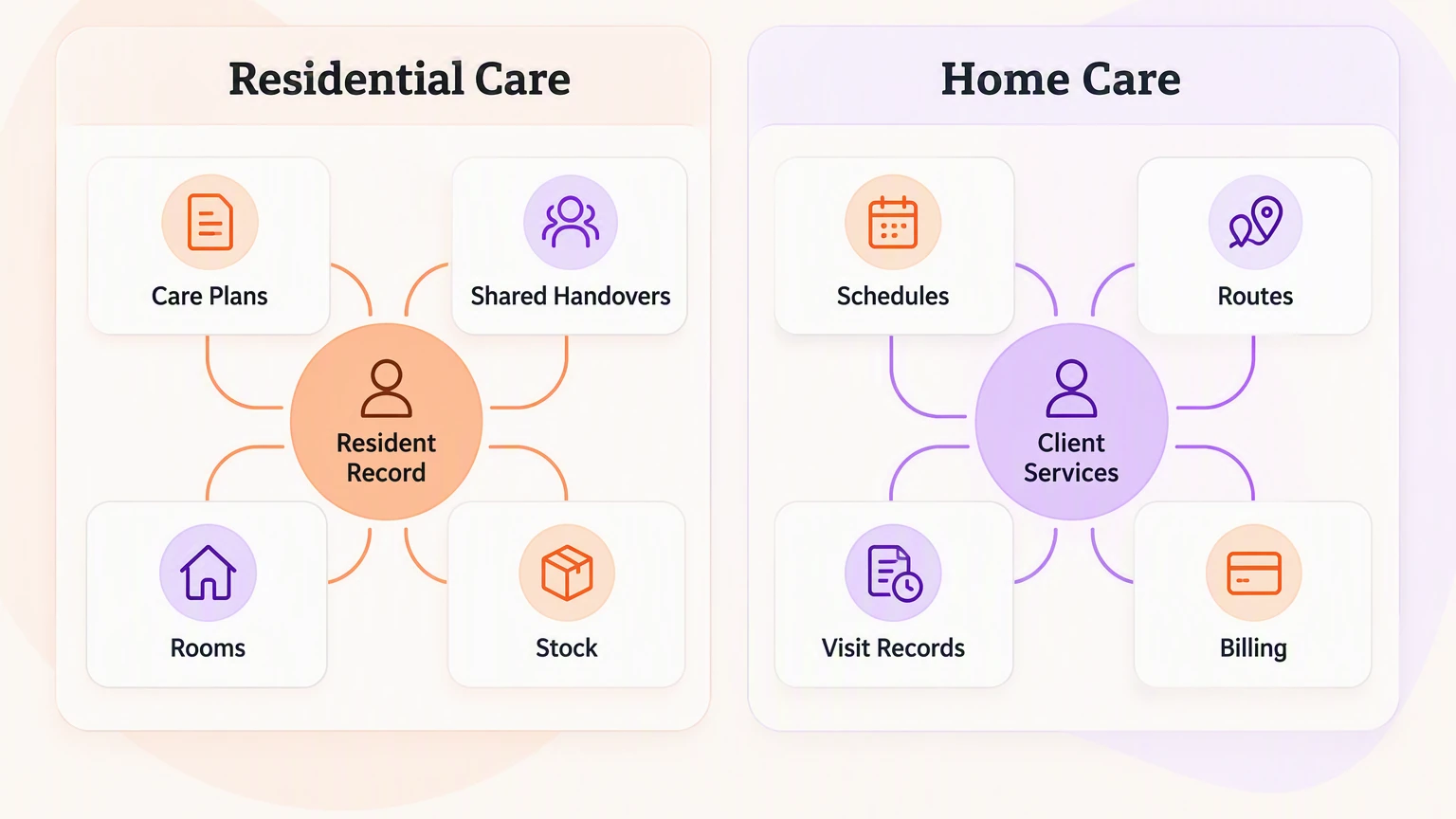
Care home software manages a shared residential setting, including rooms, occupancy, and shift handovers. Home care software organizes scheduled visits to clients’ homes, often with electronic visit verification (EVV).
In a residential home, the resident record connects care plans with shared handovers and on-site work. That operational view also covers the building, from bed occupancy to stock.
Home care starts with an individual visit: who is going, where, when, and which service is due.
For US Medicaid personal care and home health services, EVV records must capture:
Service type and recipient
Caregiver and date
Start and end times
Location
A care-home system and a home-care system track different daily events, which makes them poor substitutes. Mixed providers should classify each service line by care setting, then confirm the shortlist covers both building and visit workflows.
How we compared these platforms
Setting fit determines the first cut. Within each setting, the order reflects care records, workforce workflow, operational or billing coverage, geographic fit, and price clarity.
The comparison uses official product pages, government guidance, published pricing, and individual user accounts where a permitted source was available. It does not present desk research as hands-on product testing.
Six checks shaped the ranking:
Setting fit: Residential, home-care, or mixed-provider workflows.
Daily records: Care plans, handovers, visit notes, medication records, and follow-up.
Workforce workflow: Rotas, working hours, mobile access, and visit verification.
G2
Capterra
Software Advice
Operational scope: Rooms and stock for residential teams, or routes, billing, and payer work for agencies.
Geographic fit: UK care-record standards, US EVV and Medicaid requirements, or relevant Canadian and Australian integrations.
Evidence and cost: Official product details, published prices, quote requirements, and clearly labelled individual user feedback.
We did not average these checks into one score because setting fit is a threshold, not a trade-off. We then used four practical questions to compare day-to-day use:
How does the platform set up a new resident or client and care plan?
How does a team complete a shift or visit and hand over the record?
Can the platform build a four-week rota and expose overtime inputs?
Can a manager retrieve a 30-day record history for inspection review?
The 10 best care home software platforms for 2026
These platforms divide between residential homes and visit-based agencies. They belong in one shortlist for operators comparing one setting or coordinating services across both.
Within each setting, higher positions reflect records, workforce coordination, operations or billing, local requirements, and transparent buying information.
1. Silverwise
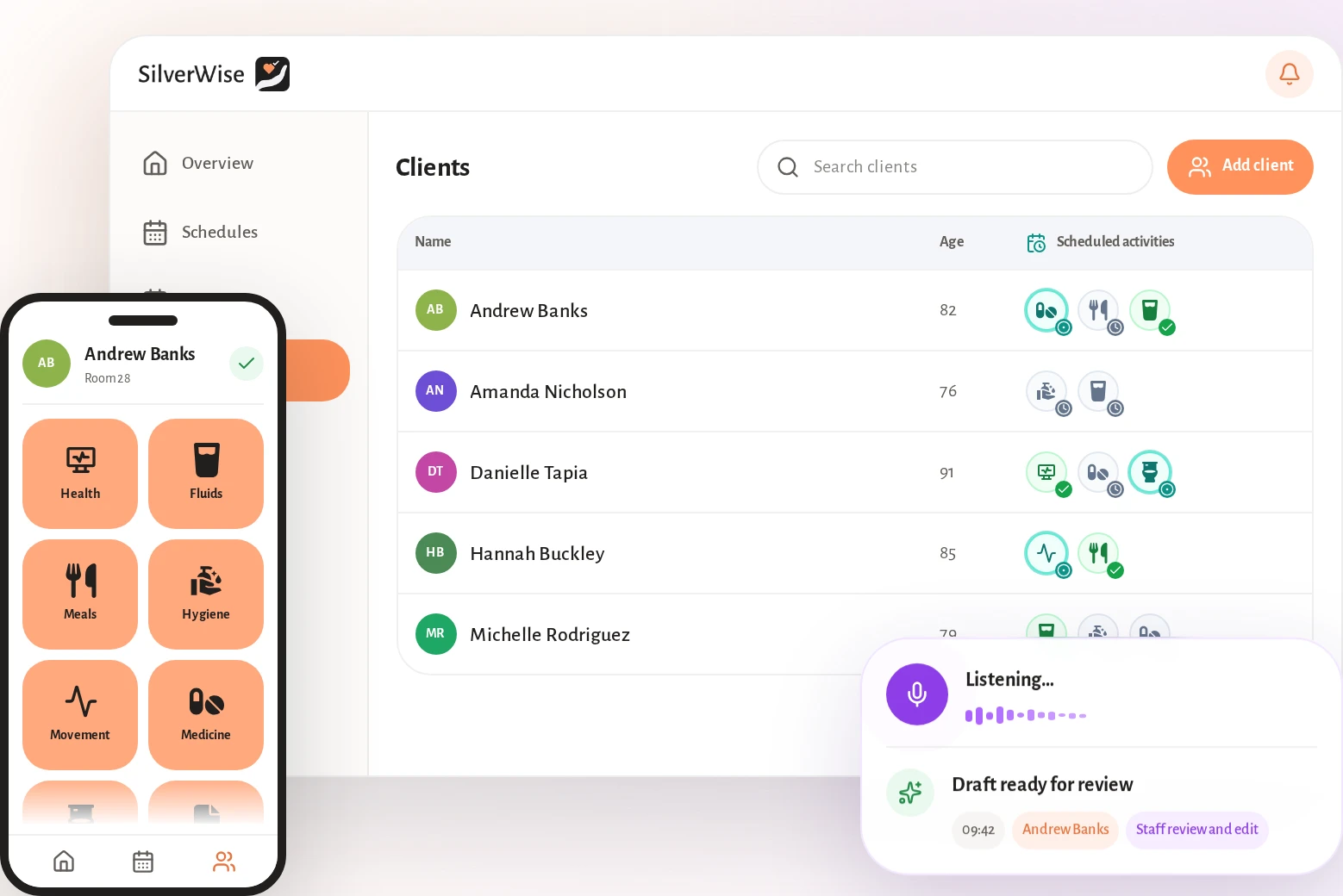
Silverwise is our all-in-one care management platform for residential care homes, home care providers, and special care facilities. We built it to connect daily care with the records and follow-up around it.
Residential teams can manage daily care and site operations in one system.
Home care teams can carry the same record from service setup through each visit to invoice preparation.
Primary fit: Operators that want frontline care and operational oversight in one shared workflow.
Digitized care plans and daily actions
Silverwise turns each resident’s assessment and care plan into scheduled daily actions. Custom actions let the plan reflect local routines, including wound care, rehabilitation walks, or diet monitoring.
Staff then work from a shared resident record:
Structured assessment: Record mobility, mental state, meals, medication, hygiene, and other care needs in a consistent format.
Quick care entry: Use icons, templates, or bulk actions to record routine work without rewriting the same note for each resident.
Timestamped timeline: Keep the action, staff member, time, and relevant detail attached to the resident.
Care summaries: Review completed, overdue, and planned actions across weekly or monthly views.
Care actions, timestamps, summaries, and resident details stay in one current record. Your team can reduce copying between separate files and channels while keeping each update connected to the resident.
Voice-to-record shift log and AI documentation
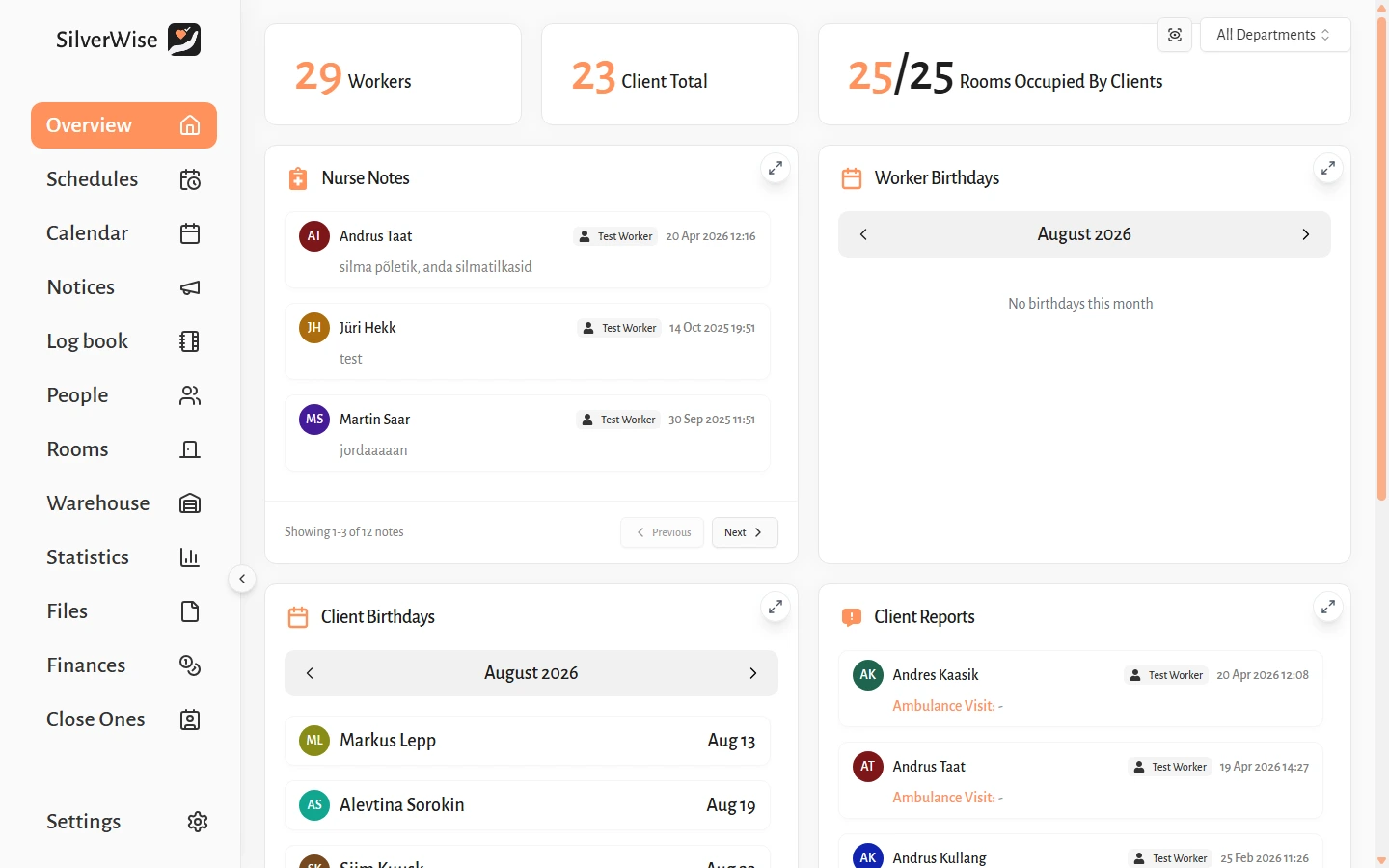
Care staff can dictate observations, resident updates, or shift events in natural speech. Silverwise transcribes the recording and prepares an editable Log Book draft.
The record moves through four clear steps:
The caregiver speaks the update while the information is fresh.
Silverwise turns the recording into a structured draft.
The caregiver reviews the wording, corrects errors, and adds professional context.
The confirmed note enters the shared Log Book for the next shift or department.
Every AI-prepared note remains a draft until a staff member confirms it. Professional judgement stays with your care team.
Automatic care and document reminders
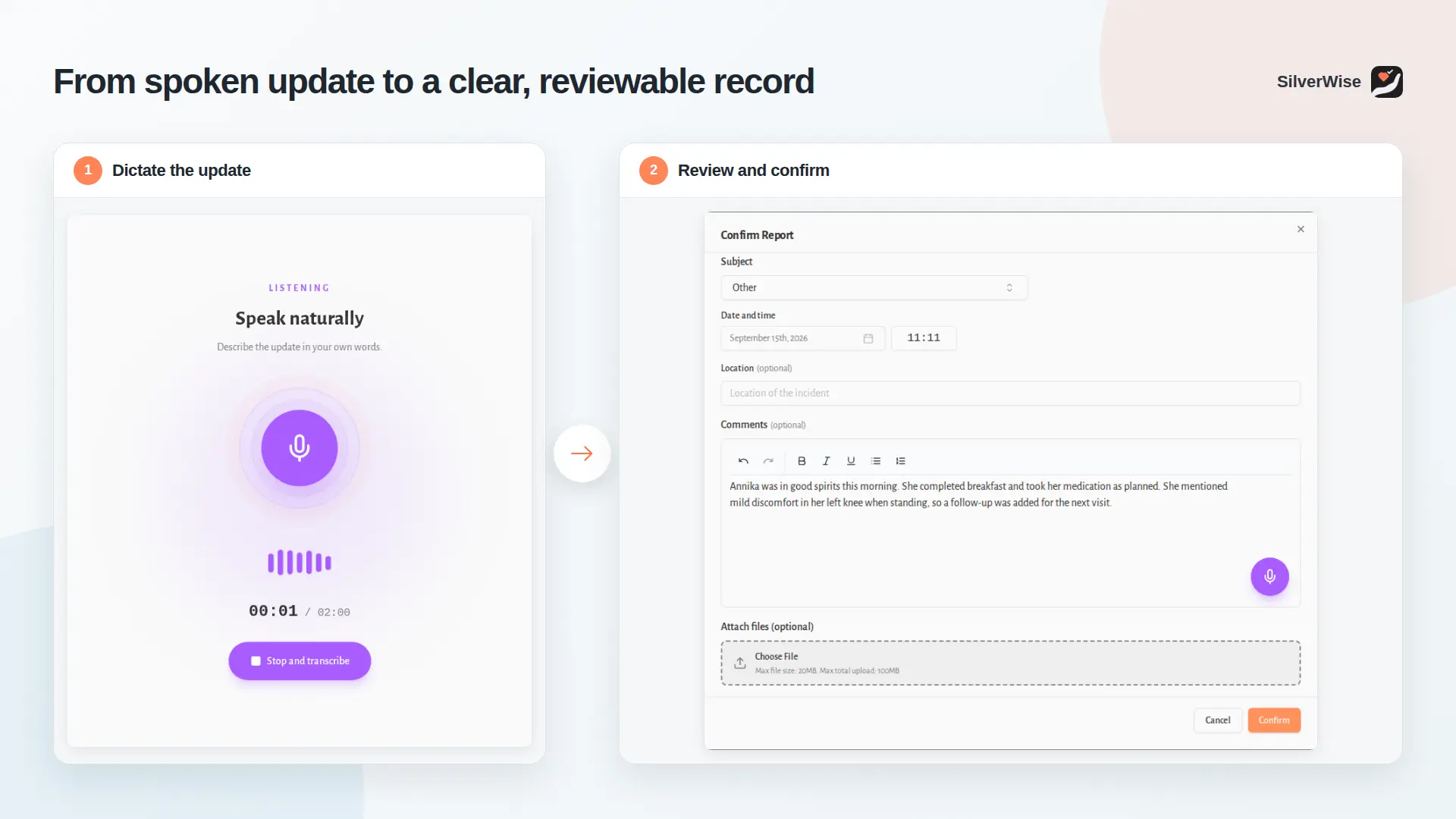
Silverwise keeps overdue care and document deadlines visible before they disappear into a busy shift. Alerts can direct follow-up to the relevant staff or department.
Your team can monitor four types of follow-up:
Planned care: Flag meals, medication, hygiene, or other scheduled actions that remain incomplete.
Resident updates: Track absences, new nurse notes, and upcoming birthdays.
Documents: Surface approaching or passed expiry dates and show whether the required person confirmed the file.
Daily oversight: Bring open items into the organization overview and place scheduled activity in the shared calendar.
Managers can see what needs attention, then decide who should act and what response the situation requires.
Staff scheduling and hours tracking
Silverwise uses shift templates and recurring rules to create monthly or annual schedules around established patterns. Managers can edit times, reassign a shift, and share the current rota from the same module.
The schedule also keeps the working-time inputs used by managers, payroll staff, and accountants:
Recorded working hours
Holidays and leave
Night work
Overtime
Permissions can follow each employee’s role and department. Staff can view their personal schedule and permitted notices without leaving resident or client records open more broadly.
Rooms, stock, and file management
Residential providers can add room, stock, and file oversight when those workflows belong in the same operational view. Each module connects a physical task or record to a named resident, room, or team.
These optional areas add:
Rooms: Record occupancy, cleaning, maintenance, and issues, then review room status and work history.
Stock: Track deliveries, usage, minimum levels, resident-linked belongings, and items needing replenishment.
Files: Store resident, employee, and facility documents with access, expiry, confirmation, and search controls.
These modules are useful when residential oversight extends beyond direct care. A provider can discuss the relevant module mix during a personalized consultation.
Home care visits, routes, and billing prep
For home care providers, Silverwise connects service setup, mobile work, and billing preparation in one continuous record. Office staff and caregivers work from the same current visit information.
The workflow follows five steps:
Set up services: Define each service, assign it to the client, choose hourly or per-visit rates, and record any signature requirement.
Plan schedules and routes: Build staff rotas from templates and recurring rules, then plan the day’s home-care routes in Silverwise.
Record the visit: The caregiver logs visit duration and marks assigned service tasks as completed during the appointment.
Send field updates: Staff record observations from the field, while coordinators review visit status and open follow-up. Voice updates remain editable until the caregiver confirms them.
Prepare invoice lines: Logged time and completed services become draft lines based on the provider’s configured rates. Office or accounting staff review the inputs before final invoicing.
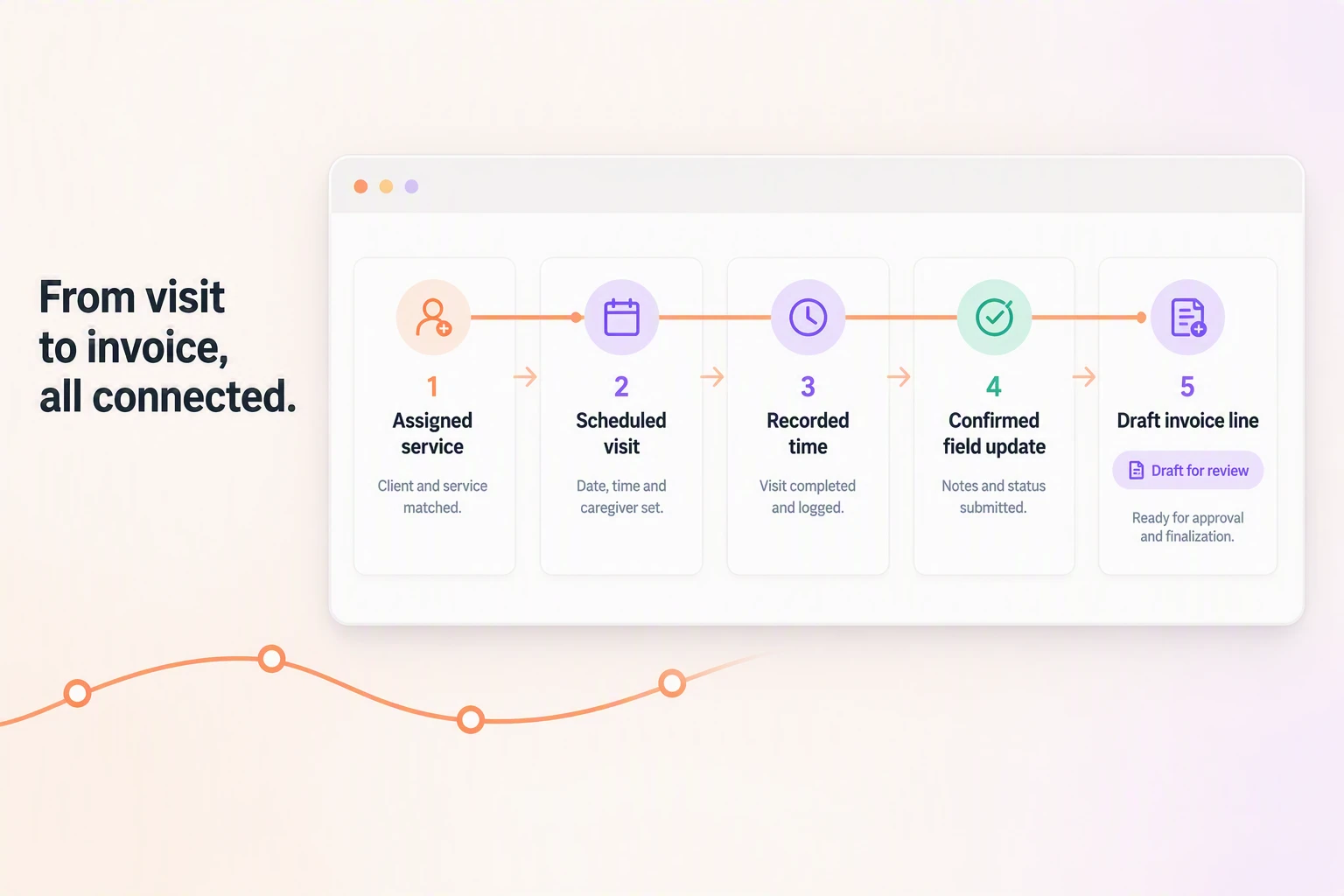
The confirmed visit record connects scheduling, completed services, field updates, and invoice preparation. Silverwise does not publish monetary pricing; a free consultation covers the care setting, required modules, and fit.
2. Nourish

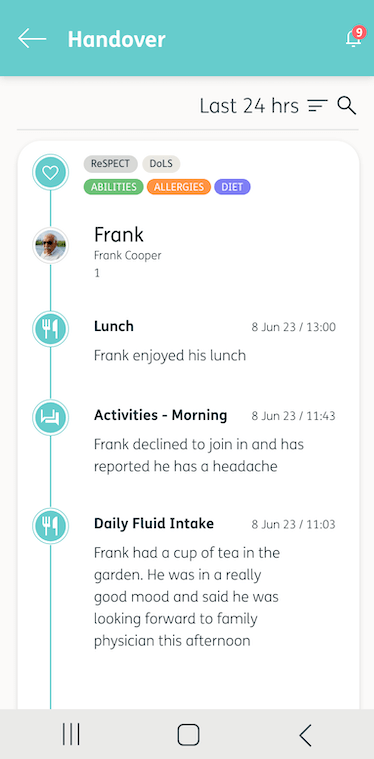
Nourish is a UK digital social-care platform for residential and home-care providers. Primary fit: UK teams needing point-of-care records with optional eMAR and rostering.
Care staff record tasks and notes as care happens, keeping each entry beside the action rather than rebuilding the record after a shift.
Nourish connects point-of-care documentation with UK health-record standards and selectable operational modules:
Care entry: Staff record tasks and notes during care.
UK connections: GP Connect, PRSB Quality Partner status, and Digital Social Care Records (DSCR) credentials.
Operational modules: Electronic medication administration records (eMAR), rostering, audits, incidents, analytics, and device management.
Integrations: CoolCare, Radar Healthcare, Nexus nurse call, Workforce.com, Sona, and pharmacy systems.
Commercial model: Selectable modules with quote-based subscriptions.
During a demonstration, test the parts most likely to interrupt a normal shift:
Navigation: Ask staff to find a resident, open the current record, and complete a common entry.
Shift continuity: Test logins, common updates, and the same task on desktop and mobile.
Process fit: Compare established handovers and floor routines with the configured Nourish workflow before agreeing the module set.
Ask frontline staff to complete the same handover on the devices they normally use. Their feedback should guide the final module choice.
Item | Detail |
|---|---|
G-Cloud 14 baseline | £1,200 per licence per year |
Commercial model | Quote-based modular subscription |
The G-Cloud figure is a procurement baseline, not a complete module quote. Confirm the included licence, implementation, support, and selected modules before comparing total cost.
3. Log My Care
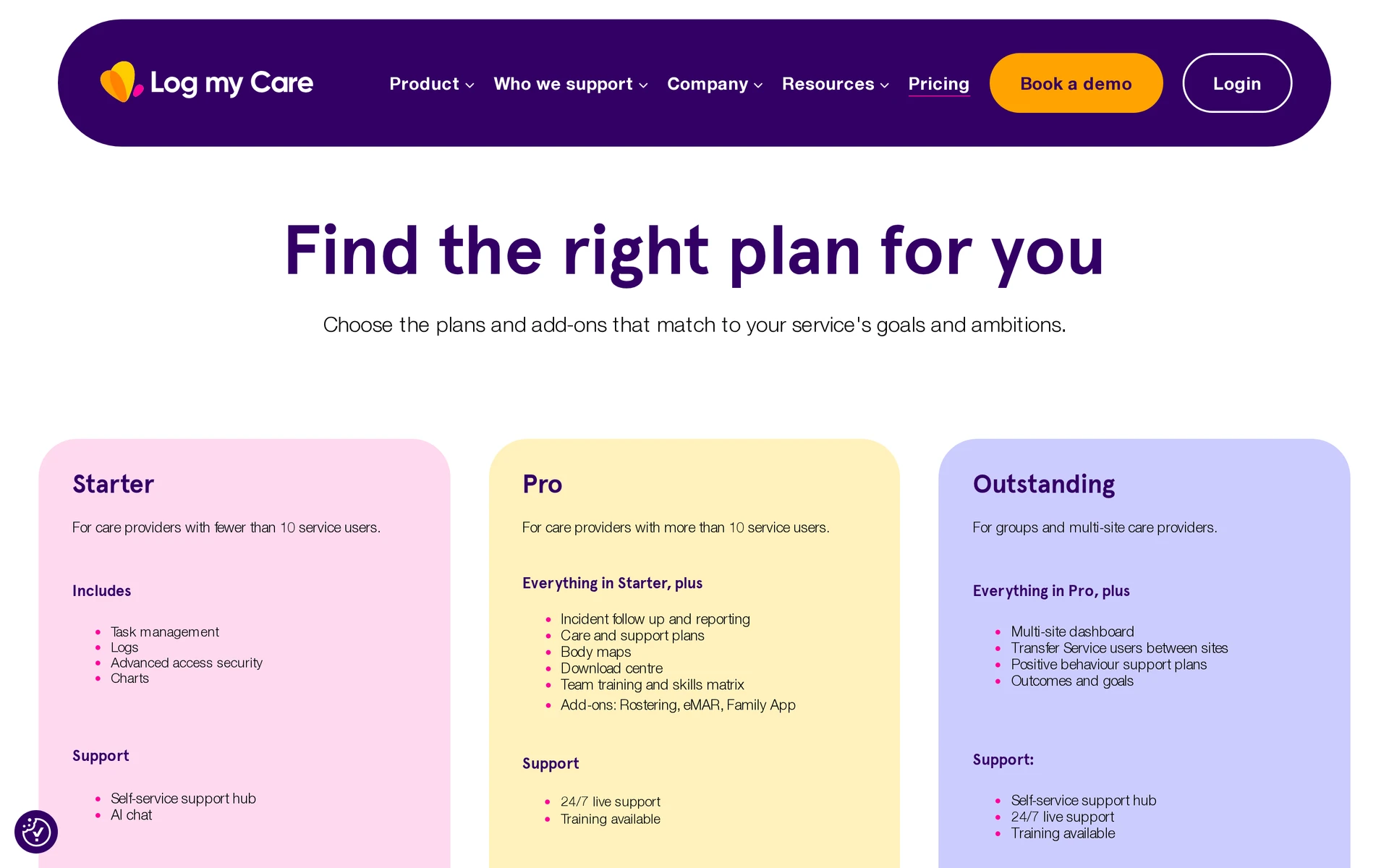
Log My Care is a UK care-record platform for residential, supported-living, and home-care services. Primary fit: Providers needing offline care entry with optional eMAR and rostering.
Caregivers can record care through an offline app, while office teams manage care plans and records through the web administration system.
Its documentation audit checks active notes against resident profiles, incidents, and risks. It assigns a 0-100 score for depth, consistency, risk, and timeliness rather than checking completion alone.
Area | Verified scope |
|---|---|
Point-of-care use | Offline caregiver app |
Records | Care plans, clinical observations, and documentation audits |
Quality review | 0-100 score informed by resident profiles and recent incidents |
Add-ons | eMAR, rostering, and family access |
Starter tier | Free for providers with fewer than 10 service users; excludes the listed add-ons |
Paid pricing | Quote required; current bundle details are not publicly confirmed |
Starter covers basic tasks and logs; Pro and Outstanding add wider care and multi-site functions. Request a quote that names the selected add-ons, training, and usage limits.
4. MatrixCare Senior Living
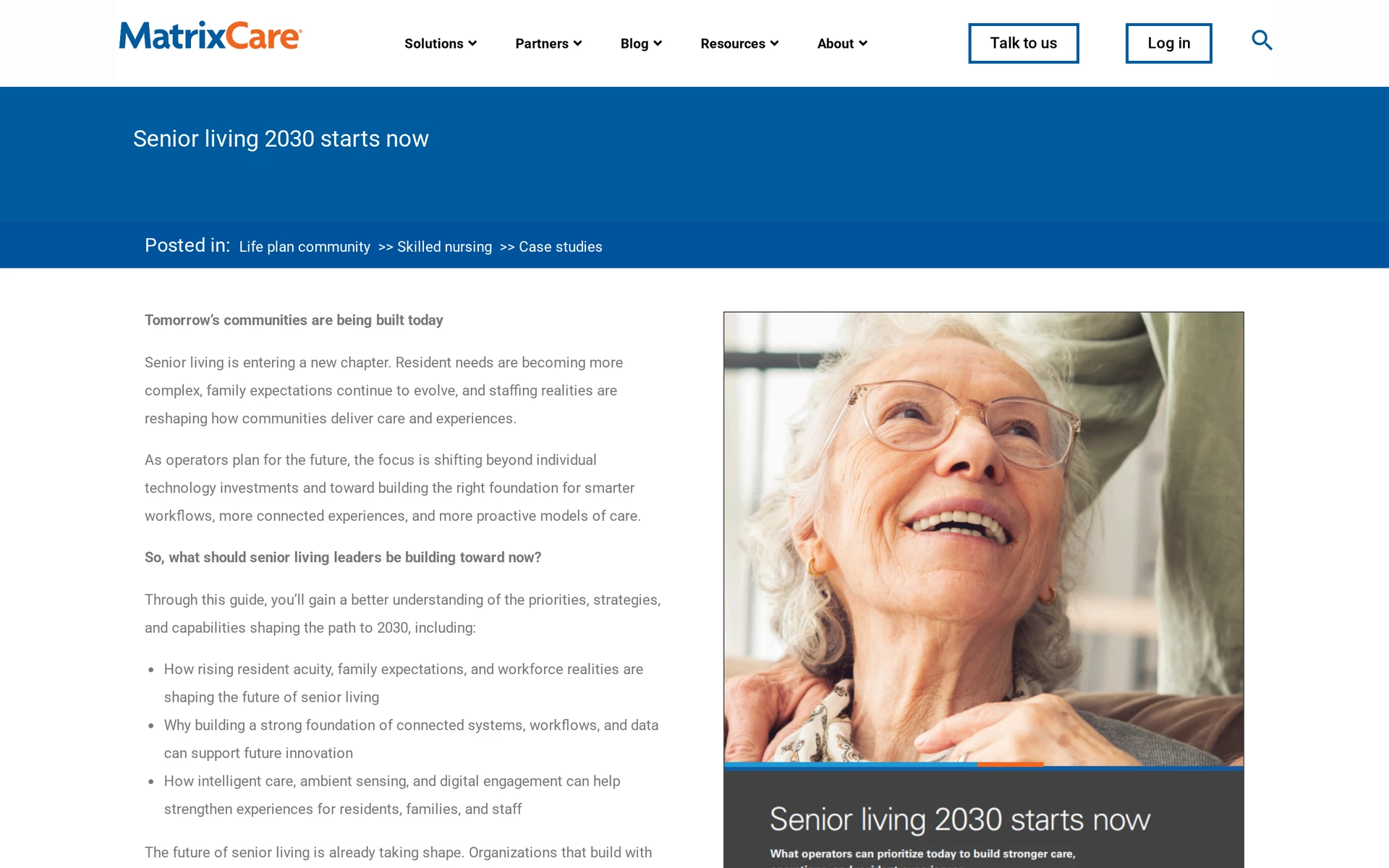
MatrixCare Senior Living is a US electronic health record (EHR) for independent living, assisted living, memory care, and continuing care retirement communities (CCRCs).
Its workflow connects resident records and eMAR with admission, discharge, and transfer (ADT) updates, occupancy, pharmacy exchange, billing, payments, and management analytics.
The product's scope follows the operational path of a senior-living community:
Clinical work: Resident records and eMAR.
Community operations: Census, ADT workflows, occupancy, and analytics.
Financial work: Billing and payments.
External exchange: Pharmacy connectivity.
Pricing: A custom enterprise quote based on community requirements and selected modules.
5. CareSmartz360
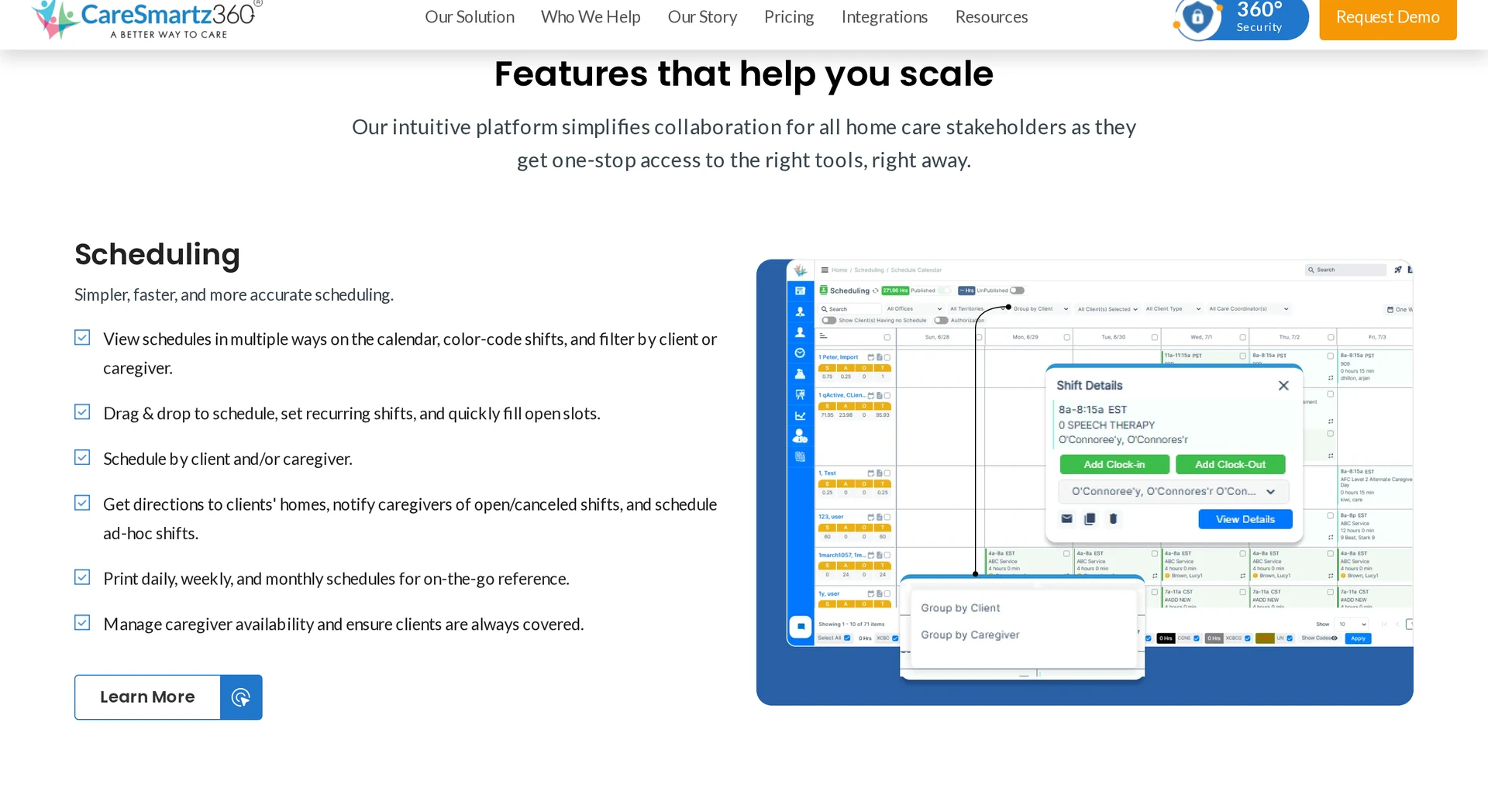
CareSmartz360 is a US agency platform built around caregiver visits. Its workflow runs from scheduling and EVV through field records to billing preparation. Primary fit: US private-duty and franchise agencies coordinating distributed visits.
Visit operations include:
Scheduling: Caregiver matching and open-shift broadcasts help coordinators fill distributed visits.
EVV and travel: GPS and telephony check-ins support offline sync and mileage capture. Confirm the required state-aggregator connection during procurement.
Field records: The caregiver app covers care-plan review, activities of daily living (ADLs), instrumental activities of daily living (IADLs), signatures, and client-specific shift notes.
Billing: Visit data feeds pre-billing checks and electronic data interchange (EDI) workflows for private pay, Medicaid, Veterans Affairs, and long-term care insurance.
Setting note: This is a visit-centred agency workflow rather than a residential operations system.
The stated market is US private-duty and franchise agencies coordinating work across locations.
Pricing: Quotes may reflect active-client volume; confirm every subscription, implementation, and usage driver in the proposal.
6. AxisCare
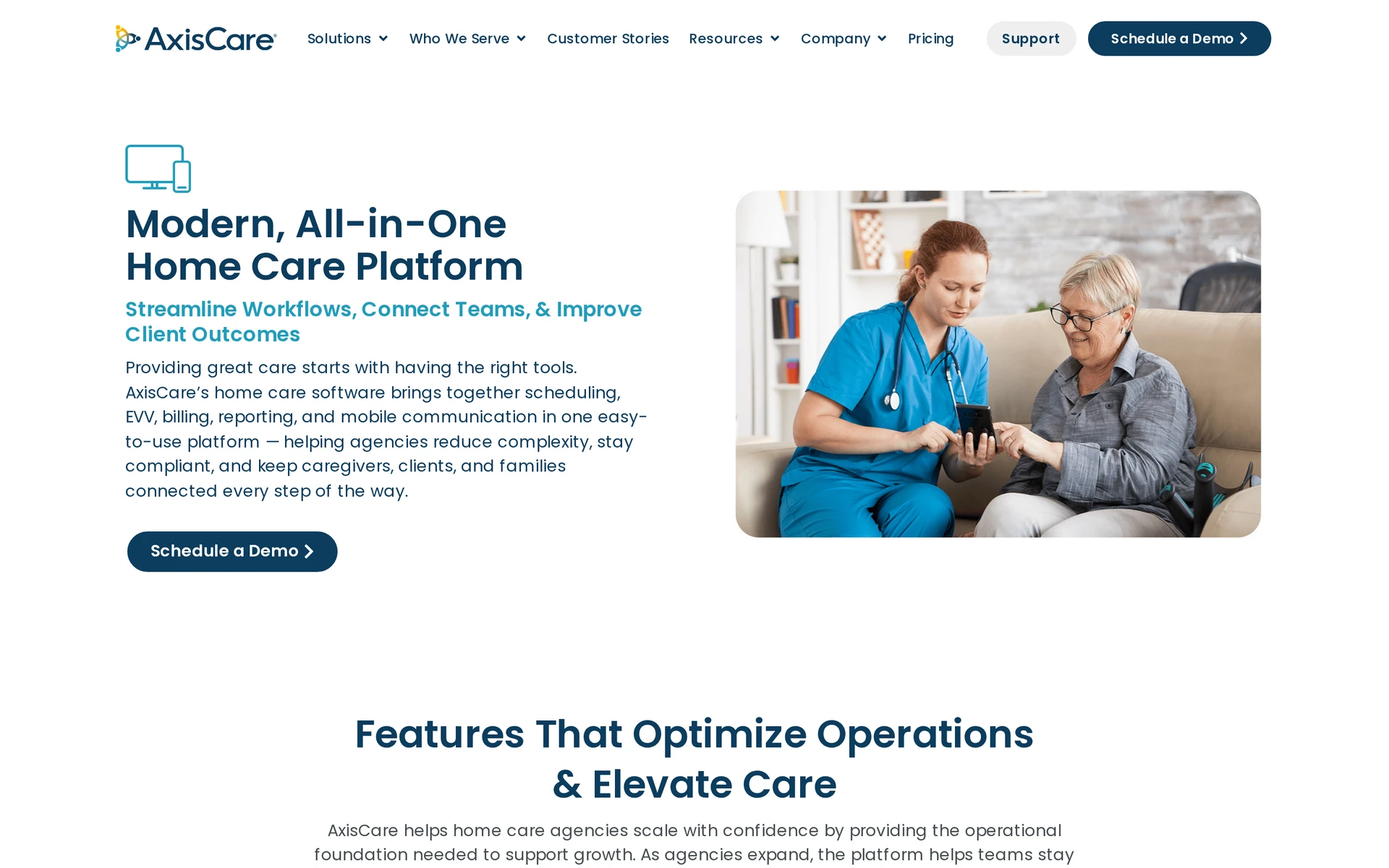
AxisCare follows a home-care visit from assignment through verification and documentation, then into back-office records. Primary fit: US and Canadian agencies managing visit-based personal care or home health.
Its visit workflow covers:
Scheduling: Caregiver matching, open visits, shift swaps, and admin mobile access support day-to-day changes.
EVV and geography: AxisCare provides GPS-based EVV and an official state EVV map. Confirm the required state connection and payer setup.
Field documentation: Caregivers can record ADLs, vitals, wound details, and visit notes offline, then sync when a connection returns.
Billing and payroll: Verified visit data feeds billing and payroll workflows. The wider platform includes CRM, payments, and revenue-cycle work.
Published positioning covers personal care, skilled home health, Medicaid, and services for people with intellectual and developmental disabilities.
Pricing: AxisCare pricing is quote-based; request an itemized agency proposal.
7. WellSky Home Care
WellSky Personal Care is a North American private-duty platform that follows visits at client addresses from scheduling through billing. Primary fit: Personal-care franchises and private-duty agencies.
The visit workflow includes:
Scheduling: Drag-and-drop scheduling and open-shift broadcasts help coordinators assign visits across a distributed workforce.
EVV and authorizations: GPS and interactive voice response (IVR) check-ins record visits, while authorization tracking helps teams monitor payer limits.
Field records: Mobile workers can view schedules, complete tasks, and add visit notes. Client records can also feed AI-powered summaries.
Billing: Verified visits support private-pay processing and claims routes for Medicaid, VA, and long-term care insurance through clearinghouse connections.
Families: The Family Room portal provides the care calendar, shift notes, bill payment, and split-payment options.
Authorization tracking and verified visits give agencies checkpoints before claims and payroll. EVV aggregator, clearinghouse, state, payer, and contract requirements still need local confirmation.
Agency scope and buying terms are:
Fit: North American personal-care franchises and private-duty agencies.
Pricing: Available on request, with no public monthly or per-user total.
8. HHAeXchange
HHAeXchange serves US Medicaid long-term services and supports (LTSS) and home and community-based services (HCBS). It links payer requirements to provider work from authorization through EVV and claims. Primary fit: Medicaid-funded agencies and payer networks.
A typical visit moves through this workflow:
The agency receives or manages authorization data according to its payer and jurisdiction setup.
Scheduled shifts are sent to caregiver devices.
Caregivers verify arrival and departure through mobile GPS, geofencing, or telephony.
Verified visit data returns to scheduling and billing, where claims can be checked and exchanged through 837 healthcare-claim and 835 remittance transactions.
Some jurisdictions use HHAeXchange as a state-selected EVV aggregator. Portal access still depends on the state program, payer requirements, and agency setup.
The core fit is Medicaid-funded home care and payer networks exchanging electronic claims and remittances.
Commercial pricing is custom and volume-based. A state program may provide baseline portal access, but that access is not necessarily equivalent to the full commercial product or module set.
9. CareVoyant Home Care Software
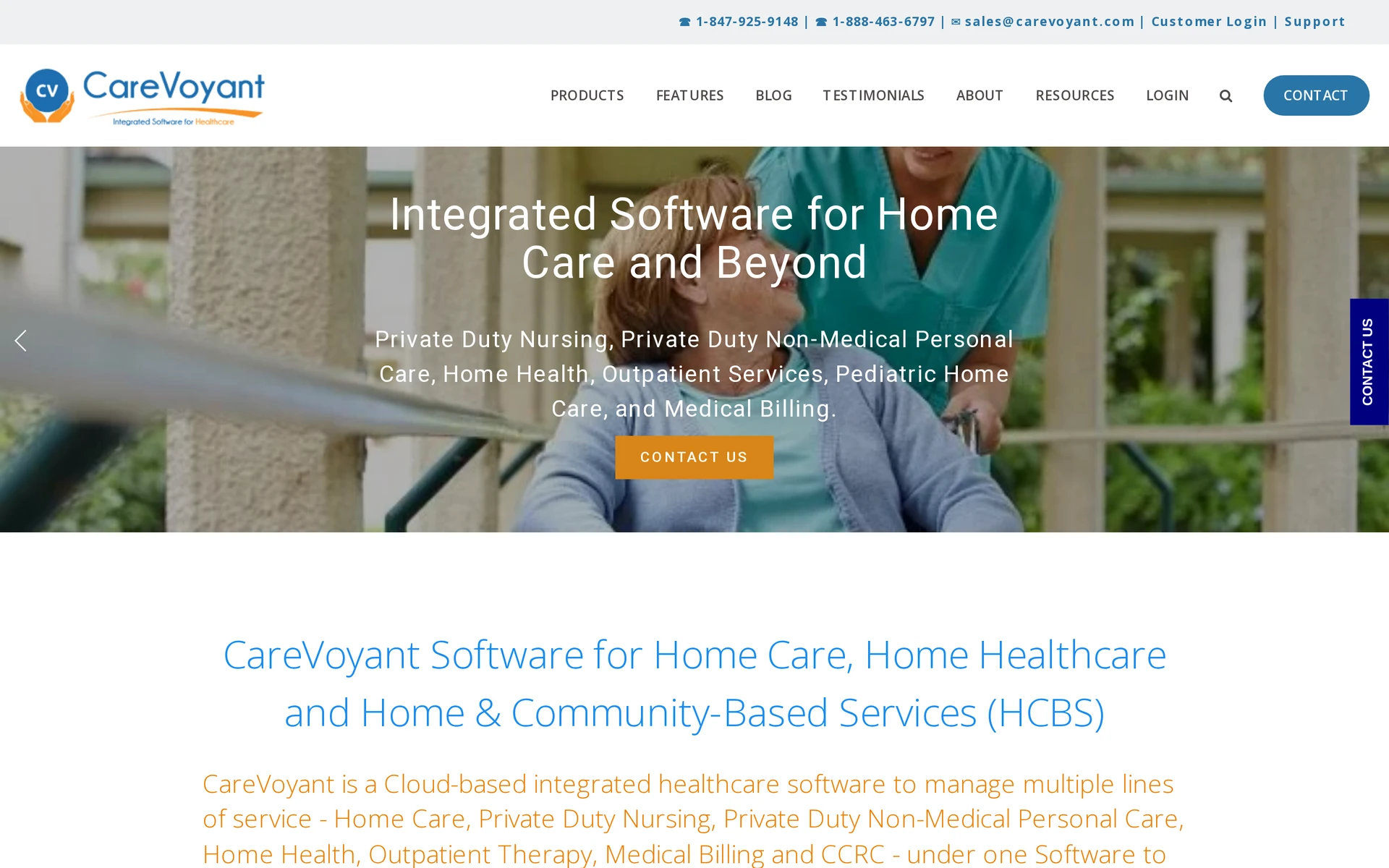
CareVoyant is a US home-based-care EHR for agencies running skilled and non-medical services in one database. It keeps one patient record and one employee record across service lines. Primary fit: Multi-service US agencies coordinating clinical and non-medical care.
That shared record carries a case through four connected areas:
Intake and authorization: Patient details and payer approvals feed the same operational record.
Visit delivery: Scheduling, clinical documentation, EVV, and care coordination remain connected as work moves between office and field teams.
Medication and treatment: Electronic medication and treatment administration records (eMAR and eTAR) keep those tasks connected to the patient record.
Revenue and workforce: Billing, payroll, and reporting use the same underlying records for Medicare, Medicaid, and private-pay work.
The shared database is most relevant to US agencies coordinating more than one service line or geographic location.
Pricing is quote-based. Implementation and payer setup can affect scope, and no confirmed total is available.
10. ShiftCare
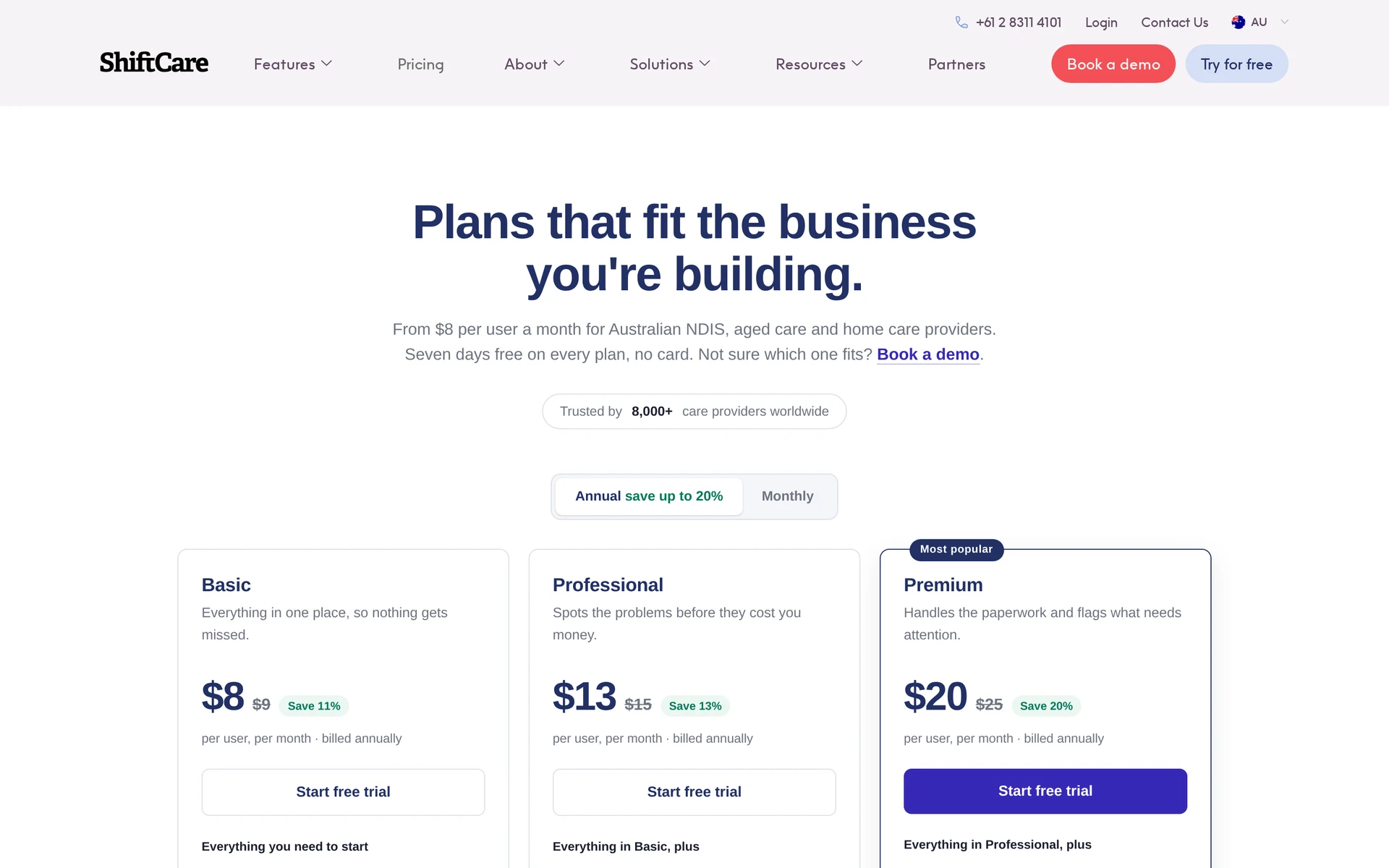
ShiftCare is a multi-country platform for field-based care providers. Its web and mobile workflow connects rota planning with visit records and billing preparation. Primary fit: Australian mobile, disability, aged-care, and home-care providers.
The operational scope includes:
Planning and verification: Rostering coordinates shifts, while EVV records visit attendance.
Care records: Staff can add progress notes, care plans, and incident records.
Medication: eMAR keeps medication administration within the care workflow.
Finance: Invoicing and payroll connect completed work with accounting processes.
Access: Web, mobile, and family-facing functions extend information beyond the office.
ShiftCare’s Australian pricing starts at AUD $8 per user monthly when billed annually, with a five-staff minimum. Every plan has a seven-day trial with no card required.
Care plans and eMAR sit on Premium, so compare the required tier rather than the lowest rate.
ShiftCare’s documented fit centers on mobile and community services. Providers should confirm that regional billing integrations match their country and funding model.
Care home software compared: setting, workflow, and pricing
Start with care setting, then apply the local check. UK teams need relevant care-record standards; US agencies need EVV and payer fit; Canadian and Australian providers need matching regional integrations.
Use the table to remove products built for the wrong setting before comparing workflow or price.
Platform | Primary setting | Core workflow | Public price signal |
|---|---|---|---|
Silverwise | Residential and home care | Care plans, handovers, schedules, visits, routes, field updates, invoice preparation | No public software price; free consultation |
Nourish | UK residential, nursing, supported living, domiciliary | DSCR records, eMAR, optional rostering | Quote; G-Cloud 14 baseline of £1,200 per licence yearly |
Log My Care | UK residential, supported living, home care | Offline care records; eMAR and rostering as add-ons | Free Starter for fewer than 10 service users; paid plans by quote |
MatrixCare Senior Living | US independent living, assisted living, memory care, CCRC | EHR, eMAR, census, occupancy, billing | Custom quote by community requirements and modules |
CareSmartz360 | US private-duty, Medicaid, and VA home care | Scheduling, EVV, field records, billing, payroll | Custom quote, primarily by active-client volume |
AxisCare | US and Canadian visit-based home care and home health | Scheduling, GPS EVV, mobile visit notes, billing, payroll | Custom quote |
WellSky Personal Care | North American personal care and private duty | Scheduling, GPS or IVR EVV, visit tasks, billing | No public list price |
HHAeXchange | US Medicaid LTSS and HCBS | Authorizations, EVV aggregation, claims and remittances | Volume quote; baseline portal access varies by state program |
CareVoyant | US multi-service home-based care | EHR, eMAR and eTAR, EVV, Medicare and Medicaid billing | Custom quote |
ShiftCare | Australian mobile, disability, aged care, and home care | Rostering, EVV, care records, invoicing, payroll | AUD $8–$20 per user monthly when billed annually; five-staff minimum |
GBP and AUD figures are not directly comparable, and the Nourish amount is a procurement baseline. Compare the required modules, implementation, support, and local integrations before comparing totals.
For residential teams, shortlist the products that support shared resident and site work. Home-care teams can use the service-to-invoice workflow in the Silverwise section as a practical test for every shortlisted platform.
What to check before you choose a platform
Test each shortlisted platform against one normal shift or visit. Include a shared handover for residential care or one complete service-to-invoice record for home care.
Check these three parts of the care record during a normal shift or visit:
Assessments establish each resident’s or client’s needs.
Completed actions retain the time, staff member, and relevant detail.
Overdue work and expiring documents reach the right person for follow-up.
A spoken update should travel from dictation to the saved record with a staff review in between. In Silverwise, the caregiver checks the prepared draft, corrects it, and confirms it before saving.
Once saved, the update should be easy for the relevant shift, department, or office reviewer to find. Access controls should keep resident and client records limited to authorized staff.
Add site oversight only where the service needs it. Residential providers may need room and site operations beside resident care.
During a trial, check whether a room issue reaches the responsible team and whether completed work keeps a timestamped history. If stock links to care actions, test the full path from delivery to replenishment.
Test the rota against your team’s rules. It should handle routine patterns and working-time changes without a second schedule for payroll or accounting.
Before rollout, confirm these implementation basics:
Migration: Agree which resident, client, staff, and operational records will move.
Permissions: Decide what each role and department can view or update.
Devices: Check access on the phones, tablets, or computers staff will use.
Ownership: Name the people responsible for setup and onboarding.
Local requirements: Review the record rules that apply to each service.
UK providers can include the adult social care record minimum operational data standard in that review.
Residential care: Check rooms, occupancy, shared handovers, eMAR rounds, shift hours, and overtime where these belong in the service.
Visit-based home care: Check client addresses, per-visit notes, EVV, mileage, payer connections, and billing inputs.
Keep only the platforms that complete the normal workflow without a second record, schedule, or manual reconciliation step.
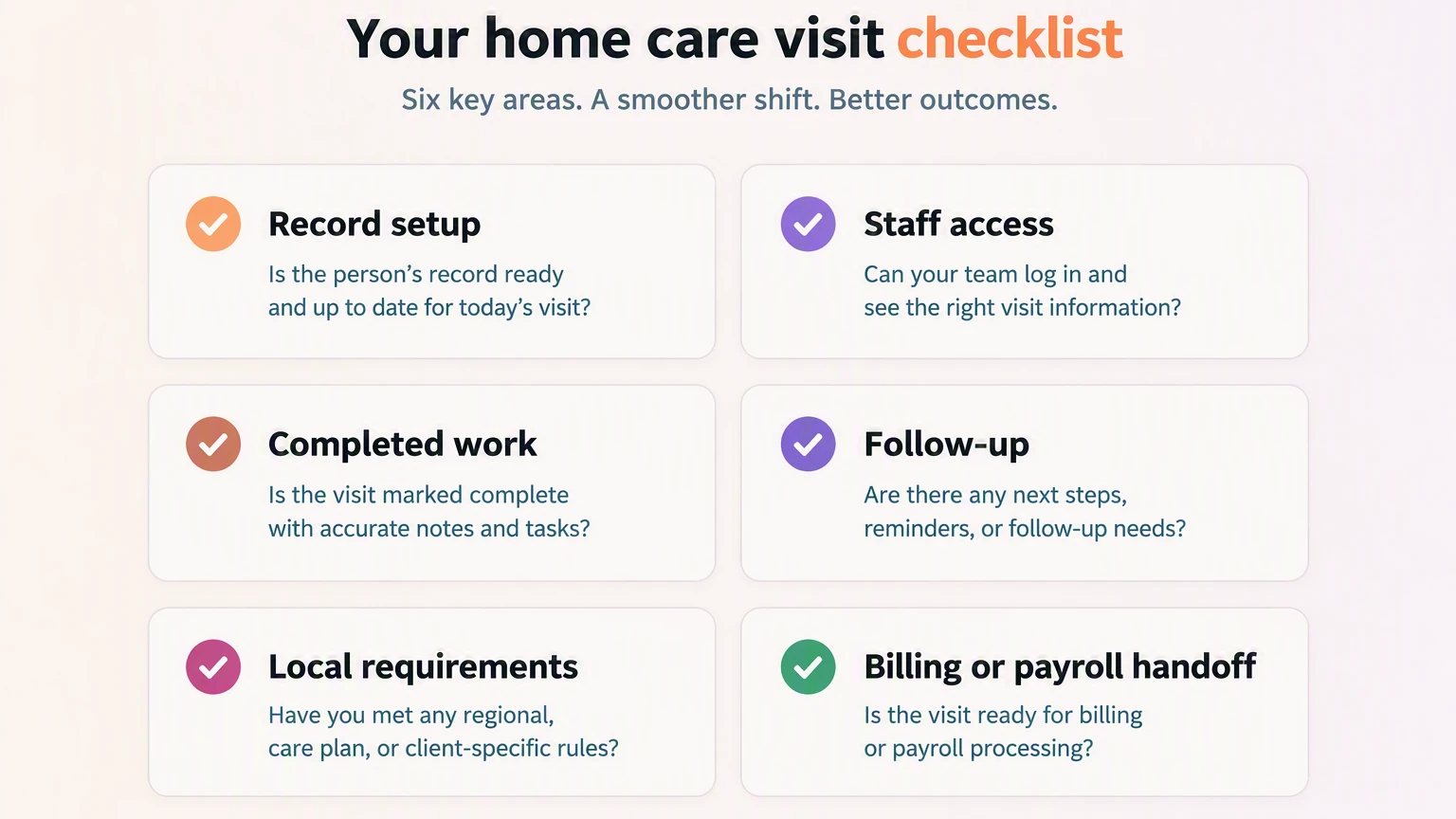
Check Silverwise against your care team's routines
The right platform should fit the care setting and reduce repeated work during a normal shift or visit. Start with one bottleneck and map the forms, handovers, schedule changes, or billing checks it creates.
Choose the workflow that creates the most rework:
Residential care: Test a handover, overdue care action, room issue, or document renewal from start to finish.
Home care: Test one complete service-to-invoice workflow.
Begin with one team and one familiar process. Ask frontline staff where they hesitate, repeat information, or leave the system.
Use that evidence to narrow the shortlist before expanding the pilot.
What is care management software?
Care management software brings care plans, daily records, staffing, and operational follow-up into one shared system. Hospital EHRs centre on clinical episodes.
Residential products focus on residents and shared shifts; home-care products focus on clients and visits. Some platforms support both, but each service line should be tested separately.
Is free care home software available?
Yes. Log My Care’s free Starter plan is for providers with fewer than 10 service users and covers tasks, logs, security, and charts. Pro, Outstanding, and add-ons require pricing.
How much does care home software cost?
There is no universal price because vendors charge by bed, user, active client, community, or module. Ask for an itemized quote separating subscription, implementation, support, integrations, and optional functions such as eMAR.
Does home care software support Medicaid billing?
Some US home-care and community-service platforms support Medicaid billing, depending on the state and payer workflow. Confirm required Medicaid EDI standards and all six federal EVV data elements.
:no_upscale())