:no_upscale())
:no_upscale())
:no_upscale())
10 Best Home Care Software for Agencies, Ranked
:no_upscale())
On this page
One changed visit can affect the rota, the care record, the handover, and billing preparation. When those updates sit in separate spreadsheets, messages, and clinical systems, your team has to rebuild the full picture.
This guide ranks 10 platforms by connected daily operations, staff access, visit documentation, and continuity between shifts. Availability and requirements vary by country, state, payer, and care model, so a mandatory EVV, OASIS, or claims workflow should always override the general order.
How We Ranked the Best Home Care Software
The order is an editorial assessment of care-model fit, connected daily work, staff usability, and the path from visit records to billing or payroll. It draws on public product information and does not imply that every platform was tested hands-on.
The DHSC survey found that many CQC-registered providers use digital care records and rostering. That UK evidence provides context, while each platform still needs checking against the buyer’s own country, payer, and service rules.
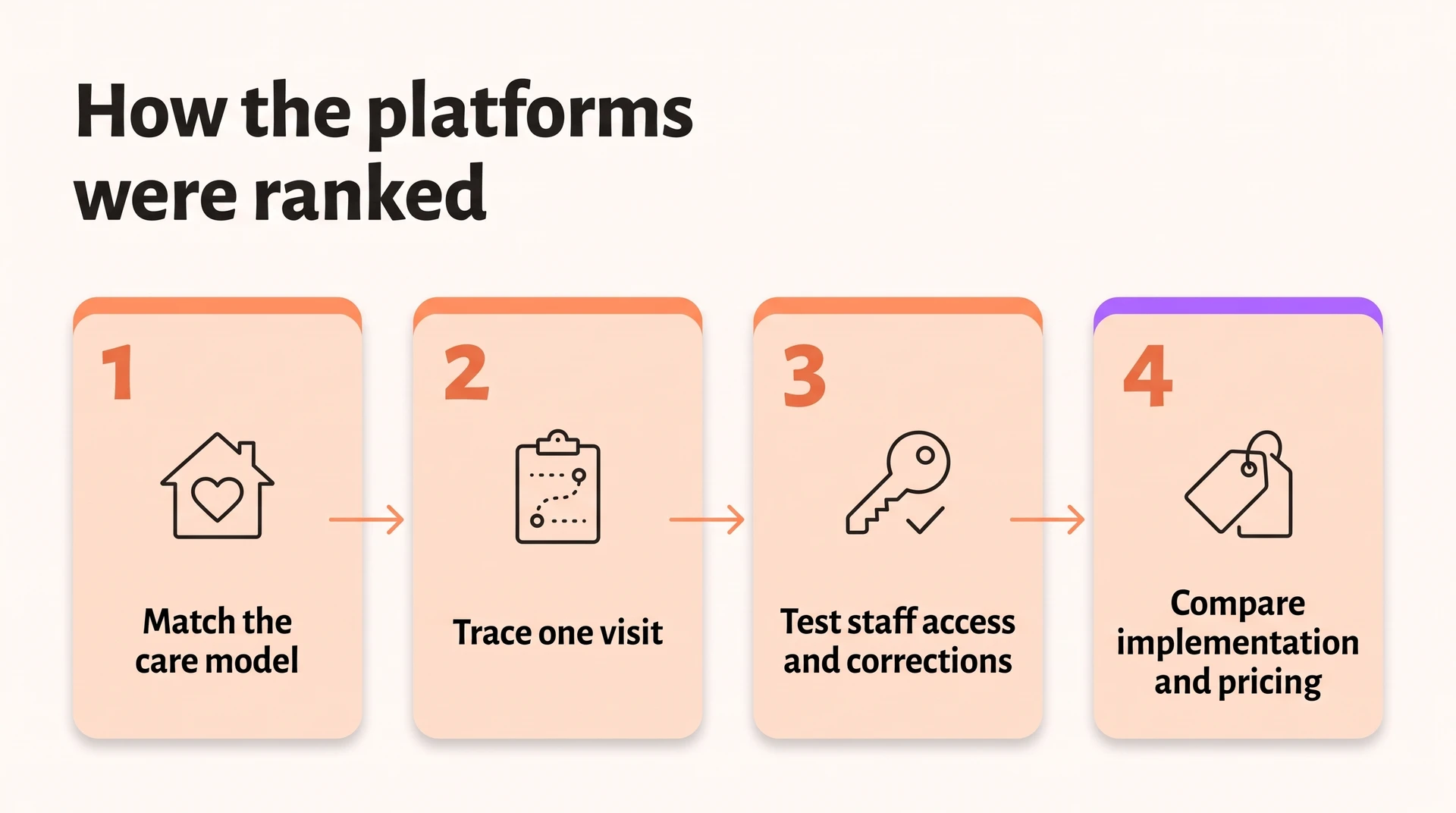
We reviewed each platform in this order:
Match its main markets and care models to the agency.
Trace a visit from scheduling through field documentation and EVV to billing.
Check staff access, corrections, offline work, and links to outside systems.
Review implementation needs and published pricing, without treating an undisclosed quote as a low or high price.
Dimension | What we scored |
|---|---|
Care model | Non-medical, Medicaid or HCBS, skilled home health, hospice, or multi-service |
Visit workflow | Scheduling, visit capture, EVV, corrections, and the path to billing or payroll |
Field access | Mobile and offline documentation, signatures, permissions, and outside-system links |
Implementation and pricing | Setup needs, training, published prices, and quote requirements |
The 10 best home care software platforms for agencies
1. Silverwise
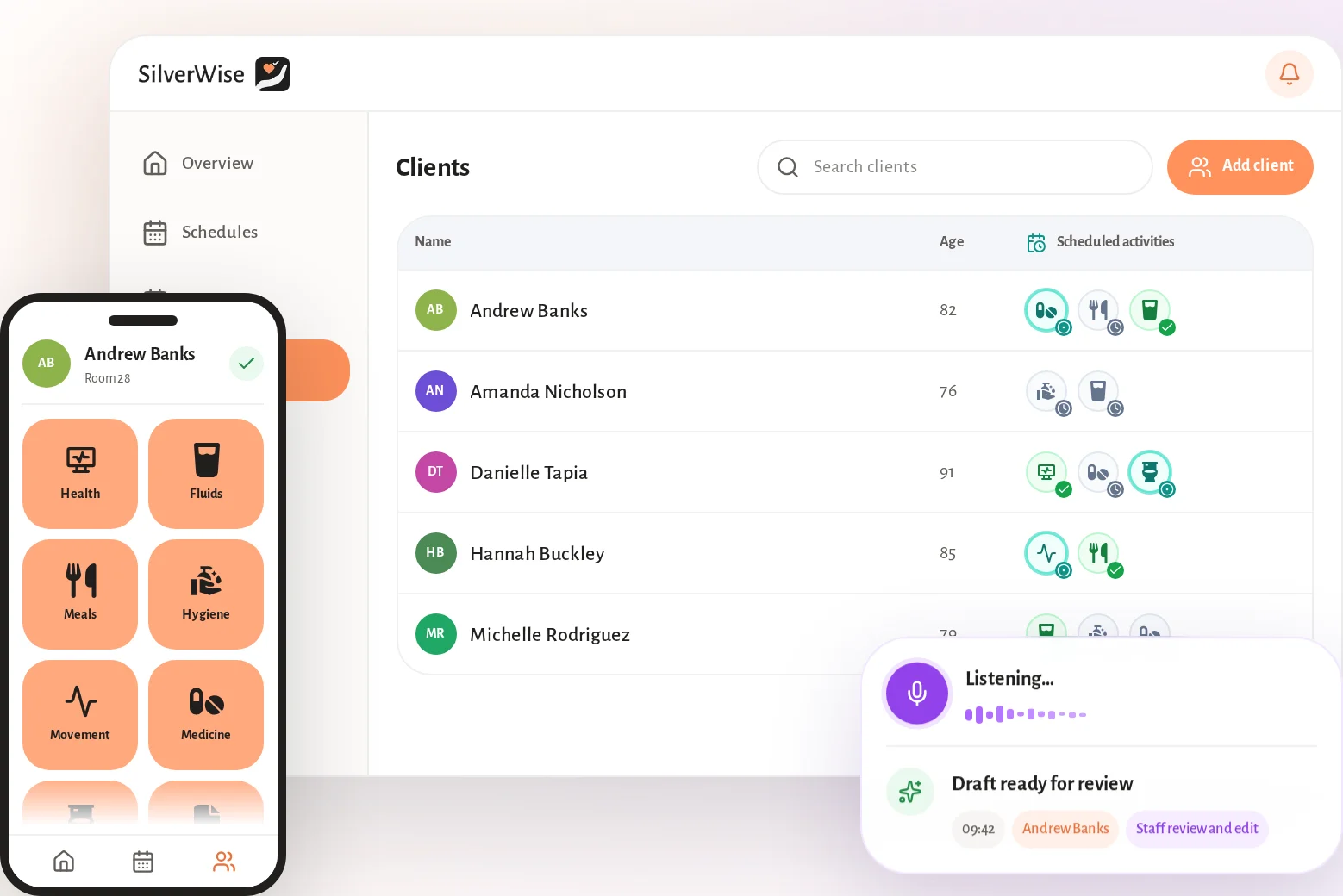
Silverwise ranks first here for providers that want visits, handovers, schedules, and daily follow-up in one shared place. It suits home care teams that value clear operations and staff-reviewed records over specialist Medicare or Medicaid claim management.
The workflow follows the path of a normal home care visit: set up services, plan the work, record what happened, keep office and field staff aligned, and prepare completed work for invoicing.
This practical setup gives providers one current view of visits, schedules, field updates, and follow-up. Care staff review, edit, and confirm AI-prepared text before it becomes part of the record.
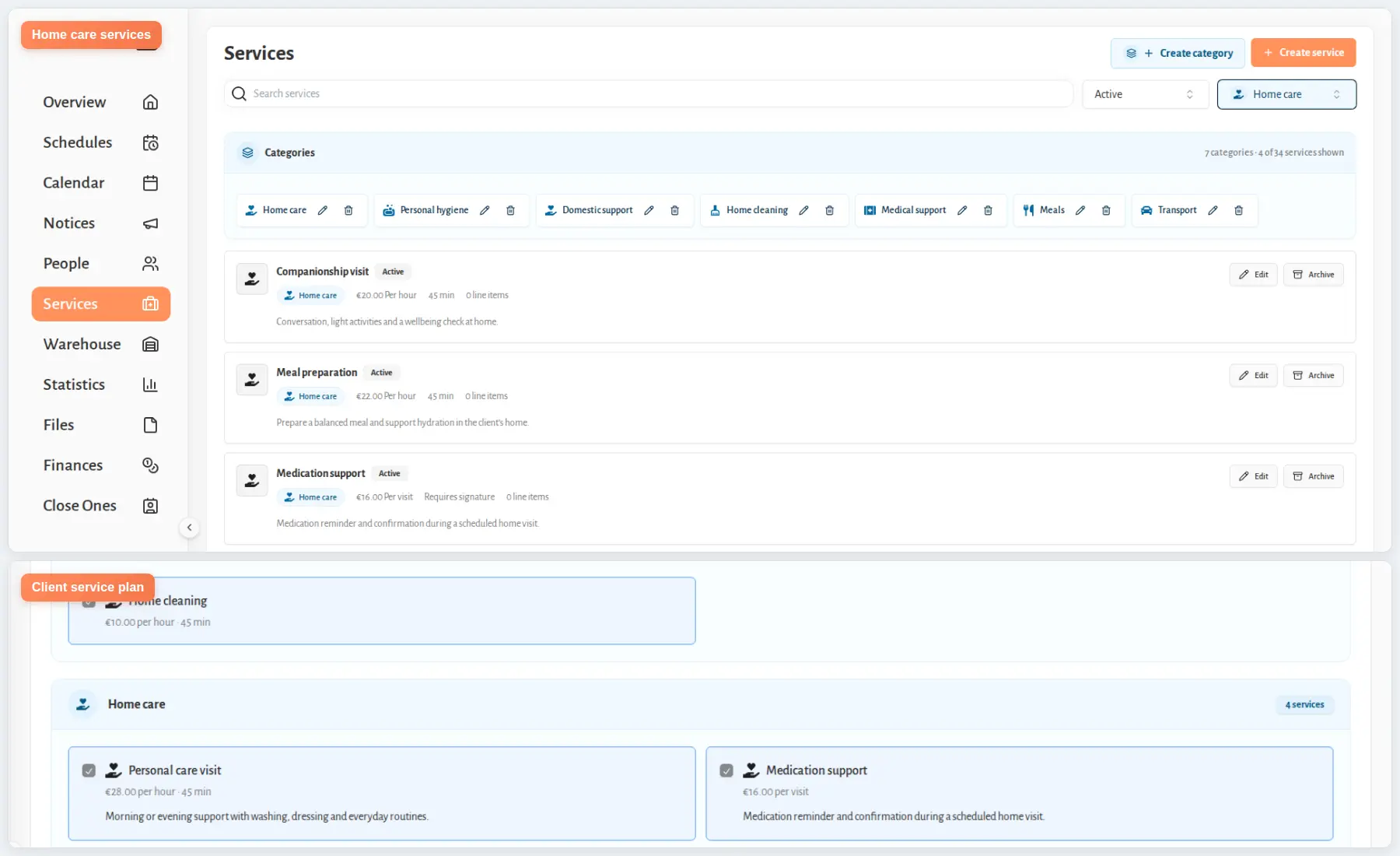
Set services up once
Define each service, its price, required signatures, and the clients it supports in one place.
Assign the relevant services to each client, so your team knows what to complete during the visit and what information to record.
That setup gives coordinators and field staff a shared starting point before the day's visits begin.
Plan schedules and staff access
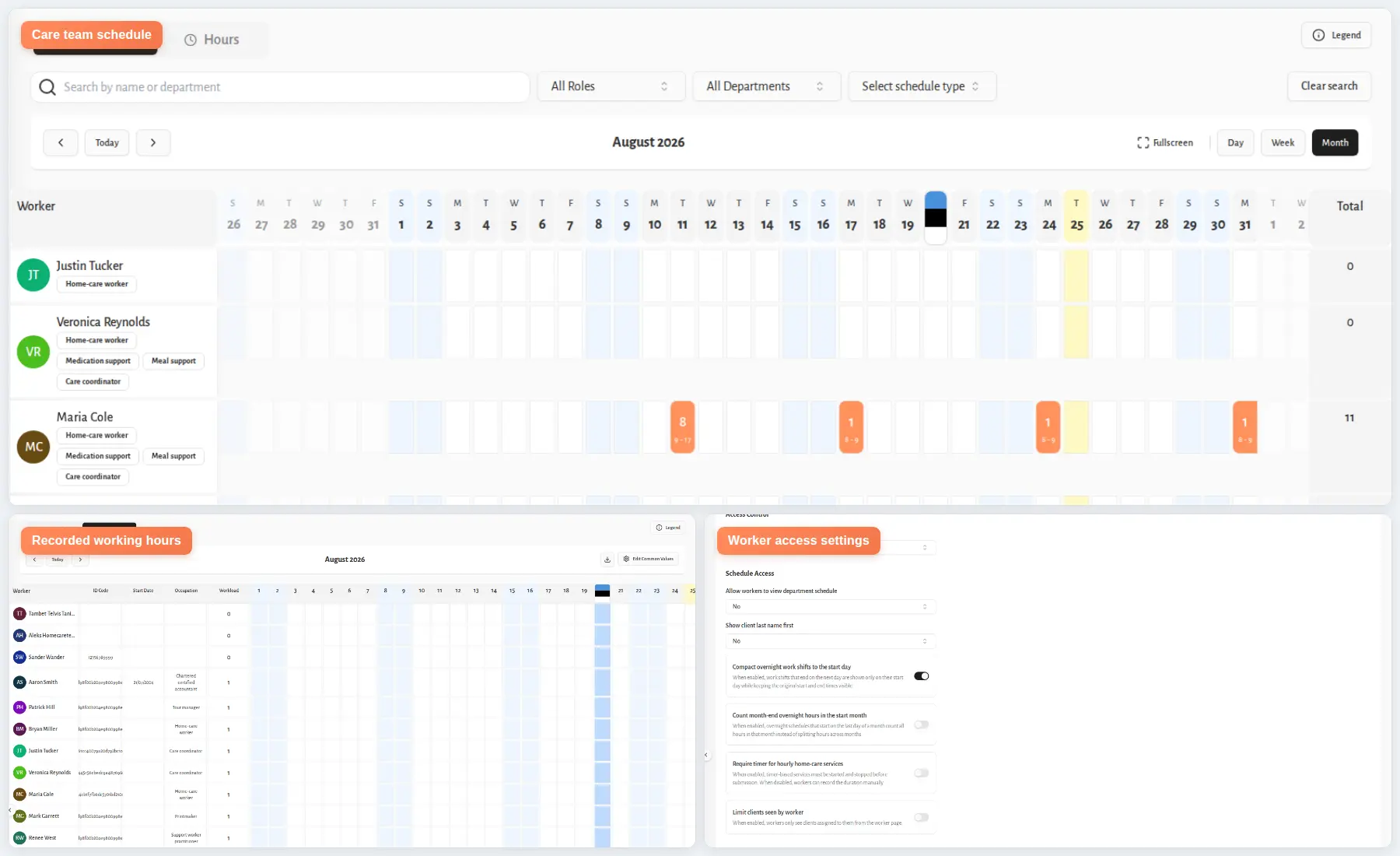
When a shift needs covering, your manager can update the current rota instead of sending another version around. Templates and recurring rules also help build monthly or annual schedules around your usual shift patterns.
The scheduling module keeps the rota and recorded hours together, including:
Planned and reassigned shifts
Holidays and night work
Overtime hours
Each worker can see the records needed for the job in front of them. Managers set access by role, department, and active shift, so the right context stays available without opening the full system.
Home care visits and routes
Silverwise shows coordinators the day’s routes, visit times, and open work as field updates come in. This gives the office a current view before staff set out and while visits are underway.
During each visit, staff can record the duration and complete the assigned care checklist. Coordinators can review the completed work in the shared visit record.
Keep office and field staff in sync
After a visit, care staff can dictate observations and field updates in natural speech. Silverwise prepares a structured draft for the caregiver to review.
The caregiver corrects anything that needs changing and confirms the final note before Silverwise saves it.
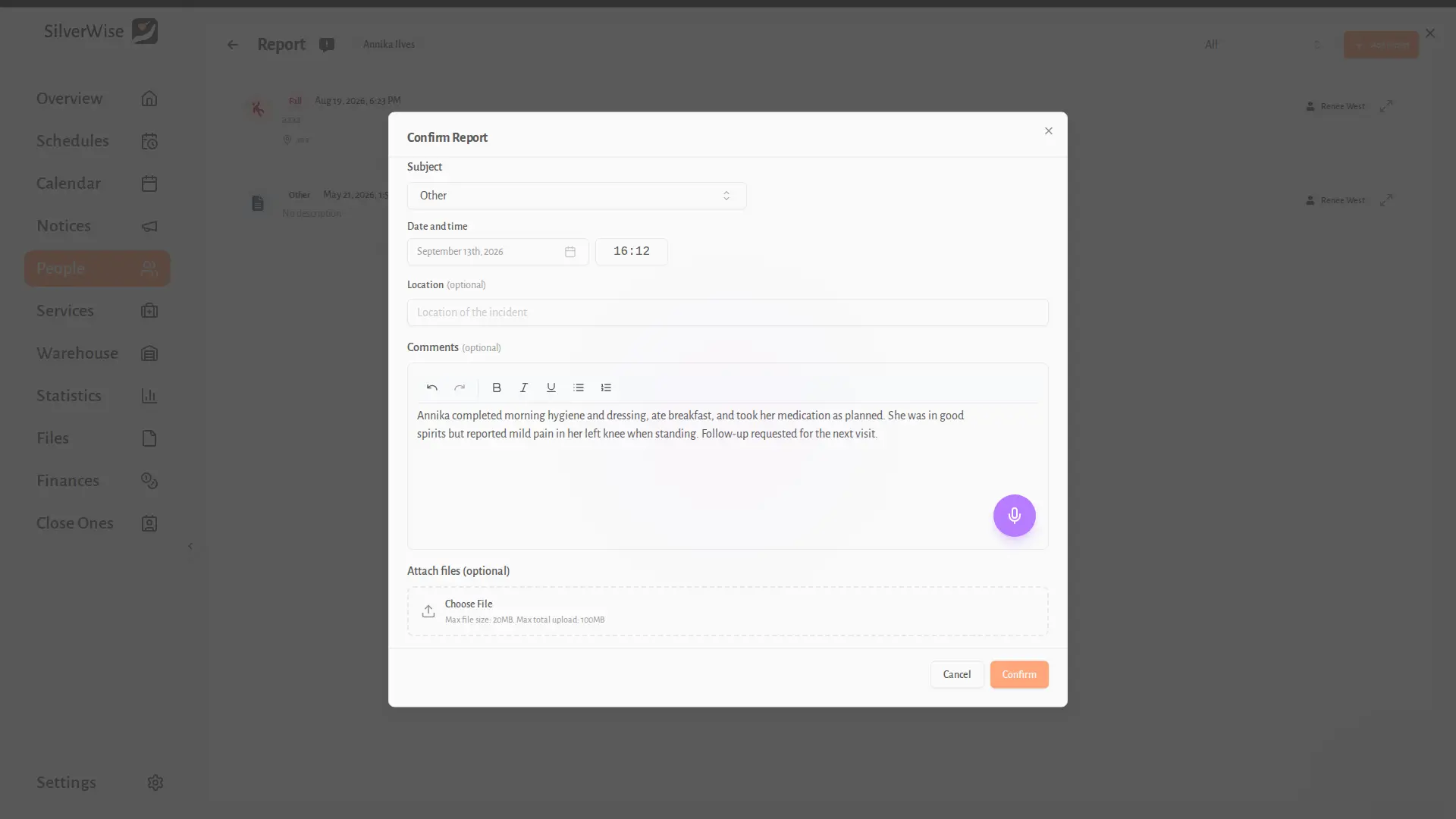
Confirmed updates give office staff and the next assigned worker a shared view of recent care and any follow-up needed.
Providers can set hourly or per-visit service rates. Silverwise uses logged duration and assigned services to prepare draft invoice lines for review alongside route status and completed work.
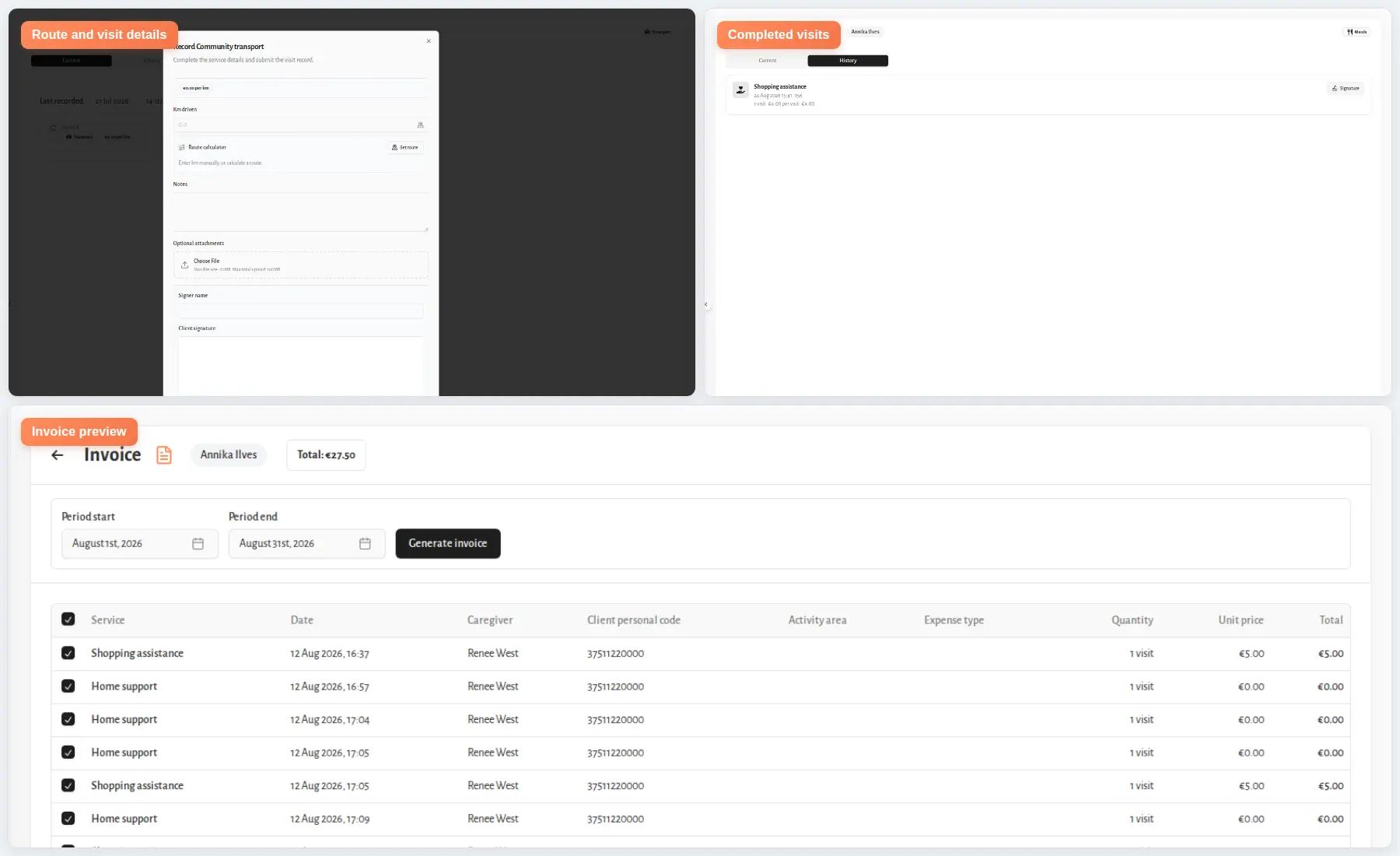
Keep every follow-up visible
When a visit update, service record, or document needs attention, Silverwise alerts the designated staff member. Your team can act from the current list instead of chasing messages or relying on memory.
The follow-up dashboard brings open field reports, visit updates, and document approvals together. Managers can see what still needs an owner or decision without checking separate lists.
Oversee supported homes and stock when needed
For providers that operate supported homes alongside mobile care, the homes overview keeps cleaning status, maintenance requests, and open work visible across those locations.
Inventory rules can deduct supplies when linked care is recorded and flag stock that needs follow-up.
2. Alora Home Care Software
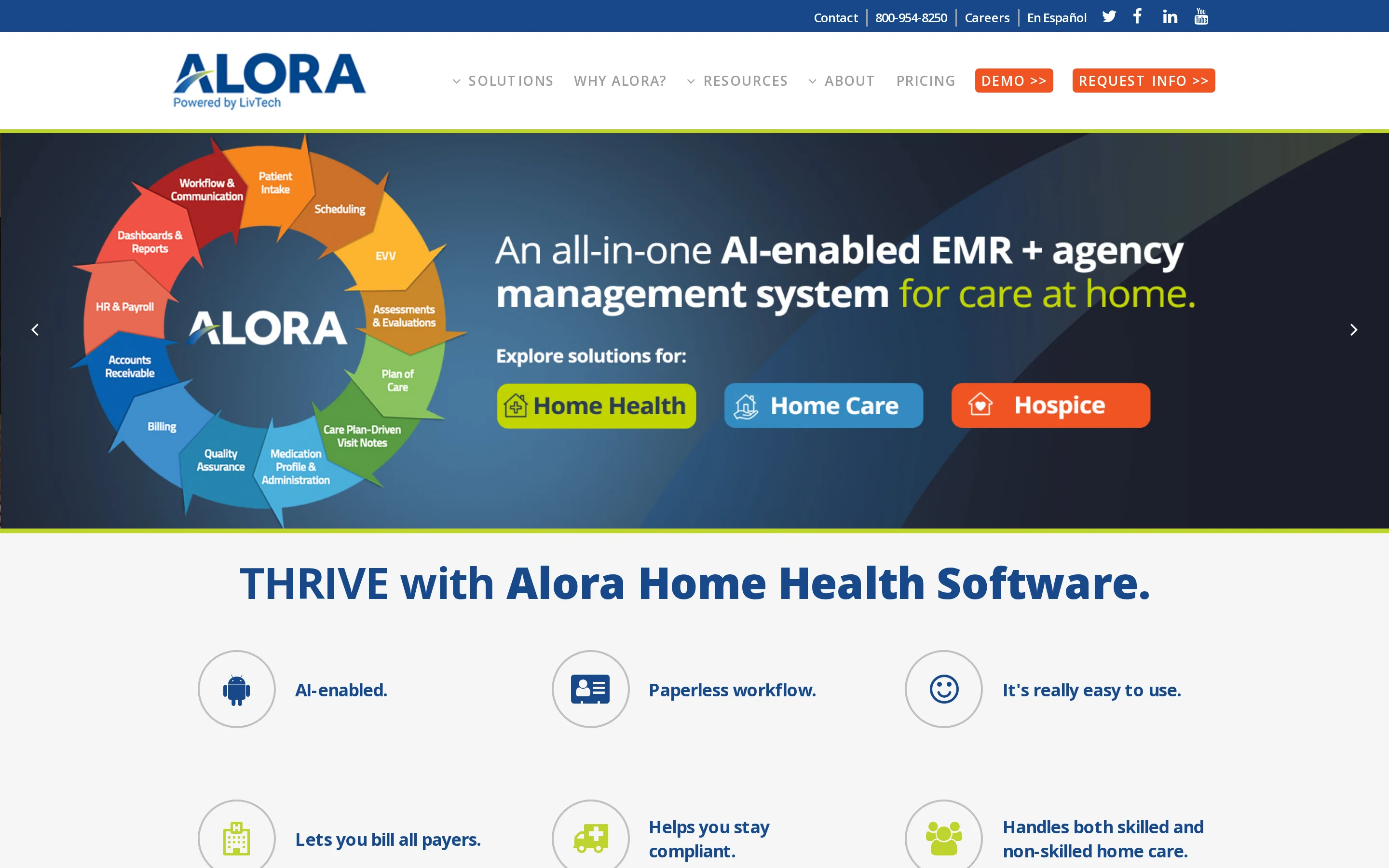
Alora Home Care Software combines agency operations with clinical documentation for organizations running skilled and non-skilled home care in one system.
Key evaluation points include:
Care model: Personal care, private duty nursing, Medicare home health, pediatric care, and hospice can share one database.
Field workflow: Mobile staff can complete OASIS and non-OASIS documentation offline, then synchronize records when connectivity returns.
Clinical controls: The built-in OASIS analyzer and plan-of-care checks support review before records move into billing.
Pricing: Request a quote based on service lines, payer mix, users, and any implementation or training fees.
EVV and compliance tracking
Alora includes EVV within its agency workflow, so visit records can support compliance and downstream billing. Confirm which state aggregators and payer programs connect directly for every market the agency serves.
During a demonstration, trace one exception through the workflow:
Record a missed clock-in and correct the visit.
Approve the corrected record and review the audit trail.
Confirm how the visit moves into claim preparation.
Alora connects EVV data with HHAeXchange, Sandata, Netsmart, and CareBridge. Live Monitoring shows visits in progress and flags delays or no-shows for coordinator follow-up.
Frontline charting and care plans
Offline mobile charting is Alora's main field-workflow distinction. Clinicians can document without a live connection, which matters when home internet or mobile coverage is unreliable.
The platform supports:
OASIS and non-OASIS notes: Teams can document skilled and routine care in the same system.
Hospice documentation: Hospice teams can keep service-specific records in the workflow.
Plan-of-care checks: Supervisors can review records before billing.
Accreditation support: Alora references documentation support for CHAP, ACHC, and Joint Commission requirements; agencies remain responsible for meeting the applicable standards.
Test an offline note from entry through synchronization and supervisor review. Confirm how the system handles duplicate edits, failed uploads, unsigned notes, and corrections after synchronization.
Billing and payroll administration
Alora supports Medicare billing and mixed-payer agency workflows, with clinical checks feeding the claims process. Ask the vendor to show how an approved visit becomes a billable item and how rejected claims return for correction.
Payroll capabilities need separate verification. Trace one overnight or split shift from EVV approval to payroll export, including overtime rules, mileage, pay-code changes, and any required accounting integration.
3. CareVoyant Home Care
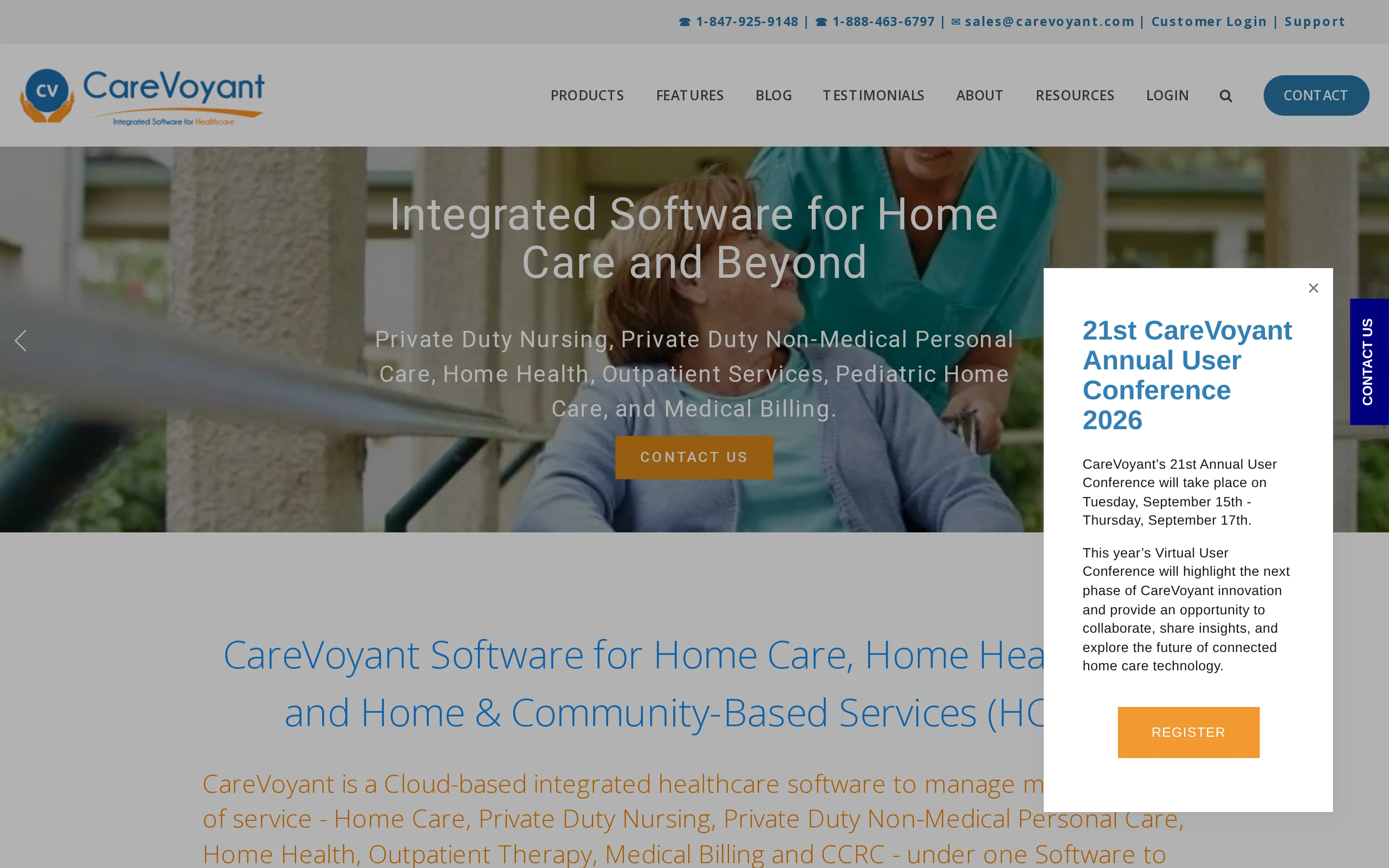
CareVoyant uses one patient record and one employee record across skilled and non-skilled home care. That structure fits agencies whose staff, authorizations, visits, and claims cross service lines.
Key evaluation points include:
Care model: Private duty nursing, personal care, home health, HCBS, and pediatric services can operate in the same system.
EVV: Native connections include Sandata, HHAeXchange, and Tellus, with claims held until EVV is verified.
Billing: The platform creates UB-04 and CMS-1500 claims and checks required clinical and authorization data before submission.
Pricing: Public starting prices are not listed; request a quote that separates software, implementation, interfaces, training, and revenue-cycle services.
Multi-service and HCBS coverage
The shared record covers both skilled and non-skilled services. Private duty nursing and personal care teams can use the same patient and employee data as home health and HCBS programs.
Authorization-controlled scheduling is especially relevant where approved units differ by payer or program. Verify that CareVoyant keeps one identity for each patient and employee while separating:
Service plans: Each program follows its own approved care plan.
Credentials: Staff assignments reflect the requirements for each service.
Documentation rules: Notes follow the relevant payer or program standard.
Billing requirements: Claims use the correct authorization and service details.
Scheduling, portals, and care coordination
CareVoyant ties scheduling to authorizations so agencies can check whether a planned visit is covered before assigning it. Review how the system warns staff about low remaining units, expired approvals, and a service booked under the wrong program.
For long pediatric or private-duty shifts, test the workflow in this order:
Change a scheduled shift.
Record partial clock events.
Hand documentation to the next caregiver.
Ask each portal user to complete a real task instead of judging access from a prepared dashboard.
Confirm that portal permissions match the agency’s communication policy:
Clients and families: Schedule updates, visit information, and messages.
Clinicians: Documents and care-related updates needed for assigned work.
Referral partners: Only the information the agency approves for referral coordination.
All portal users: Message history, document-sharing controls, and acknowledgement records.
Billing and revenue cycle management
CareVoyant generates UB-04 and CMS-1500 claims across mixed payer workflows. Its claims scrubber checks three items before submission:
Available authorization units
Verified EVV timestamps
Required clinical signatures
Run one claim from scheduled visit through remittance or rejection during evaluation. Confirm how corrections affect authorization balances, employee pay, and the patient record before comparing optional revenue-cycle services.
4. AxisCare
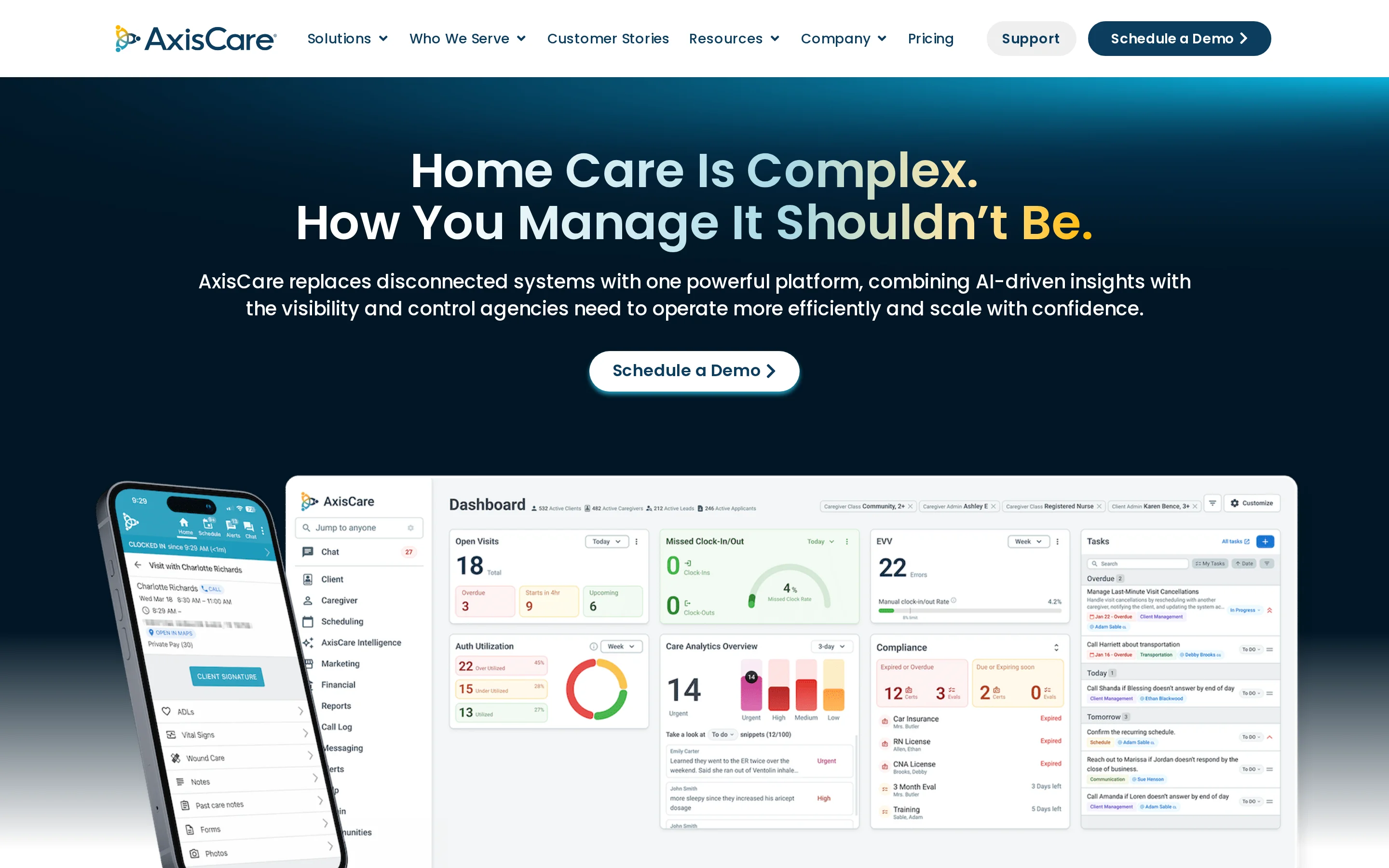
AxisCare centers on operations for non-medical, Medicaid, private-duty, personal care, and IDD agencies. Its scope focuses on distributed scheduling and EVV rather than Medicare home-health clinical documentation.
Key evaluation points include:
Operations: Multi-branch scheduling and caregiver assignment support agencies coordinating staff across locations.
EVV and billing: AxisCare connects with EVV programs across all 50 states and supports private-pay and Medicaid workflows.
Integrations: AxisCare Amplifier uses Workato, while an open REST API supports bidirectional data exchange with other business systems.
Pricing: Quotes are based on active-client tiers; request the tier boundaries and charges for setup, interfaces, support, and added branches.
Caregiver scheduling and matching
AxisCare combines multi-branch scheduling with caregiver matching. Agencies should confirm the exact aggregator, payer, and state-program route used in each service area.
Test a same-day callout with an open visit:
Review caregiver availability and qualifications.
Check overtime exposure, travel feasibility, and branch permissions.
Offer the shift and record the scheduling decision.
Then trace the completed visit into Medicaid or private-pay billing and payroll export. Confirm how AxisCare handles edited clock events, overlapping visits, mileage, and pay-rate exceptions.
Client intake and family communication
Evaluate AxisCare by tracing one referral into a scheduled, billable service:
Enter the referral.
Add the authorized services.
Assign a caregiver.
Check which fields carry forward without re-entry.
Review family communication through specific permission checks:
Schedule updates: Confirm who receives changes to planned visits.
Visit information: Check who can view care and visit details.
Messages and documents: Confirm who can send messages or sign documents.
Consent settings: Check who controls notification and consent preferences.
For a connected payroll, CRM, training, or accounting system, check what staff see when a transfer is delayed, duplicated, or rejected. The recovery path matters as much as a successful synchronisation.
5. WellSky Home Health
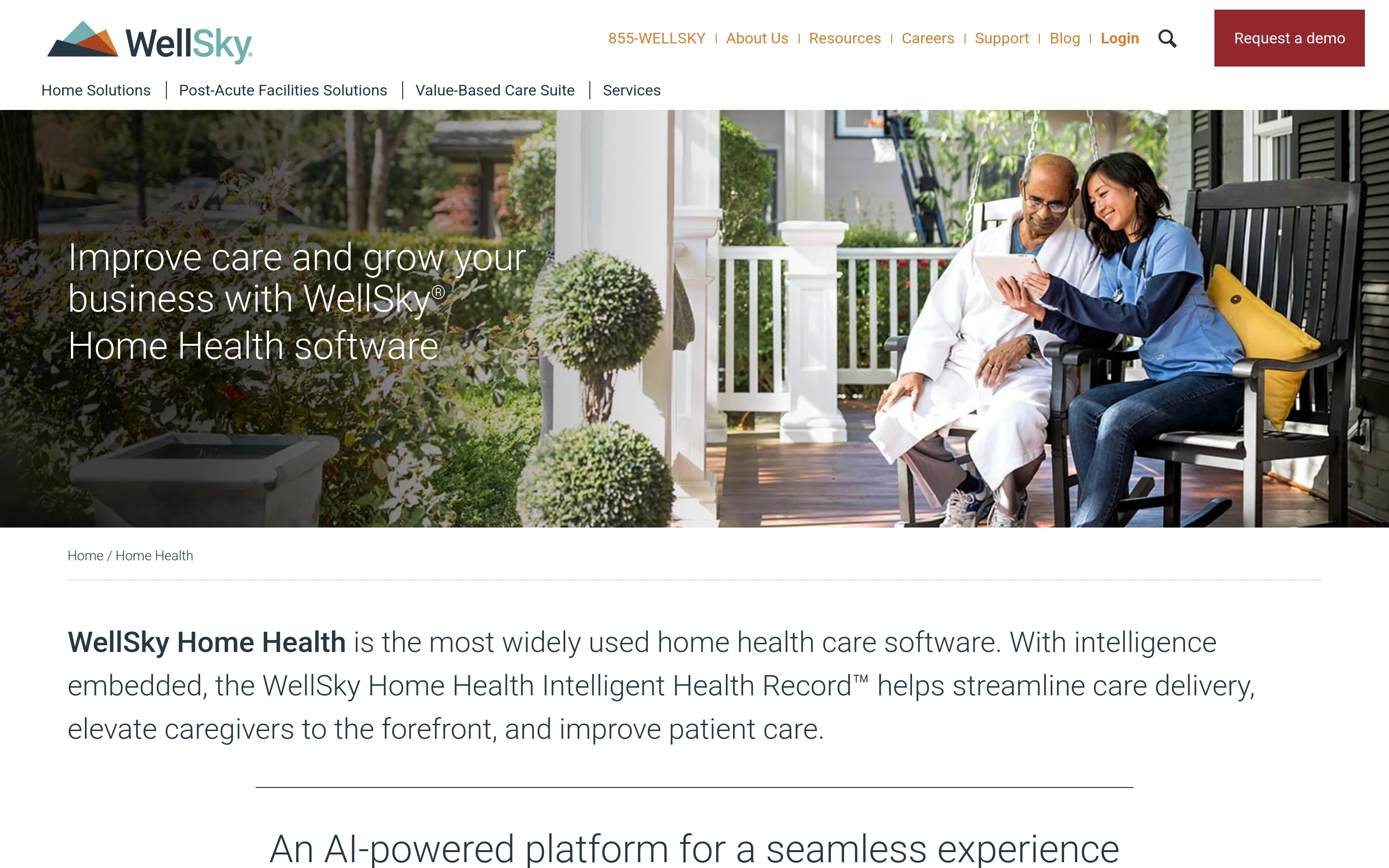
WellSky Home Health is a clinical EHR and agency-management suite for Medicare-certified home health, with OASIS-E documentation, PDGM billing, scheduling, and analytics.
The suite centers multi-discipline clinical work and episode management. Its named tools include:
WellSky Scribe: Ambient listening and voice transcription prepare draft clinical notes for review.
WellSky Extract: The tool pulls clinical data and medication orders from scanned forms or photos into the EHR.
CareInsights: Machine-learning models score hospitalization, emergency-department visit, and LUPA risk within episode planning.
WellSky pricing is available by quote. Request a written quote that separates the modules, onboarding, interfaces, and recurring fees your agency needs.
Clinical documentation and quality assurance
WellSky combines OASIS, plans of care, and ambient documentation tools for start-of-care work. Those tools prepare draft content that a clinician reviews, edits, and confirms before it enters the record.
SkySense Scribe and WILA use ambient input to prepare start-of-care documentation for clinician review.
Built-in OASIS includes export, alongside plans of care, Notices of Admission, billing, and standard home health forms.
During a demonstration, have a clinician open the schedule, complete an OASIS entry, correct a draft, and synchronize the mobile record. That sequence shows how much context the user must carry between screens.
Claims management and predictive analytics
WellSky links PDGM billing with referral information and clinical records across disciplines. CareInsights flags hospitalization and LUPA risk for staff to review during episode planning.
Ask for a written quote using your current census, then compare contract length, onboarding, interfaces, and recurring fees on the same basis.
6. HHAeXchange Platform
HHAeXchange is a Medicaid LTSS agency platform and EVV data network connecting providers, caregivers, managed-care organizations, and state programs.
Its distinguishing role is the connection between agency operations and payer or state EVV infrastructure. HHAeXchange can act as a designated EVV aggregator or data bridge in participating Medicaid markets.
Access and cost depend on how an agency enters the network:
Access route | Typical scope | Pricing status |
|---|---|---|
State- or payer-funded portal | Basic EVV and authorization workflows in programs including New York, New Jersey, Pennsylvania, Michigan, and North Carolina | Access may be funded by the program |
Agency software license | Scheduling, billing, caregiver coordination, and private-duty modules | Individually quoted |
The platform is relevant to Medicaid LTSS, personal care, and I/DD providers that send visit data through an HHAeXchange-connected payer or state program. Check the required modules and connection route for each market you serve.
Medicaid and state EVV compliance
HHAeXchange is both agency EVV software and a state-designated aggregator or MCO data bridge in multiple Medicaid markets.
HHAeXchange can capture visits through GPS, IVR telephony, or fixed-object tokens. The method available to a caregiver depends on payer rules and agency setup.
Medicaid EVV records six elements: service type, care recipient, caregiver, date, start and end times, and location. The Medicaid EVV guidance explains these requirements.
Scheduled shifts move to the caregiver’s device. Verified arrival and departure times return to HHAeXchange for scheduling review and billing preparation.
Payer connectivity and claims workflow
Confirm whether your state or managed-care organization requires HHAeXchange as its EVV portal. Request a separate quote for scheduling, billing, caregiver coordination, implementation, and data connections.
7. Carecenta
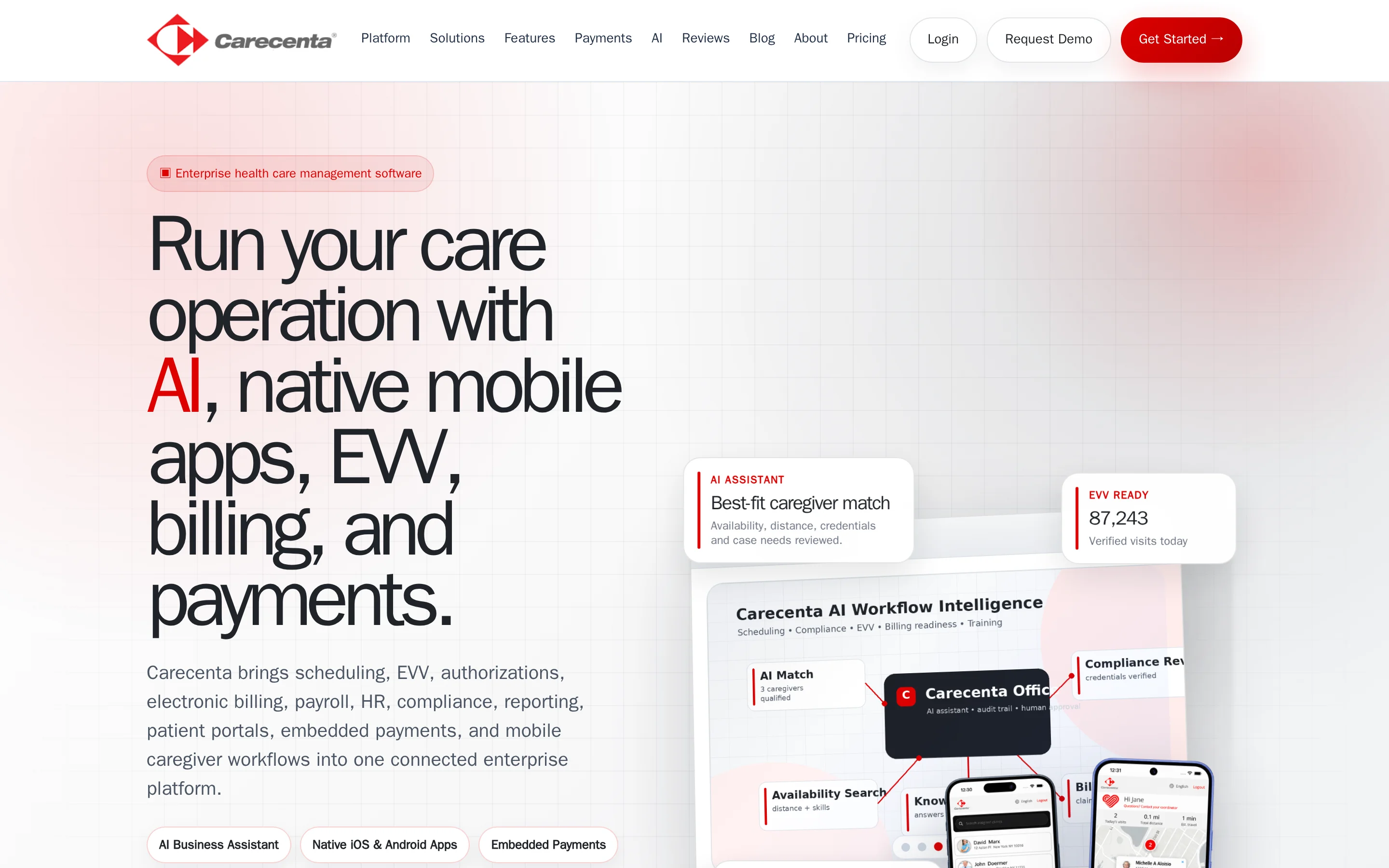
Carecenta is a cloud agency platform combining scheduling, EVV, clinical workflows, billing, and payroll across skilled and non-skilled care settings.
Carecenta publishes plan tiers, but agencies should check the current patient limits, setup charges, included modules, and support terms on its pricing page before comparing costs.
The plan includes:
Unlimited caregiver accounts
EVV and scheduling tools
Billing and payroll workflows
Training and support
The product line covers several operating models:
Non-skilled personal care and assisted living
Skilled home health, nursing, home infusion, and hospice
Adult day care
Payer organizations
Scheduling and EVV tools
Carecenta scheduling pairs GPS mobile and multilingual IVR EVV with aggregator links to Sandata, HHAeXchange, Tellus, Optum, and CareBridge.
Published material describes mobile EVV and field notes, but agencies with unreliable connectivity should verify what can be captured offline and how records synchronize later.
Carecenta supports skilled home health and nursing records and produces CMS-1500 and UB-04 claims. Medicare-certified agencies should ask to see the exact OASIS workflow they would use.
Billing and payroll processing
Carecenta checks authorized dates, units, rates, and EVV before claims, then parses 835 remittances and supports private-pay ACH and cards.
Carecenta lists EVV aggregator and clearinghouse connections. Payroll and accounting connections include QuickBooks, Paychex, Paycor, and Paylocity.
8. MatrixCare Home Health and Hospice
MatrixCare is an enterprise EHR for organizations combining home-based clinical care with long-term and post-acute services.
One MatrixCare instance can cover:
Medicare and Medicaid home health
Palliative care and hospice
Private duty services
Skilled nursing or assisted living operations within the wider organization
Pricing: MatrixCare provides custom quotes. Compare the proposed scope, user definitions, implementation support, optional services, and integration costs.
The platform is aimed at clinical organizations with several care lines rather than agencies focused only on non-medical visits.
Skilled clinical and hospice documentation
MatrixCare supports documentation workflows for Medicare home health, palliative care, and hospice teams. Its clinical scope is relevant when one organization needs records to follow patients across home-based and facility-based services.
Ask the staff who will use MatrixCare to follow one record through admission, routine charting, supervisor review, correction, and handover between care settings.
An agency that mainly needs rostering, EVV, and basic visit notes may be evaluating more clinical scope than its service model requires.
Reporting and interoperability
MatrixCare reporting and interoperability support organizations coordinating several post-acute settings. The value depends on whether information moves between existing clinical and administrative systems without duplicate entry.
During a product review, ask MatrixCare to demonstrate:
How records move between home health, hospice, and facility teams
Which reports are available to clinical and operational managers
How exports, permissions, and interface maintenance are handled
What happens when a connected system is unavailable
These checks matter because enterprise coverage adds value only when staff can find the current record and managers can trace what changed.
Ask whether managed revenue-cycle or patient-experience survey services are optional additions to the quoted scope.
9. ShiftCare
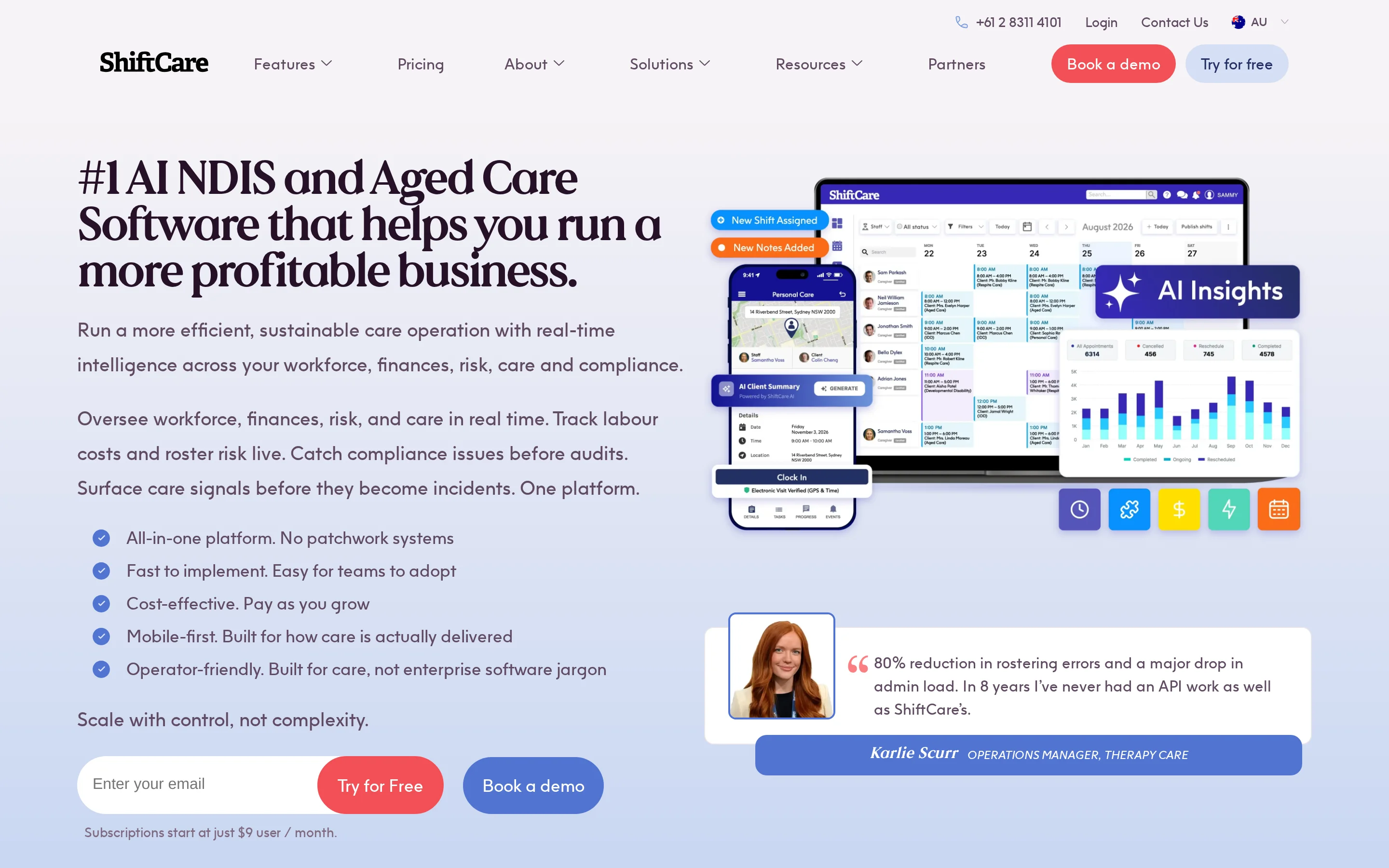
ShiftCare is a cloud platform for non-medical home care, disability, IDD, and community-service providers. Its workflow centers on rostering, EVV, mobile notes, invoicing, eMAR, and family access.
ShiftCare pricing varies by market and billing cadence. Check the local pricing page for the current user minimum, trial terms, and the functions included in each plan.
Before comparing totals, agencies should confirm which required functions sit outside Essentials.
ShiftCare is oriented toward small and midsize non-medical or disability-service agencies. Medicare-certified home health providers that need OASIS workflows should assess whether its clinical documentation scope matches their obligations.
NDIS and disability-support plan management
In Australia, ShiftCare brings National Disability Insurance Scheme support plans into the same flow as rosters, service delivery, invoicing, and family access. Field staff can record work against the participant’s plan.
For an NDIS evaluation, test how the platform handles:
Plan details and changes
Worker availability and recurring supports
Completed-service records used for invoicing
Access for participants and families
The important distinction is service-model fit. ShiftCare addresses disability and community support directly, while clinically intensive home health platforms devote more of their scope to skilled documentation and post-acute coordination.
Mobile caregiver app and visit notes
The ShiftCare mobile app gives field staff access to schedules, EVV, visit notes, and eMAR tasks. Caregivers can record work near the point of service instead of rebuilding the visit later from paper notes.
Follow a real shift in the mobile app: open the roster, start and end a visit, enter a note, record a medication task, then check what reaches invoicing, the coordinator, and approved family users.
Providers working in areas with unreliable connectivity should confirm which app functions remain available offline and how records synchronize after service returns.
10. AlayaCare Cloud
AlayaCare Cloud serves multi-branch providers running home care, private duty nursing, pediatric, infusion, or community-service programs.
Its scope includes multi-program scheduling, complex payer billing, enterprise integrations, predictive analytics, and configurable branch operations. That breadth is aimed at mid-market and enterprise providers managing more than one service line.
AlayaCare does not publish a standard entry price. Buyers need a tailored quote and should define branches, programs, users, integrations, and implementation services before comparing the total with per-user platforms.
Post-acute care coordination and monitoring
AlayaCare coordinates schedules, client records, payer workflows, and operational monitoring across branches and programs. The shared platform is relevant where private duty nursing, pediatric, infusion, or community teams need consistent oversight without identical workflows.
Buyers should map how a referral becomes an active case, how schedule changes reach field staff, and how completed care reaches billing. Testing that full path exposes handoff gaps that a feature checklist can miss.
Complex provider groups should also examine role permissions and integration ownership. A multi-branch configuration needs clear rules for local access, central reporting, and changes to connected systems.
Analytics and workflow automation
AlayaCare combines predictive monitoring with workflow automation. The named tools address three distinct jobs:
AlayaFlow detects vacant visits and starts the reassignment process.
Layla prepares client-record summaries that staff review.
Predictive models identify clients whose risk may require attention.
Automation should still have named owners. Providers need to decide who reviews a risk flag, approves a reassignment, corrects an inaccurate summary, and handles an integration failure.
Those controls determine whether automation shortens follow-up or creates another queue for managers to monitor.
AlayaCare Cloud quotes vary by clients, workers, branches, modules, and integrations. Ask for implementation and migration fees separately, then compare the total against your census and planned rollout.
Home care software compared: care model, EVV, and pricing
Care model and regulatory fit come first. HHAeXchange centers on US Medicaid LTSS, WellSky and MatrixCare cover Medicare-certified clinical work, and Silverwise leads this editorial order for connected daily home care operations.
Most vendors here require a consultation or tailored quote, while some publish plan information for particular markets. Confirm the current local price, limits, implementation fees, and included modules before comparing totals.
The main dividing lines are:
Claims: Alora documents Medicare and Medicaid claim generation, while HHAeXchange checks visits against authorizations and EVV before claim submission.
Offline work: Alora and AlayaCare Cloud document offline capture with later synchronization; confirm exact offline clocking and charting behavior with every shortlisted vendor.
EVV infrastructure: HHAeXchange can operate as agency software and an aggregator or payer bridge. AxisCare connects with named EVV aggregators across state models.
Invoice preparation: Silverwise can turn recorded visit time, completed services, and surcharges into draft invoice lines. Agencies needing electronic payer claims should confirm that workflow separately.
Platform | Care model focus | EVV role | Published pricing |
|---|---|---|---|
Silverwise | Home care scheduling, visits, and task checklists; OASIS not documented | Visit duration and tasks; GPS and aggregator transmission not documented | Pricing through a personalized consultation |
Alora | Personal care, PDN, Medicare and Medicaid home health, pediatric care, and hospice | GPS or telephony; connections include HHAeXchange, Sandata, and Tellus/Netsmart | Quote required |
CareVoyant | PDN, personal care, HCBS, Medicare home health, and pediatric care | GPS, signatures, and IVR; connections include Sandata, HHAeXchange, and Tellus | Quote required |
AxisCare | Non-medical, private duty, Medicaid, personal care, and IDD | 50-state EVV models; named aggregator connections | Quote required |
WellSky Home Health | Medicare-certified home health; separate products cover personal care and hospice | GPS clock-in, tasks, and signatures | Quote required |
HHAeXchange | Medicaid LTSS, personal care, I/DD, and private duty | Agency app plus state or MCO aggregator | Quote required for the platform; state portal access may differ |
Carecenta | Personal care, skilled home health, adult day, infusion, and hospice | GPS and IVR; named aggregator connections | Published plans; verify current limits and fees |
MatrixCare | Medicare and Medicaid home health, palliative care, hospice, and private duty | Third-party EVV feeds; native multimodal capture not documented | Quote required |
ShiftCare | Non-medical, disability, IDD, and community support | GPS geofencing through ShiftCare Verify | Published per-user plans; verify minimums and trial terms |
AlayaCare Cloud | Home care, PDN, pediatric care, infusion, and community services | Six federal EVV data points; named state and aggregator connections | Modular quote required; implementation fees may apply |
Published entry cost alone cannot settle the choice. A lower monthly floor has limited value if the platform does not match the agency’s payer, EVV, clinical, or invoice workflow.
What to weigh before you pick a platform
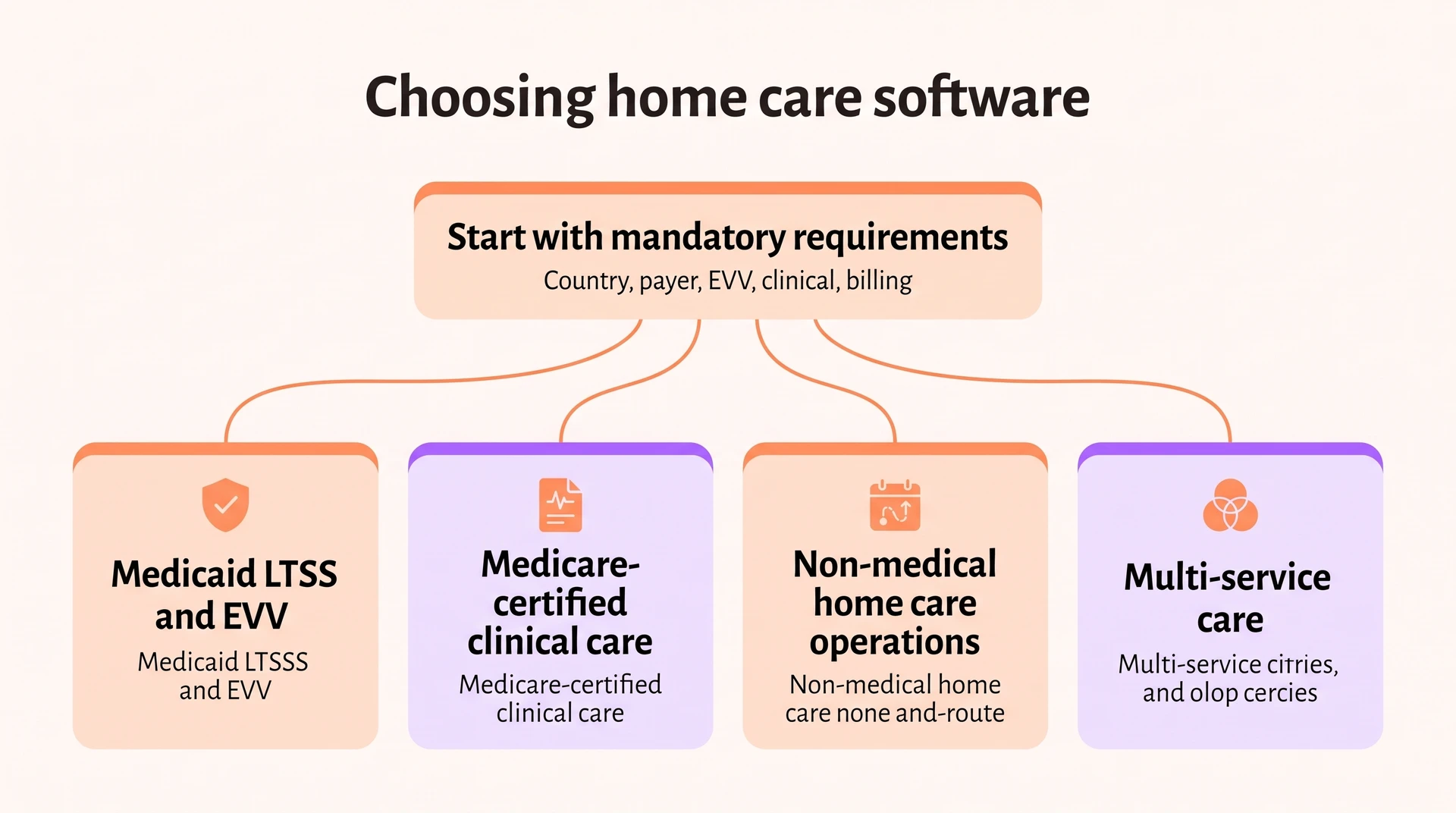
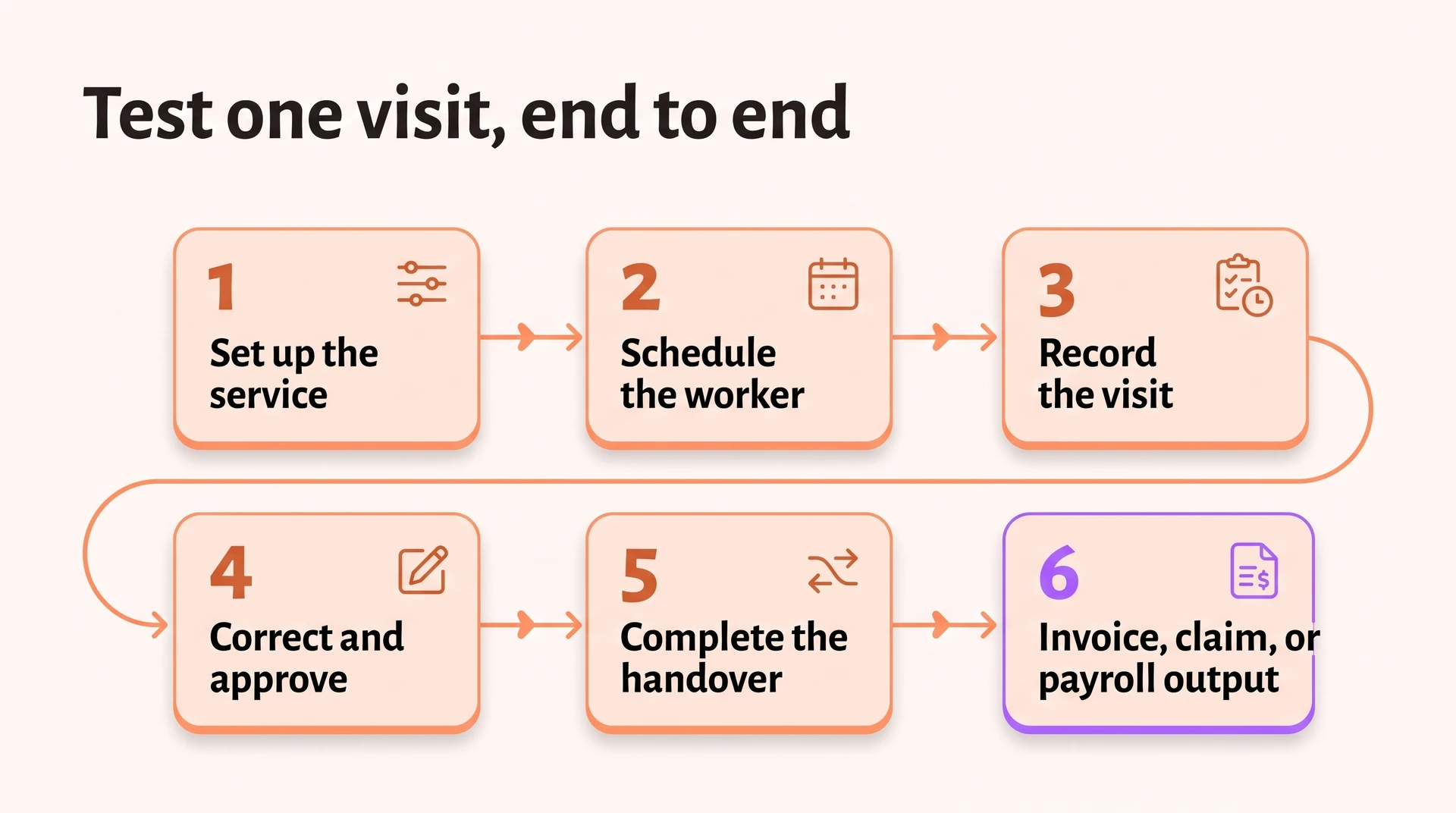
Start with mandatory country, payer, EVV, clinical, and billing requirements. Then have a coordinator and frontline caregiver test one real visit, including mobile access, corrections, handover, connectivity, permissions, training, migration, and the path into payroll or billing.
Use this checklist with each shortlisted platform:
Payer and compliance: Show the required EVV data, aggregator route, authorizations, and claim format for your country, state, payer, and service.
Visit record: Complete a visit from clock-in through tasks, signatures, corrections, offline use, and supervisor approval.
Handover: Ask frontline staff to review recent observations, correct a draft, and confirm the final entry.
Schedule and payroll: Change a shift and check holidays, night work, overtime, mileage, pay codes, and corrected hours.
Implementation: Review migration, permissions, training, mobile connectivity, integrations, and named owners.
Payment output: Trace completed time and services into the invoice, claim, or payroll file your agency uses.
Silverwise fits providers that need shared visit records, staff-reviewed spoken updates, current schedules, and draft invoice lines.
Agencies with state EVV aggregation, Medicare episode management, or complete payroll needs should test those workflows against their requirements during selection.
Explore Silverwise with a free personalized consultation
The right home care software should carry one normal visit from service setup through scheduling, field updates, and billing preparation while meeting every mandatory payer and record requirement. Ask a coordinator and frontline caregiver to test that journey together.
Silverwise offers a free 30-minute consultation to map one service-to-invoice workflow and discuss which modules fit your routines.
What's the difference between home care and home health software?
Home care software usually supports non-medical visits, daily support, rostering, EVV, and private-pay or Medicaid HCBS billing. In the US, home health software more often includes skilled clinical records, OASIS assessments, plans of care, and Medicare billing; terminology varies elsewhere.
What is EVV and why do agencies need it?
Electronic Visit Verification records the service type, person receiving care, caregiver, visit date, location, and start and end times. It applies to covered US Medicaid personal-care and home-health services according to the relevant state and payer rules in the Medicaid EVV guidance.
Is home care software worth it for a small agency?
Home care software can be worthwhile for a small agency when it reduces enough repeated scheduling, visit verification, invoicing, or payroll work to justify the subscription, implementation, and training costs.
Compare schedule preparation time, missed visits, repeated entry, and payroll corrections before and after a pilot. Also confirm what the quoted plan includes and what staff training it requires.
Does home care software integrate with payroll systems?
Some home care platforms send approved hours and EVV data to payroll through an API or CSV export. Test the connection with your actual processor, including overtime, holidays, mileage, corrected visits, and pay codes.
:no_upscale())