:no_upscale())
:no_upscale())
:no_upscale())
Assisted Living Software: Features Your Team Actually Needs
:no_upscale())
On this page
A rota change, care note, or missed handover can force a team to update several records while a shift is already moving.
A 2025 DHSC survey of 1,085 CQC-registered providers found 73% used digital care records and 63% used digital rostering. That evidence describes UK adult social care.
We ranked platforms by how well they connect setup, scheduling, care recording, reviewed updates, and billing preparation. Availability, terminology, integrations, prices, and regulatory duties vary by country.
What counts as assisted living software?
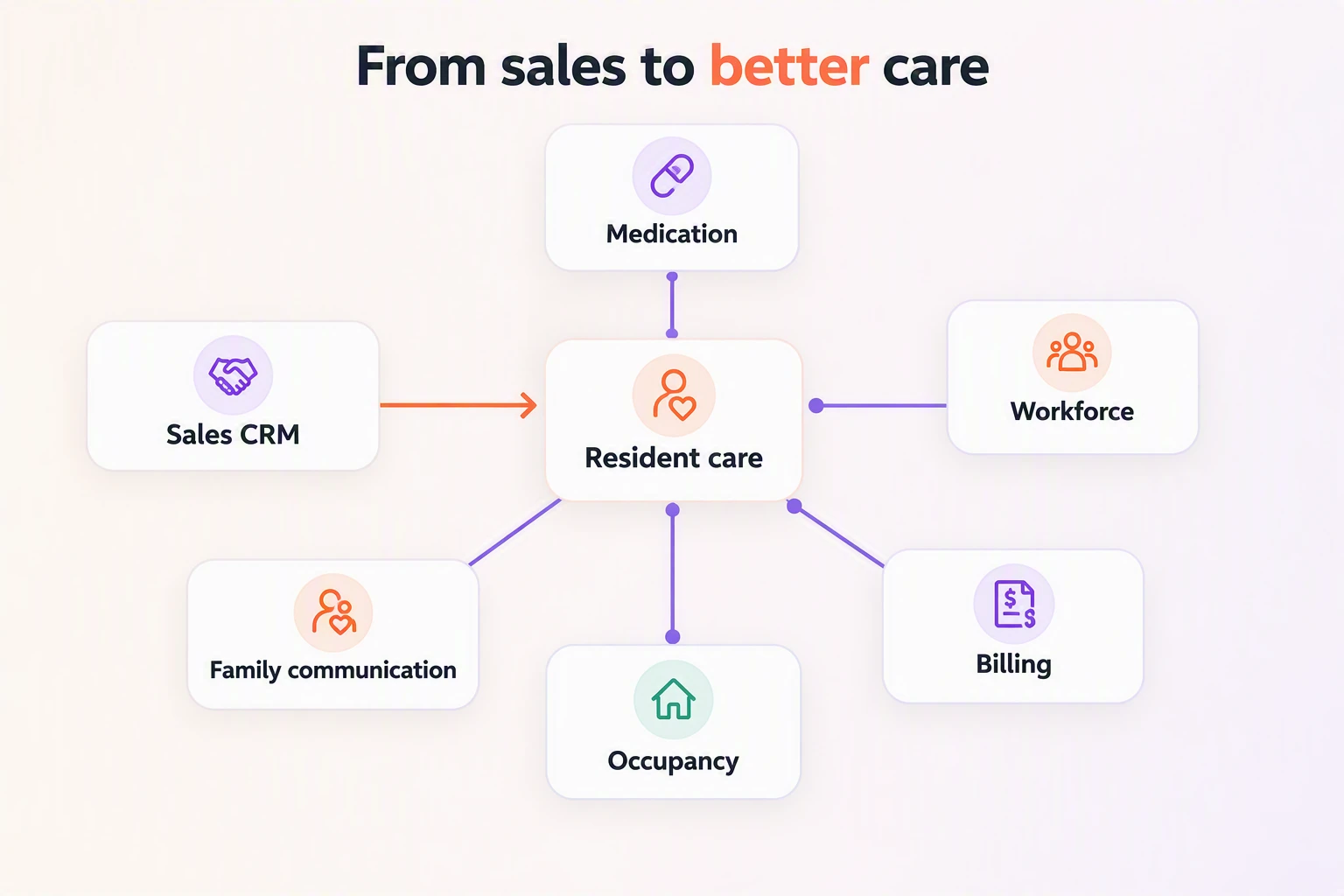
Assisted living software supports resident care records and daily work in senior living communities. It may also connect medication, staffing, billing, occupancy, family communication, and compliance evidence.
Core and optional coverage can include:
Resident care: Assessments and care plans flow into daily charting and handovers.
Medication: eMAR or pharmacy exchange connects medication work with staff tasks and resident documentation.
Workforce coordination: Rotas, visits, routes, and mobile updates stay alongside task follow-up.
Business operations: Census-based billing and occupancy management connect with room status and family communication.
A sales CRM alone does not qualify as a clinical care platform. WelcomeHome appears at number ten as an adjacent benchmark, showing where prospect and move-in work stops and resident care software must begin.
How we evaluated these platforms
We ranked connected care workflow above feature volume. Public product information and named user reviews were checked for care setup, shift use, medication, finance handoffs, implementation, and market fit.
Vendor pages established documented capabilities; reviews supplied test prompts, not platform-wide conclusions. Unconfirmed features lowered confidence, while local regulations and market availability remained buyer checks rather than ranking claims.
Criterion | How it affected the ranking |
|---|---|
Connected workflow | Higher weight went to platforms that carry information from care or service setup through scheduling, recording, reviewed updates, and billing preparation. |
Frontline use | We favored workflows that staff can complete during a normal shift or visit without repeated entry. |
Clinical and medication work | Documented care records, eMAR, pharmacy connections, correction handling, and professional review raised confidence. |
Operational and finance handoffs | Billing, payroll, occupancy, property, or accounting links counted when the vendor documented how information moves between them. |
Implementation fit | Migration, permissions, training, device access, connectivity, and recovery steps shaped the practical assessment. |
Evidence and market fit | Official product information and named reviews supported the ranking, while country availability and local duties remained buyer checks. |
The 10 best assisted living software platforms
The ranking prioritizes connected workflows from care setup through billing preparation. The order also reflects clinical depth, operational continuity, implementation scope, evidence quality, and whether each platform supports resident care beyond CRM.
1. Silverwise
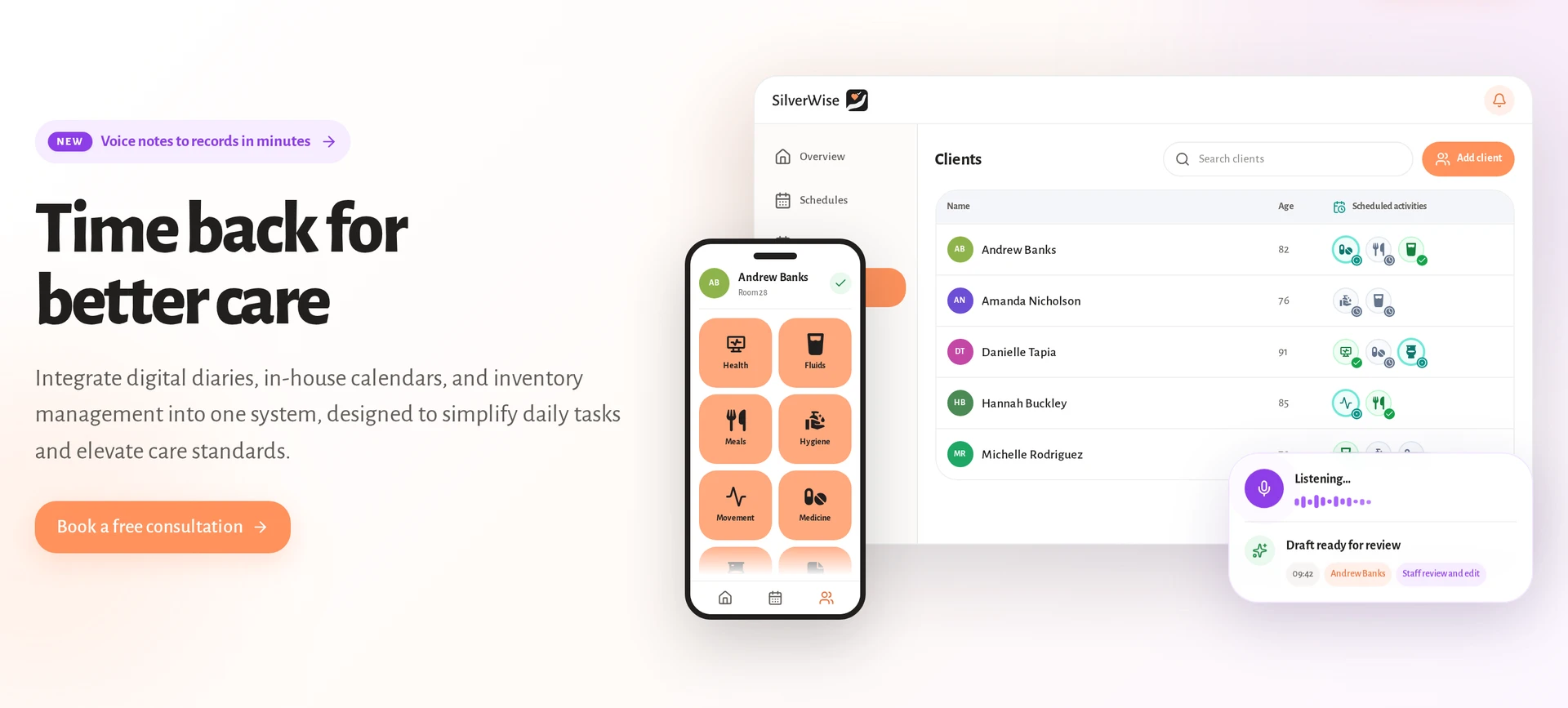
Silverwise ranks first because it connects residential and home care from setup through billing preparation, while WelcomeHome covers sales and move-in work rather than daily care.
That shared workflow gives care teams, coordinators, and office staff one current view of planned and completed work.
The work follows the order care teams use: set up care or services, plan staff and visits, record completed work, review updates, and prepare billing inputs.
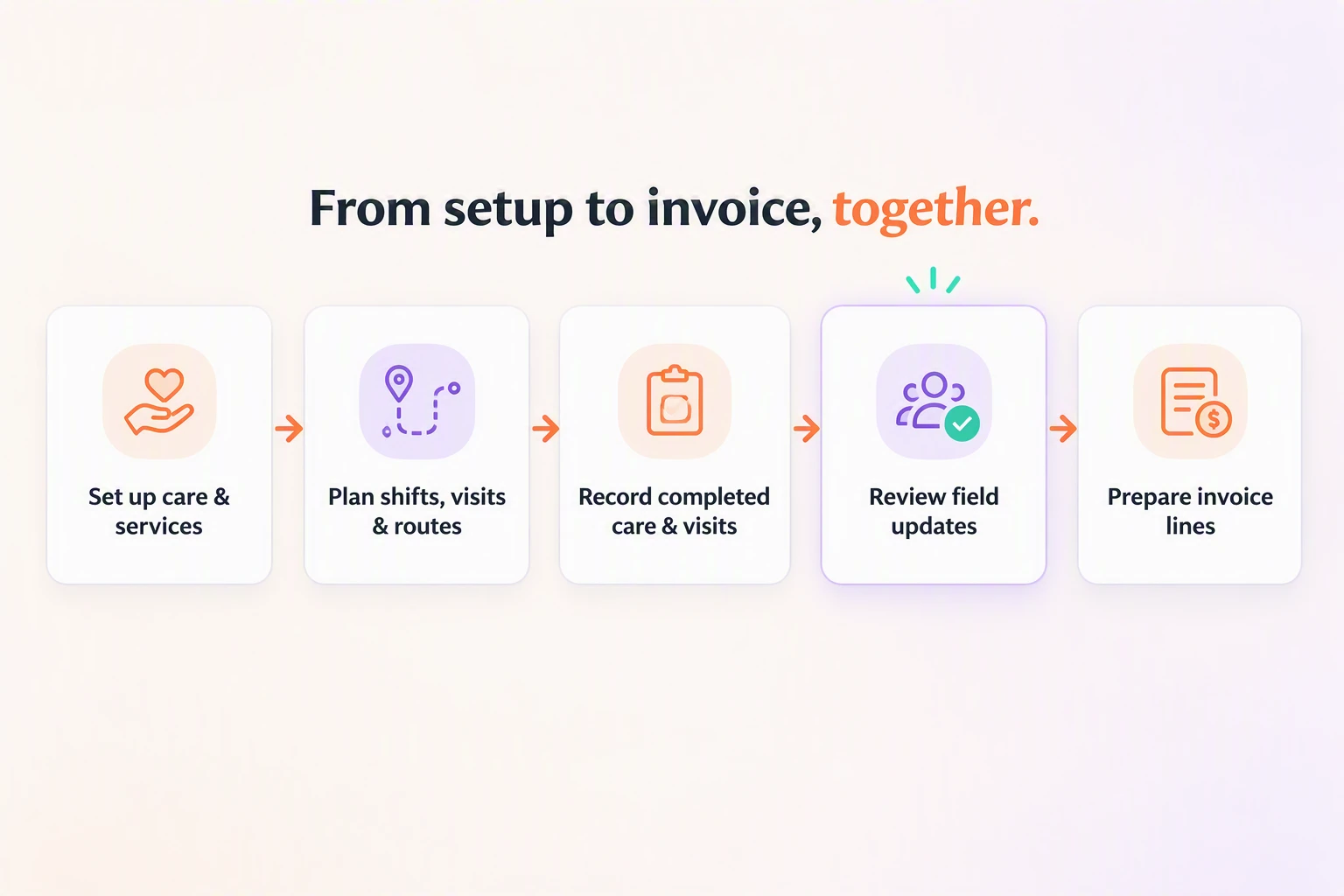
Set up care and services
Residential teams start with structured assessments, then turn each resident’s needs into recurring actions for meals, medication, hygiene, mobility, and local care routines.
Home care teams can set up services and assign them to clients.
Plan shifts, visits, and routes
Schedules use shift templates and recurring rules to build monthly or annual rotas. Managers can edit times or reassign work when staffing changes.
Coordinators can plan home care visits in Silverwise before mobile staff set out.
The shared scheduling workflow carries the details people need during the day:
Planned, edited, and reassigned shifts remain in one current rota that staff can check without circulated copies.
Role, department, and active-shift settings control access to client records.
Record visits and shift care
During residential shifts, caregivers mark daily care actions as completed. Silverwise stores the action, time, staff member, and relevant detail in the resident timeline.
Mobile workers record visit duration and completed services while the field visit is current. Office teams can follow visit times, route status, reports, and open work from the same system.
Care teams can record:
Routine care actions for meals, hygiene, mobility, and medication-related support. Confirm any required eMAR or pharmacy connection separately.
Custom actions such as wound care or a rehabilitation walk.
One completed action for multiple residents through bulk recording.
The services and time completed during a home care visit.
Turn spoken updates into reviewed records
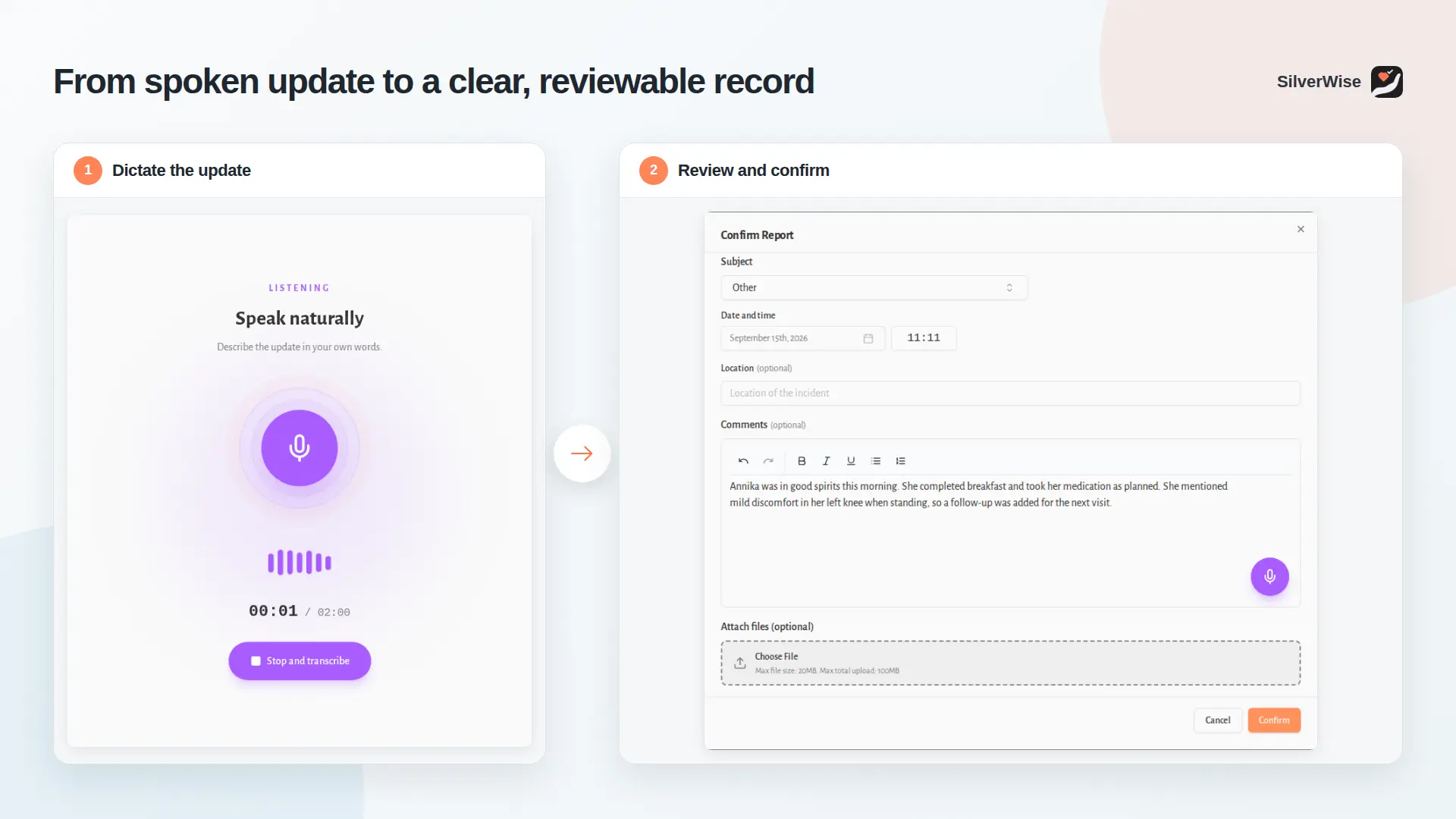
A caregiver can dictate a shift observation or field update in natural speech. Silverwise converts the recording into a structured, editable draft.
Professional judgement stays with your team.
The draft remains unsaved until a staff member reviews the wording, adds context, makes any corrections, and explicitly confirms the record.
Prepare invoice line items
Home care providers can review confirmed visit times, completed services, rates, and corrections when preparing invoice line items.
Service rates inside the workflow belong to the care provider. Silverwise does not publish subscription pricing, so software pricing is discussed in a personalized consultation.
Add operational oversight where it fits
Residential operators can extend the care workflow with optional operational modules:
Home views support optional oversight across residential settings.
Stock records support inventory and resident belongings.
File management keeps resident and employee records in one place.
The in-house calendar and Noticeboard keep activities, announcements, and department updates together.
These modules let a provider bring more daily work into Silverwise without making room, stock, or occupancy management the center of a home care workflow.
Move care records into one shared system
Two residential care providers used Silverwise to replace scattered paper and digital tools with one shared system for records and team communication:
Pärna Pansionaat brought paper care diaries, Excel files, and physical resident binders into one digital record.
Lõuna-Eesti Carehome moved records and team communication from paper, Excel, whiteboards, and Facebook groups into Silverwise.
Together, these care providers show the practical change Silverwise supports: your team can open one current record instead of rebuilding the day from folders, spreadsheets, boards, and messages.
2. PointClickCare Senior Living
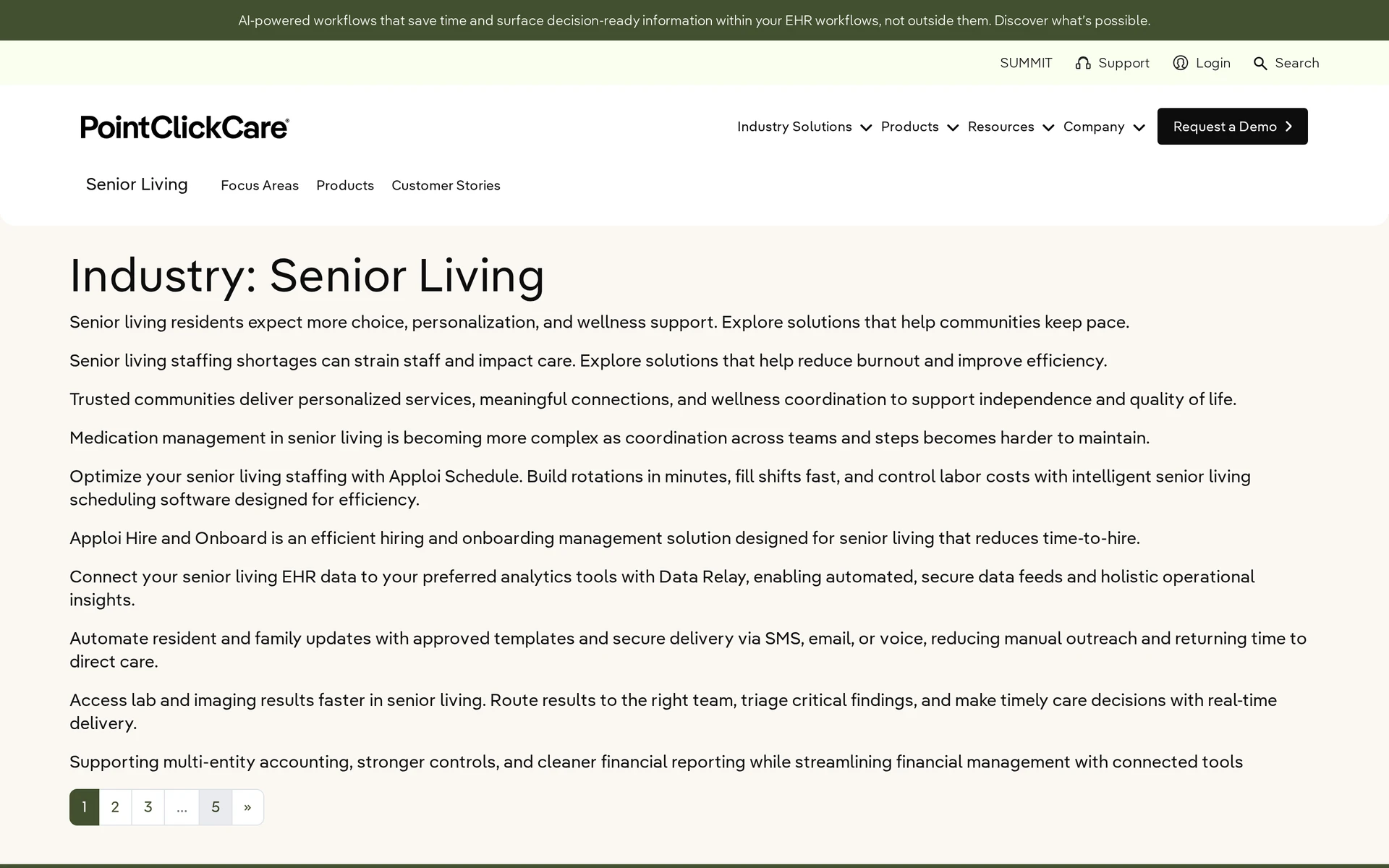
PointClickCare ranks second because its documented senior living scope connects clinical records, pharmacy work, mobile charting, messaging, and resident billing.
Best fit and why
It fits multi-community or mixed-acuity operators that need structured clinical documentation, HIE, pharmacy workflows, and senior living billing.
Its documented scope emphasizes direct care and revenue workflows. Yardi adds native property accounting, while PointClickCare buyers should map any required sales CRM or property ERP separately.
Operational coverage
The useful distinction is how its modules carry information between medication, point-of-care documentation, connected services, and resident charges.
Look closely at these workflow details:
Pharmacy Connect: Supports multi-facility eMAR, two-way pharmacy communication, order clarification, and medication updates.
Point-of-care documentation: Caregivers can record ADLs and delivered care on mobile devices.
Senior Living Billing: Handles care-tier changes, recurring fees, ancillary charges, shared-apartment statements, and eligibility.
Connected services: The researched modules include secure messaging, lab results, wound management, and electronic signatures.
Watch-outs
User reports identify two areas to test: MAR workflow friction and adoption of Nursing Advantage or Insights.
Test core shift workflows under normal conditions before committing. Ask PointClickCare to document rollout milestones for your configuration.
Medication pass: Recreate the tab-switching and MAR/TAR-view workflow with staff, then record whether it delays a normal medication pass.
Offline work: Offline charting was not established in the supplied product material. Ask staff to chart during a controlled connectivity loss before sign-off.
Add-on adoption: One Capterra review of PointClickCare's skilled nursing product said the facility cancelled Nursing Advantage and Insights because staff were not using them. Treat this as a rollout test prompt.
Pricing and buying notes
PointClickCare pricing comes through a custom quote, so ask for the full commercial scope:
Subscription scope: List the base subscription, required modules, add-on fees, and the exact bed, resident, or capacity measure used for pricing.
Support and renewal terms: Confirm the training and support package, then record renewal conditions and future price changes.
Compare the final scope against your requirements list rather than using an unpublished quote to infer whether the platform is inexpensive or costly.
3. Yardi Senior Living Suite
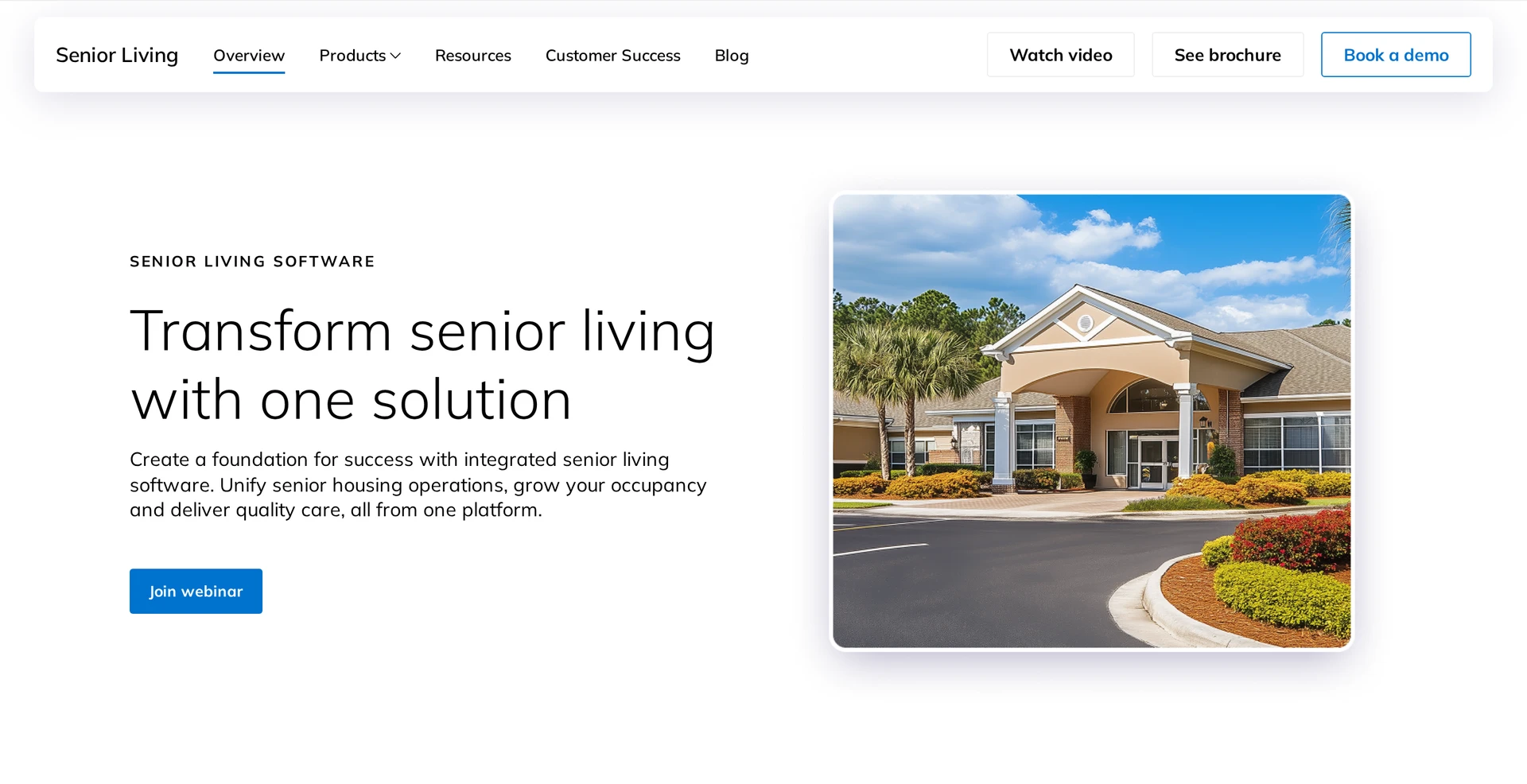
Yardi ranks third because its senior living platform connects care workflows with native Voyager property accounting on one database.
Best fit and why
It fits multi-site operators that need senior care, finance, property operations, and CRM in the same proposed configuration.
The shared database matters when clinical changes must flow into resident billing and portfolio reporting without a separate reconciliation process.
Single-community buyers should test whether they need the proposed property scope. Home care providers should also note that Silverwise documents mobile service workflows, while Yardi's cited scope centers senior living communities.
Operational coverage
Yardi Senior Living Suite covers property management, finance, CRM, EHR, eMAR, mobile care notes, billing, and portfolio analytics.
Test whether the shared database works as expected by tracing two changes from start to finish:
Change a resident assessment or care level, then check the care record, charges, and resident ledger.
Update census or occupancy data, then check the CRM, property record, and portfolio reporting.
Ask Yardi to demonstrate the exact module set in your quote, using one resident journey from assessment through billing.
Watch-outs
Yardi migration touches resident, property, and financial records, so clinical and finance teams need shared ownership of mapping, testing, and approval.
Yardi's breadth can increase implementation scope. Define ownership before contract signature:
Data migration: Name who will clean and approve resident, property, and financial records.
Configuration: Assign clinical and finance owners for workflows, permissions, and reporting.
Integrations: Document every outside system, interface owner, and testing step.
Training: Test the configured system with assisted living staff as well as finance teams.
Pricing and buying notes
Yardi’s custom proposal reflects units or beds, care levels, selected modules, and implementation scope. Require these details:
Commercial scope: State the pricing metric and how census changes affect it. List the licensed modules and user access.
Implementation: State configuration charges. Include data migration and interface costs.
Training and support: State what is included, who delivers it, and which teams receive role-specific help.
Renewal terms: Record renewal timing, adjustment rules, and how portfolio or census changes affect the agreement.
Use the same scope and implementation assumptions when comparing Yardi with another proposal.
4. MatrixCare Senior Living
MatrixCare ranks fourth for assessment-led clinical and billing workflows, with added evaluation weight on whether its controls fit a lower-acuity assisted living shift.
Best fit and why
It fits multi-site assisted living, memory care, or mixed-acuity campuses needing clinical controls and assessment-driven billing. August Health centers integrated billing and payments, while MatrixCare also documents financial and operations management.
The product's skilled-nursing roots matter because assessment-driven processes may suit higher-acuity campuses while adding steps for a simpler assisted living model.
During evaluation, separate required clinical controls from optional modules so workflow depth matches the campus.
Operational coverage
Coverage spans assessments, care plans, mobile eMAR, billing automation, data and analytics, integrations, and optional dining management.
During a demo, trace the links between modules rather than reviewing each screen in isolation:
Change an assessment, then confirm the care-plan and mobile eMAR updates.
Post a completed service, then confirm the resident charge reaches billing and financial reporting.
Dining management is optional. Exclude the module from scope and price if your operation uses another system.
Watch-outs
Skilled-nursing-oriented workflows can add screens and controls to lower-acuity medication passes and assessment updates.
Test stability and workflow complexity with real assisted living scenarios:
Workflow fit: A skilled-nursing-oriented process can add screens or controls that a lower-acuity community may not need. Measure the steps required for a medication pass and assessment update.
Reliability report: A Capterra reviewer who moved from MatrixCare to PointClickCare reported recurring crashes, downtime, and delayed updates. Test recovery and synchronization in your proposed configuration.
Use the review as a test prompt, not a platform-wide conclusion. Ask MatrixCare to define service commitments and demonstrate recovery after a controlled connection loss.
Pricing and buying notes
MatrixCare uses a custom proposal. Use it to confirm:
Pricing unit: Confirm whether the quote uses licensed beds, occupied beds, residents, communities, or another measure.
Module scope: List every included clinical, pharmacy, finance, analytics, and dining component.
Implementation: State configuration and launch charges.
Migration and interfaces: Price data work and each required connection.
Ongoing service: Record training, support, service commitments, and renewal terms.
Compare MatrixCare only after each vendor has priced the same required workflows.
5. ECP
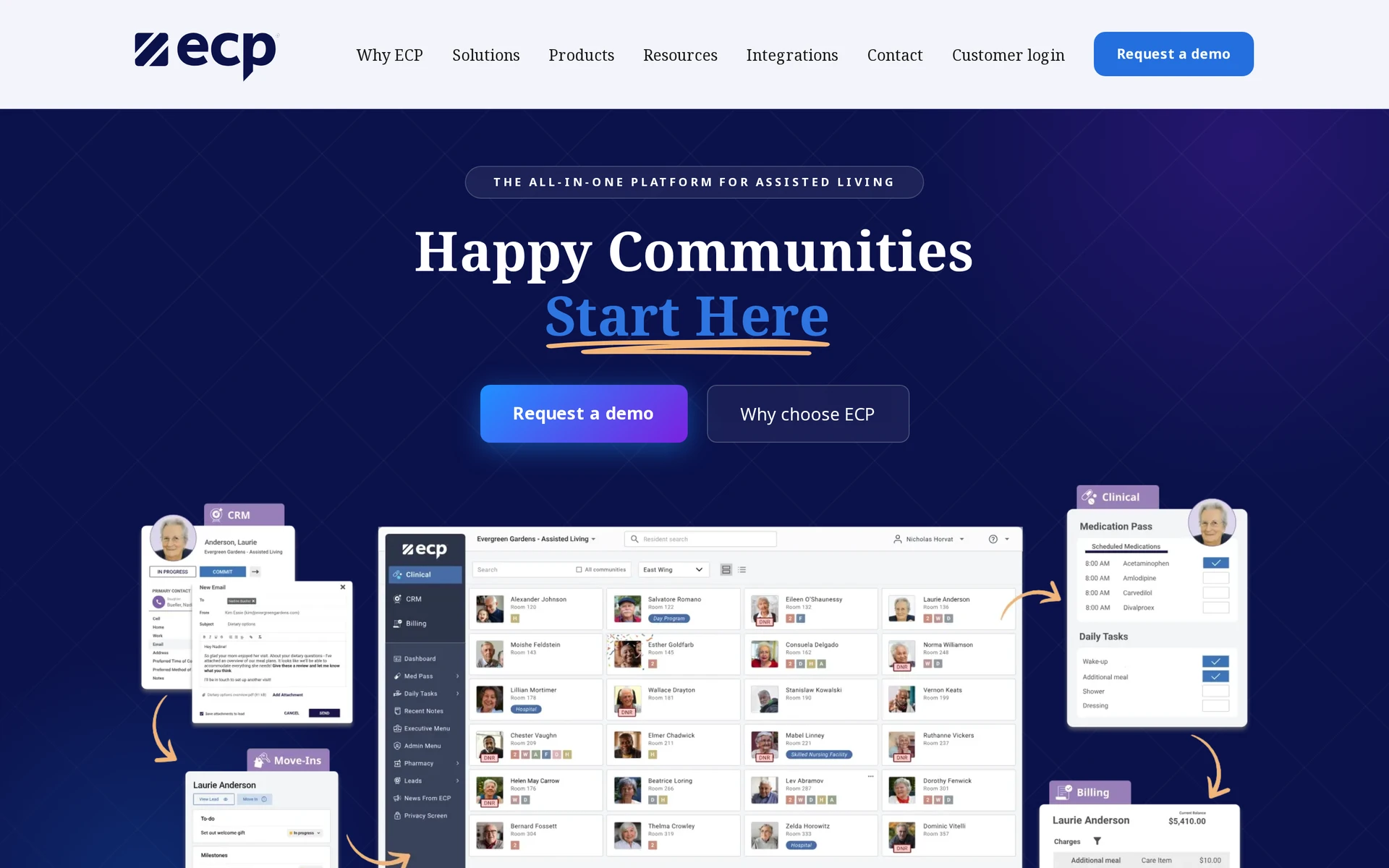
ECP ranks fifth for a medication-led resident journey that connects native CRM, move-ins, care records, and billing. August Health uses a WelcomeHome connection for the sales stage.
Best fit and why
ECP fits assisted living, memory care, residential care, and IDD operators that need connected medication, admissions, billing, and state compliance workflows.
Medication administration is the organizing workflow rather than a stand-alone record. Prospect and move-in information can carry into resident care, then continue into billing.
Operational coverage
Its operational value lies in carrying one resident record from prospect and admission work into medication, care, family, and billing activity.
Resident identity is the thread across the ECP stack:
A CRM prospect can become a digital move-in record.
Medication and care documentation stay linked after admission.
Family engagement and billing continue from the resident record.
ECP reports more than one million care activities charted daily. Each operator still needs to verify its required pharmacy interface and medication workflow.
ECP documents an integrated platform across eMAR, EHR, CRM, move-ins, and billing. Test the proposed configuration on normal shift devices and during a controlled connection loss.
Rollout speed depends on scope. ECP reports that 19 communities went live in under one week, which is a vendor case study rather than a standard timeline.
Watch-outs
Correction history, rejected pharmacy orders, synchronized timestamps, and cross-module handoffs need to be tested in the configured workflow.
Scope drives rollout effort. Deployments that span clinical and business workflows need cross-module configuration beyond an eMAR-only installation.
Use the buying process to verify:
How corrections and late medication entries appear in the audit history.
What happens when the pharmacy rejects or changes an order.
Whether offline entries preserve their original timestamps after synchronization.
How resident data moves between CRM, move-in, clinical, and billing modules.
Pricing and buying notes
ECP quotes recurring fees by bed or resident, with the selected module mix written into the contract. Use the quote to answer:
Is the recurring fee based on beds, residents, or communities?
Which clinical and business modules are included?
What one-time charges apply to implementation and data migration?
Are pharmacy interfaces, training, and support included or charged separately?
How can the price change when occupancy or module use changes?
6. August Health

August Health ranks sixth for mobile-first clinical work, eMAR, voice-assisted documentation, and billing, with sales CRM handled through a WelcomeHome connection.
Best fit and why
August Health fits senior living and memory care sites that want mobile clinical work, fast training, and billing in one stack.
The platform handles digital move-ins and connects bidirectionally with WelcomeHome for sales CRM. WelcomeHome manages lead and tour activity, while August Health keeps clinical records in its own system.
Operational coverage
August Health modules are EHR, eMAR, Move-Ins, Care Track, Insights, and Billing and Payments.
Within eMAR, medication rounds include specific checks and notifications:
Barcode validation checks the medication during administration.
Duplicate-medication alerts and PRN follow-ups flag issues that need attention.
Pharmacy rejection notifications bring failed order activity back to staff.
Interfaces connect with institutional and retail pharmacy systems.
Care Track converts spoken caregiver updates into structured documentation in multiple languages. August Intelligence surfaces charting and condition-change patterns for staff to assess.
The evaluation should trace each voice draft through correction and approval before it enters the legal record.
Billing and Payments keeps resident charges in the same platform:
Handles prorations and anniversary increases.
Supports ACH and card payments, including split payments.
Produces tax exports for the finance workflow.
General ledger and property accounting still depend on integrations or exports. Finance teams should map that handoff before buying.
Watch-outs
Public materials do not confirm whether eMAR and charting entries can be saved on a device without connectivity.
For the CRM handoff, test ownership of duplicate contacts and recovery from failed synchronizations before launch.
Run a full medication round and voice-note workflow with Wi-Fi and mobile data disabled. Confirm whether entries queue locally and how timestamps are reconciled after connectivity returns.
Pricing and buying notes
August Health uses a custom quote with a recurring license based on beds or communities. Require the proposal to list:
The recurring license basis, such as beds or communities.
The modules included in the quoted subscription.
One-time implementation charges.
Data migration and staff training fees.
Pharmacy and CRM integration costs.
Support terms and renewal adjustments.
7. Aline
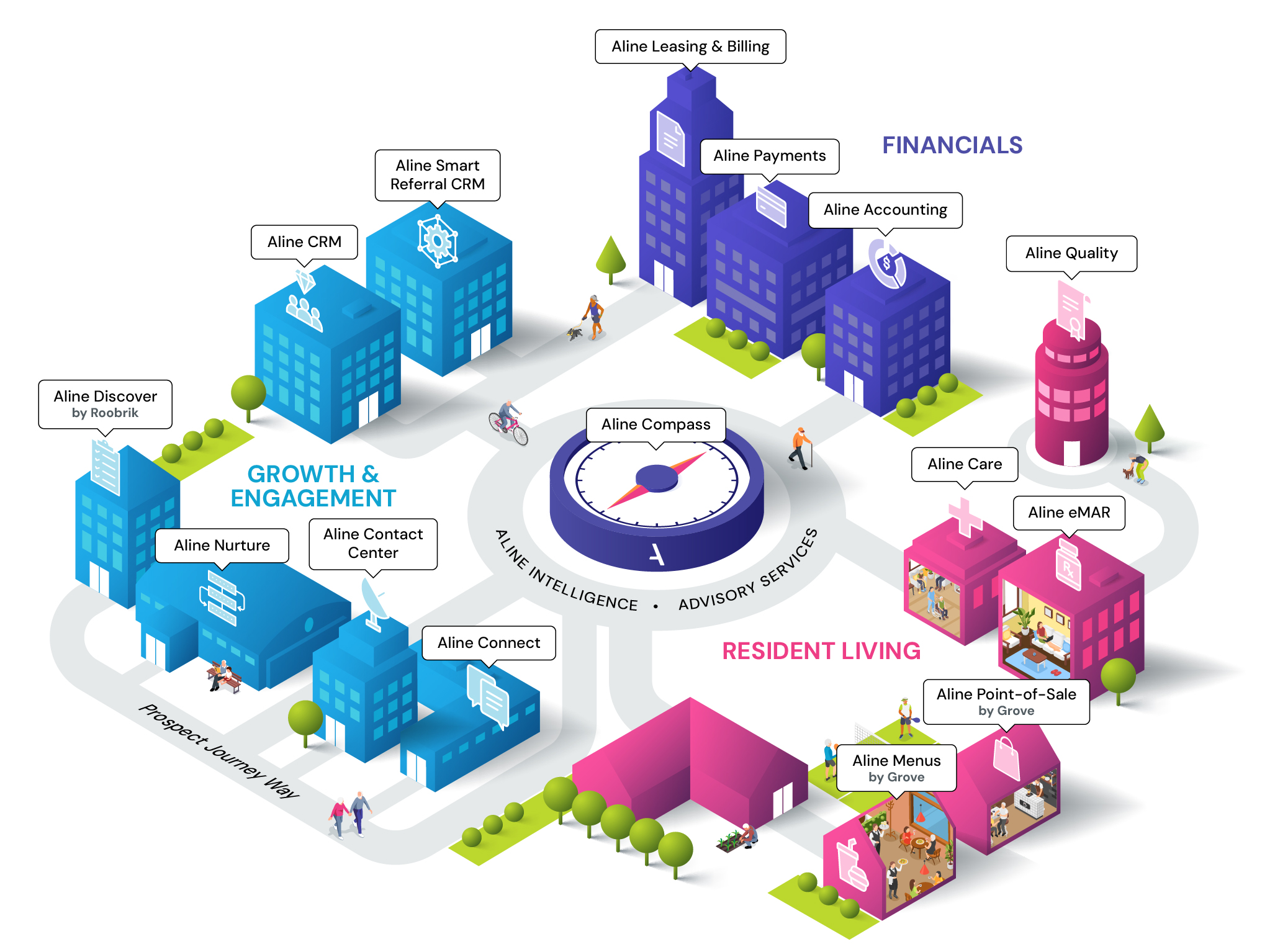
Aline ranks seventh for connecting resident care with native leasing, payments, and accounting. ECP's documented finance scope centers on billing rather than the same accounting product family.
Best fit and why
Aline fits multi-community operators that want sales, occupancy, clinical, billing, dining, and analytics in one modular suite.
The modular structure suits operators that plan to add products by function or community. A single-site team seeking only care records may need fewer moving parts.
Sales-led operators can assess Aline's managed contact-center and sales tools, which can qualify inquiries and return activity to the CRM for community follow-up.
The CRM record can continue through leasing and into resident operations, reducing the handoff between marketing and care teams.
Operational coverage
The useful test is whether one resident identity survives the handoffs among CRM, leasing, care, medication, billing, dining, and analytics.
Module handoffs matter more than the catalog. During a demonstration, trace one resident through this sequence:
A qualified inquiry enters CRM.
Leasing converts the prospect into a move-in.
EHR and eMAR begin the resident’s care record.
Billing, dining, and analytics receive the appropriate resident data.
After the walkthrough, correct one post-move-in detail and confirm that every activated module receives the change.
Watch-outs
Aline's selectable modules create several permission and record handoffs. Test who owns duplicate contacts, post-move-in corrections, and access changes across every activated product.
Keep the Aline proposal comparable by recording:
The number of communities and licensed beds.
The products activated for each community.
Onboarding and data migration responsibilities.
Managed services and third-party integrations.
Test duplicate-record resolution and permission changes at every activated handoff, including who owns the correction.
Single-site buyers should compare the administration required for module permissions and integrations with the workflows they actually need.
Pricing and buying notes
Aline does not display public prices for individual modules. A sales proposal should show the cost of each selected component.
The recurring fee for each module.
One-time implementation and migration charges.
Optional contact-center or advisory services.
Required integration fees.
Training and support terms.
Renewal rules when beds or communities change.
8. Eldermark
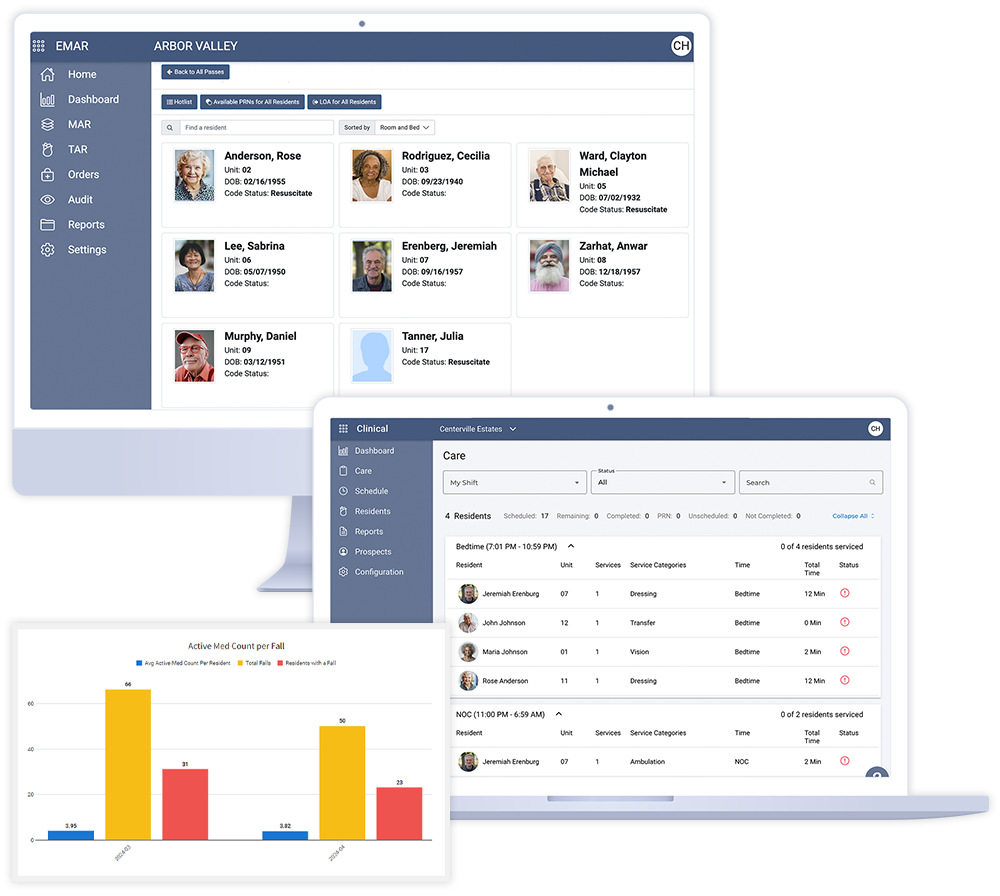
Eldermark ranks eighth for linking clinical documentation with service-based billing and portfolio oversight. ECP places the prospect-to-billing journey more explicitly at the center of its public platform description.
Best fit and why
Eldermark NEXT is a clinical and operational system for standalone and regional assisted living or memory care communities. Its core workflow links resident documentation and medication records with service-based revenue capture.
Buyers can begin with a named Clinical and eMAR package rather than scope the full enterprise suite at the outset.
Operational coverage
The platform covers clinical work and selected commercial processes in one suite:
Resident records: EHR supports clinical documentation.
Medication: eMAR supports medication administration records.
Point-of-care entry: Mobile care documentation gives frontline staff access during daily work.
Commercial workflows: CRM, billing, and payments connect prospect and revenue activity.
Oversight: Resident engagement, operational alerts, and predictive analytics extend the management view.
Because the modules cross clinical and financial work, buyers should trace one resident workflow from assessment through documentation and billing during a demonstration.
Watch-outs
Confirm which clinical, CRM, billing, payments, and analytics modules are included. Test medication-pass continuity and general care-note entry separately during a controlled connection loss.
Pricing and buying notes
Eldermark uses vendor-led buying for its clinical, financial, growth, and analytics products. Ask for the recurring scope and every implementation charge in writing.
Request a written scope that confirms:
Included scope: List the Clinical and eMAR functions in the subscription, plus every module that requires separate licensing.
Project scope: Every setup cost and every existing-system connection required for launch.
9. ALIS
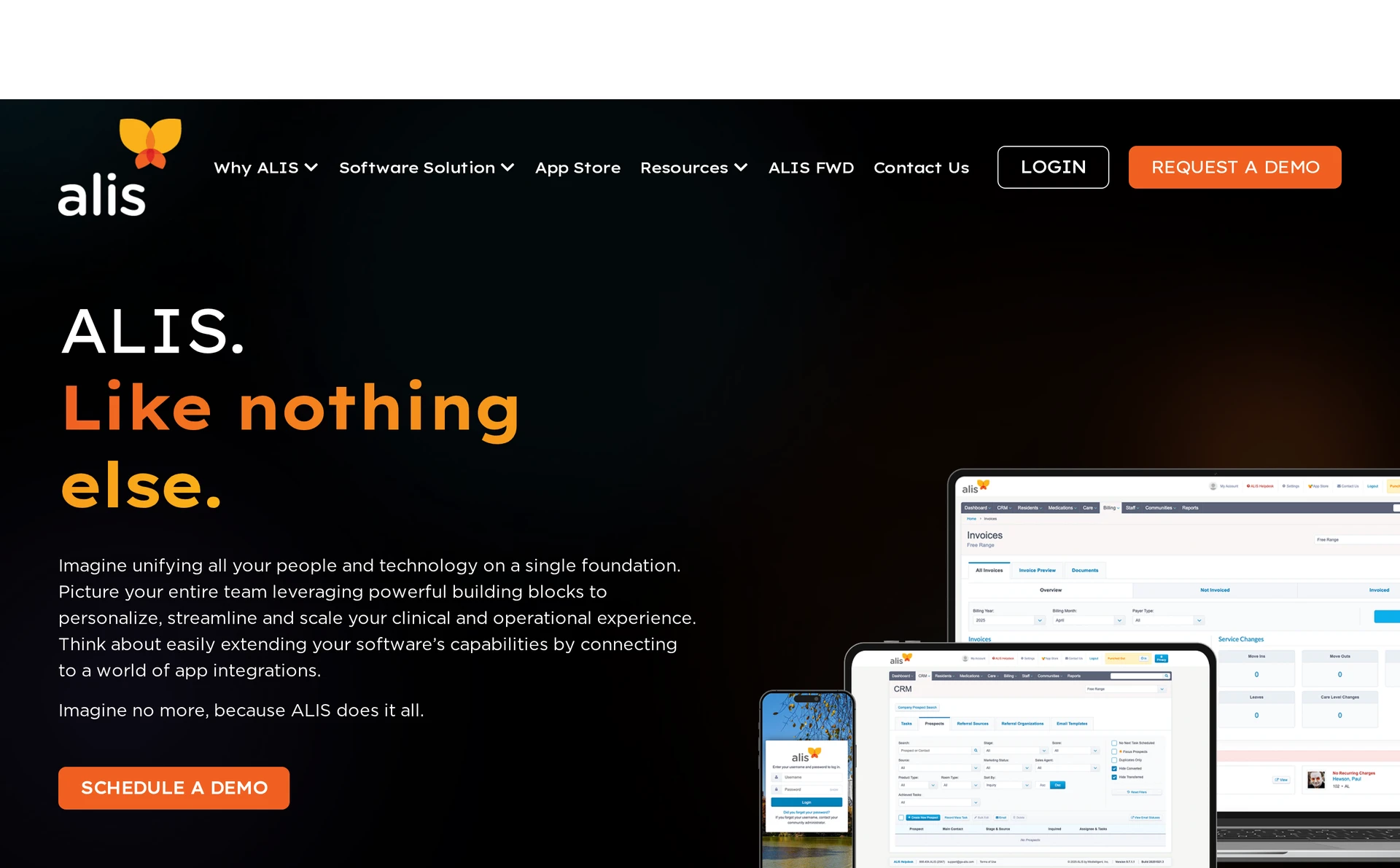
ALIS ranks ninth because its browser-based shift access needs more device and connectivity validation than August Health's documented mobile-first Care Track workflow.
Best fit and why
ALIS is a browser-based assisted living platform covering clinical, medication, operational, and financial work for standalone and mid-sized operators.
Configurable compliance monitoring and senior-care hardware integrations may suit operators whose requirements include oversight or connected devices.
Operational coverage
The system combines clinical records with selected administrative workflows:
Clinical records: EHR and eMAR cover resident documentation and medication records.
Assessment: Resident assessments connect with configurable compliance monitoring.
Administration: Billing and enterprise reporting support back-office review.
Communication: Family access extends selected information beyond the care team.
Connected systems: Senior-care hardware integrations link ALIS with devices used by the community.
Care staff access ALIS through a mobile-responsive browser. Test supported browsers, normal shift devices, and a weak-connection scenario to establish whether notes save locally or require re-entry.
Watch-outs
Pricing and buying notes
ALIS uses custom, module-based pricing with a monthly SaaS subscription under a one-year initial agreement. Its enterprise terms allow per-module onboarding charges, while on-site training is separately charged.
Confirm these commercial terms:
Subscription: Monthly SaaS charges under the one-year initial agreement, including every licensed module and location.
Onboarding: Per-module configuration, migration, and launch charges.
Training: Included remote help and separately charged on-site sessions.
Integrations: Supported hardware, setup costs, and ongoing connection fees.
10. WelcomeHome Software
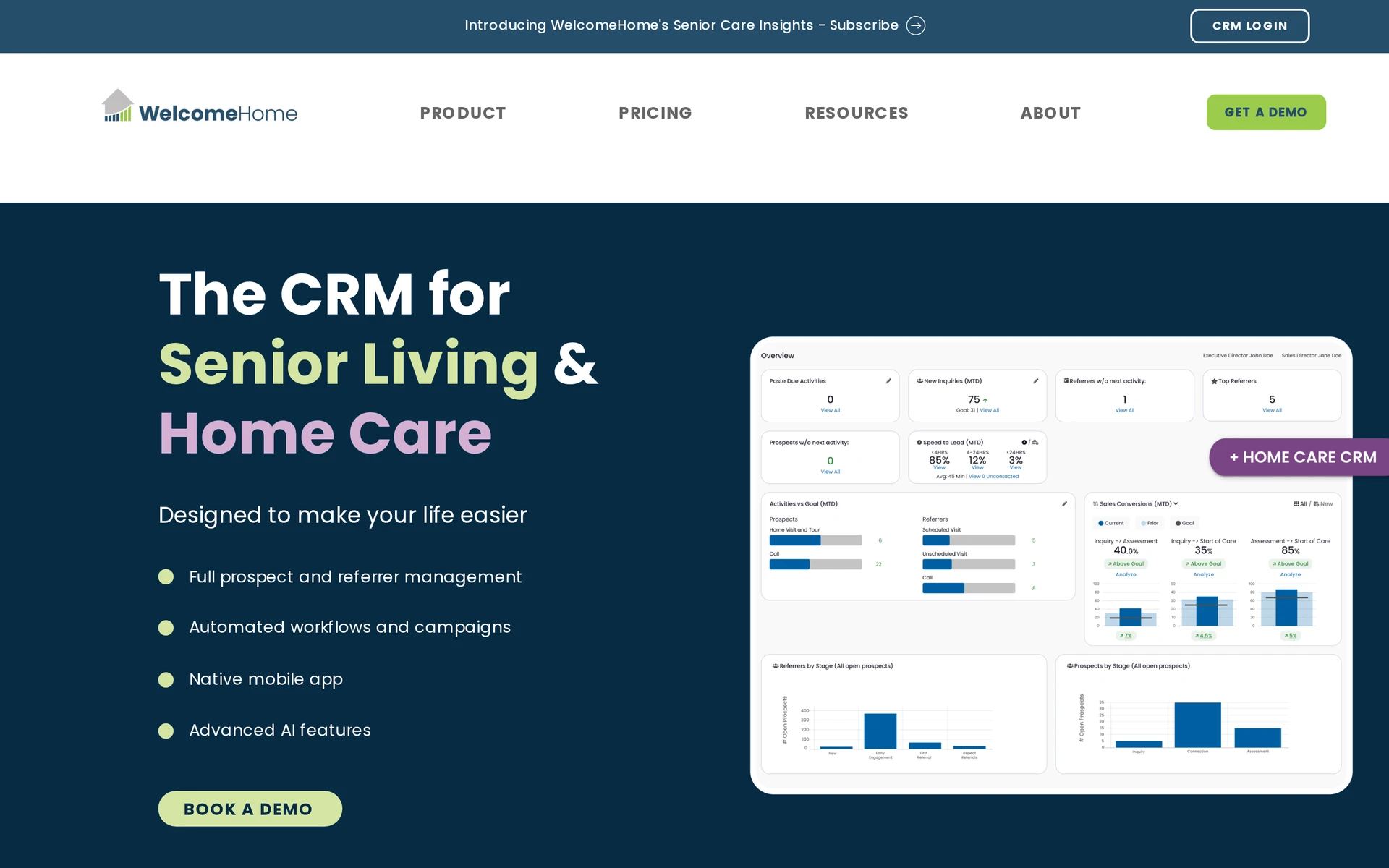
WelcomeHome ranks tenth as an adjacent senior living CRM benchmark, not as a resident-care, eMAR, or workforce platform.
Best fit and why
It fits sales teams that already use another product for resident records, medication, caregiver schedules, and care delivery.
Operational coverage
WelcomeHome covers the prospect-to-move-in sales process:
Lead management: Capture enquiries, automate follow-up tasks, and track the sales pipeline.
Relationship work: Record prospect communications, referrals, and tours.
Reporting: Monitor conversion and occupancy measures.
Handoffs: Pass move-in information from the sales team to the next workflow.
Integrations: Connect sales work with Outlook and Zapier.
Watch-outs
The documented product scope stops at CRM and occupancy workflows. WelcomeHome does not include:
Clinical care: A separate EHR must hold resident notes, medication administration records, and care plans. Confirm how converted-prospect data reaches that record.
Workforce workflow: A separate system is required for caregiver schedules. Confirm whether occupancy changes return to WelcomeHome or need manual entry.
During vendor testing, convert a prospect and identify who creates the resident record. Then check whether occupancy updates return without manual re-entry.
Pricing and buying notes
WelcomeHome publishes two community-based plans:
Plan | Monthly price | Included |
|---|---|---|
Core | $550 per community | Unlimited users and training |
Enhanced | $700 per community | Unlimited users and training |
Before comparing quotes, ask WelcomeHome to confirm:
Scope of the published rates: WelcomeHome Core's $550 per-community rate covers sales CRM, not resident care or eMAR. Compare total cost only after mapping the separate clinical and workforce systems required.
Implementation and connections: Data-import and setup costs, with clear responsibility for each existing-system connection.
Assisted living software compared side by side
The clearest differences are pharmacy connectivity, property accounting, and how each vendor prices its software. Treat any capability marked “confirm” as a demonstration question rather than a missing feature.
Platform | Main operational scope | eMAR and pharmacy | Property, accounting, or billing | Published buying model |
|---|---|---|---|---|
Silverwise | Connected care and facility operations, including home care visits | Confirm the required eMAR or pharmacy interface | Occupancy and room operations; confirm GL or accounting export | Consultation based on required scope |
PointClickCare Senior Living | Senior living EHR and billing | Pharmacy Connect and multi-facility eMAR | Resident billing; confirm property ERP requirements | Custom quote based on maximum bed capacity |
Yardi Senior Living Suite | Senior living clinical and property operations | Pharmacy Network with bidirectional exchange | Native Voyager GL and resident ledgers | Custom quote |
MatrixCare Senior Living | Senior living care records and billing | Barcode medication administration and pharmacy interfaces | Service-plan billing; confirm property accounting | Custom per-bed quote |
ECP | eMAR, EHR, and care operations | ECP eMAR connects with more than 60 long-term care pharmacies | Level-of-care billing; confirm property accounting | Custom quote |
August Health | EHR, move-ins, voice charting, and billing | Barcode eMAR with institutional and retail pharmacy links | Billing and payments with accounting export | Custom quote |
Aline | Clinical, leasing, and sales workflows | eMAR listed; confirm the required pharmacy interface | Leasing and billing; confirm native GL requirements | Custom modular quote |
Eldermark NEXT | Care records, CRM, and billing | Two-way pharmacy exchange with offline medication-pass contingency | Sync or export to Acumatica, Sage, and QuickBooks | Clinical and eMAR from $295 per community/month |
ALIS | Care records, assessments, billing, and family access | HL7 and NCPDP links with named pharmacy systems | ALIS Pay with external GL sync | Custom annual SaaS plus implementation |
WelcomeHome Software | Sales CRM, occupancy, and move-in handoff | Requires a connected clinical or eMAR platform | Occupancy workflow; confirm billing and GL requirements | Core $550 and Enhanced $700 per community/month |
Nine entries manage resident care, while WelcomeHome stops at sales and move-in. Yardi and Aline document broader accounting scope; other platforms require closer review of billing, exports, or external finance systems.
What to check before you choose a platform
Choose a platform only after it completes one live workflow from care or service setup through the shift or visit record to billing preparation.
Criterion | What to test before signing | Suggested owner |
|---|---|---|
Care or service setup | Build one resident assessment or care plan, schedule a recurring action, and add a home care service without vendor intervention. | Care lead |
Schedules and routes | Change a shift and a home care route. Confirm the latest version reaches field staff and the office without a second spreadsheet. | Scheduler or coordinator |
Visit and shift records | Record completed care once, then verify the resident, author, timestamp, correction history, and handover context. | Frontline staff and shift lead |
Reviewed field updates | Dictate a realistic update. Any AI-prepared text should remain a draft until a staff member reads, edits, and confirms it. | Care lead |
Billing and payroll readiness | Trace a completed visit or recorded shift into the billing or payroll input, including a cancellation or correction. | Finance or payroll lead |
Pharmacy and external systems | Demonstrate two-way data exchange, failed-feed alerts, and the exact handoff between the provider, pharmacy, vendor, or outside system. | Project lead and integration owner |
Implementation | Agree data migration, permissions, devices, connectivity, training, fallback procedures, and a named internal owner before rollout. | Internal project lead |
Local responsibilities | Map privacy, record retention, medication, billing, and employment duties to your country and care model. Use CQC guidance for UK adult social care. | Data protection or compliance lead |
A platform is ready for a shortlist only when frontline, care, finance, and project owners can complete and recover the same normal workflow.
Is there free assisted living software available?
Yes, but free plans are usually limited by country, service users, or modules. Log my Care offers a UK Starter plan for up to 10 service users with care planning, daily records, and handovers.
eMAR, rostering, HR, and finance sit in paid products, so compare the full workflow rather than the entry price alone.
Does assisted living software need to be HIPAA compliant?
HIPAA applies when an operator or vendor is a covered entity or business associate handling protected health information in that role.
HHS requires an appropriate written agreement when a covered entity uses a business associate. UK-only providers should instead map UK data protection, care-record, medicines, and contractual duties, including applicable CQC guidance.
Can assisted living software integrate with existing systems?
Yes, when both systems support the same data flow. Ask suppliers to demonstrate pharmacy updates, health-record exchange, finance or payroll exports, failure alerts, correction handling, and who fixes a broken connection.
Put interface fees, support ownership, and migration work into the contract.
How much does assisted living software typically cost?
There is no reliable market-wide price because scope and pricing units differ. WelcomeHome publishes CRM plans at $550 and $700 per community/month, but those prices do not include resident care or eMAR.
Most care platforms use custom proposals, while Silverwise prices through consultation. Compare setup, integrations, training, support, renewal terms, and every required module.
:no_upscale())